Tactical Gear Mod
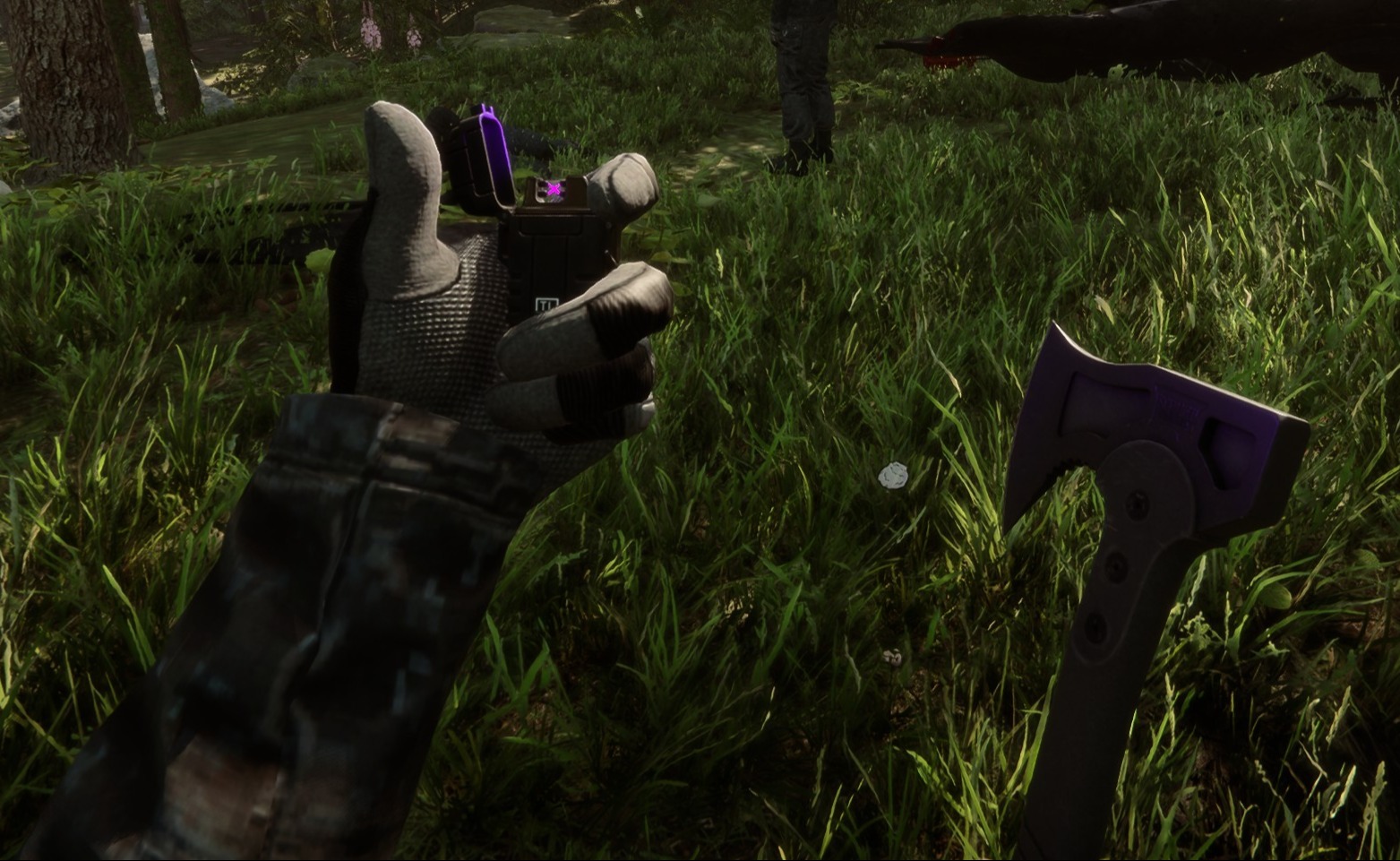
This configurable client-side mod adds tactical gear to you and any other players in your game.
clairenheit1367 Model Swap Version:v1.1.6 Updated Dec 28, 2025
- Downloads
- 16,143 total
- Downloads this week
- 213 this week
- Followers
- 2 followers
Download v1.1.6
Other versions
Client · Host only See all
Overview
Field notes
All 21 versions- v1.1.6 Latest New for you Actually fixed the constraint source issue Fixed bald players breaking the code · 13K downloads
- v1.1.5 New for you Applied more fixes for the name tag constraint issue, including null checks so if the issue occurs it shouldn't halt the code · 8 downloads
- v1.1.4 New for you Fixed an issue with the nametag constraint source that prevented some options from appearing on network players · 7 downloads
Reviews

No reviews yet. Downloaded it? Be the first to tell others how it went.
Write a review
Sign in · One review per survivor. Be specific: version, what worked, what didn’t.
Frequently asked questions
- Does Tactical Gear Mod work in multiplayer?
- Yes, but only the host needs to install it; the other players can join without it.
- How do I install Tactical Gear Mod?
- Install RedLoader (RedManager can do it for you), download Tactical Gear Mod 1.1.6 from this page and put it in the _RedLoader/Mods folder inside your game directory. Launch the game and press F1 to confirm it loaded.
- What does Tactical Gear Mod need?
- Only Sons of the Forest on Steam and RedLoader. It has no other dependencies.
- Does Tactical Gear Mod work on the current game patch?
- There are no compatibility reports yet. If you try it, add a field report.
At a glance
- Game build
- Not verified
- RedLoader
- Not declared
- Platform
- Client
- Multiplayer
- Host only
- Dedicated server
- Unknown
- Remove mid-save
- Unknown
- Dependencies
- None
- Conflicts
- None known
- Version
- 1.1.6
- Updated
- Published
Field reports
ReportNo field reports yet. Tried it? Report back.
Did it work in your game?
A field report takes ten seconds and tells everyone whether this mod works on the current patch.
Sign in to add a field report
14 comments
Hello Herds, the settings are available in the main menu on the "Mods" option, not in file explorer.
I might be super stupid, but i cant find the settings in my file explorer to configurate the mod. can someone please help me
i I'm having a problem with the mod. When I save the game, exit, and re-enter, the mod stops working (the hands and clothing aren't visible, only the default game gear, and Kevin doesn't have his helmet or anything equipped). I don't know if anyone else has experienced this or is currently experiencing the same issue.
Oma, it's a 1 click install using RedModManager
Can you please explain how to install the mod?
The gloves were not designed for the player and required some unconventional fixes to make replace the player hands. The player hands are two meshes, one for each while the gloves are one mesh for both and do not include forearms. The gloves work best with the "old" jacket, as the new one is designed around the gloveless hands. You'll notice the old jacket option forces gloves on co-op players, as otherwise the forearms will violently clip with it.
wrists are invisible on other clothing when gloves are in use.
sleeves are thinner than usual, and taking off the gloves will result in the thin sleeves clipping through the normal player arms.
nvm fixed it by uninstalling all other mods. the mod is great althru gloves could be rigged bit better for less clipping
it does not work for me (
it makes my hands invisible
R0xxier0cks, the helmet and balaclava are set to cast shadows only for the local player as otherwise they would obstruct your camera view. The free-camera option is a debug tool and doesn't override this
Something not working? Share your log and paste the link in your comment.
Sign in to comment