Zum Inhalt springen
Anmelden

Wir haben SOTF Mods neu gebaut. Melde dich erneut an – dein Passwort ist dasselbe.

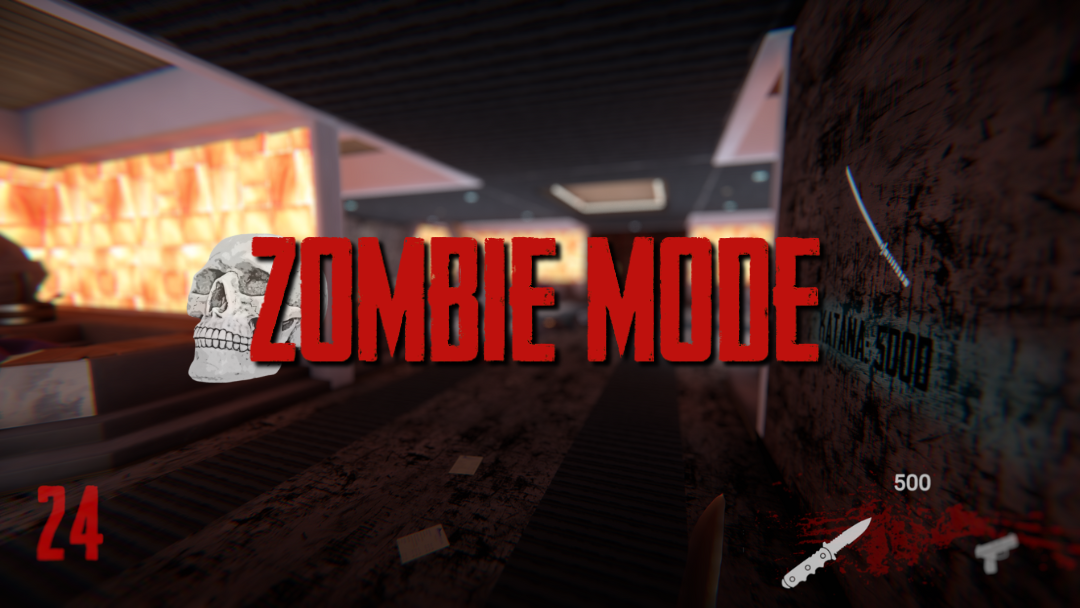
Titelbild von ZombieMode

ZombieMode

Survive through hordes of puffies in a call of duty black ops zombie inspired game mode

ImAxel Other Version:v0.1.0 Aktualisiert am 06.07.2024

Downloads
3.285 insgesamt
Downloads diese Woche
17 diese Woche
Follower
0 Follower
Nicht bestätigt Mit dem neuesten Patch noch nicht geprüft. Ausprobiert? Gib Bescheid. Melden, ob es funktioniert

Übersicht

Survive through hordes of puffies in a call of duty black ops zombie inspired game mode; buy weapons to increase survival chances, unlock new areas, upgrade weapons and player stats

Installation

  1. Download the mod as usual from the RedModManager or manually using the zip file
  2. Launch the game and open the installer from the main menu, download the needed content and restart the game
  3. [optional] If the ingame installer doesn't work you can manually get the files at the release page
  4. Play

Main features:

  • Round based system: enemies count increases each round
  • Auto health regen (no medicines needed)
  • Environment texture changes
  • Tweaked inventory: two main weapons selectable with num 1 and 2, grenades with key num 3 (wielded weapon will be swapped with the new one)
  • Currently owned weapons UI with their corresponding ammo count
  • Mystery box: exchange score points for a random weapon or it's ammunitions
  • Wall items: exchange score points for an item or it's ammunitions
  • Unlockable metal doors: exchange score points to unlock and discover new areas
  • Consumables: on death enemies have a random change of dropping a consumable
  • Forge: upgrade some weapons in exchange of score points (pistol and shotgun)
  • Vending machines: exchange score points for perks (increased health, movement speed)

Warning!

The mod uses save slot id number 1234567890, the chance of you having this id in use is almost zero, keep in mind that if this isn't the case it will get overwritten on content installation. You can see your used saves id at AppData\LocalLow\Endnight\SonsOfTheForest\Saves\SteamId\SinglePlayer just in case before proceeding with content installation. After installing the content you will have a new save at day 00 that shouldn't be touched.

Disclaimer

The mod is in an alpha state both for content and bugs state. Feel free to report any probl

Feldnotizen

Die 1 Version
  1. v0.1.0

    Neueste

    First release

Bewertungen

Noch keine Bewertungen. Heruntergeladen? Erzähl als Erste:r, wie es lief.

Bewertung schreiben

Anmelden · Eine Bewertung pro Überlebendem. Sei konkret: Version, was lief, was nicht.

Kommentare

Noch keine Kommentare. Fragen, Tipps und Fehlerberichte gehören hierher.

Häufige Fragen

Funktioniert ZombieMode im Mehrspielermodus?
Der Autor hat die Mehrspieler-Unterstützung noch nicht angegeben. Sieh dir die Kommentare und die Feldberichte anderer Spieler an.
Wie installiere ich ZombieMode?
Installiere RedLoader (RedManager erledigt das für dich), lade ZombieMode 0.1.0 von dieser Seite herunter und lege es in den Ordner _RedLoader/Mods im Spielverzeichnis. Starte das Spiel und drücke F1, um zu prüfen, ob es geladen ist.
Was braucht ZombieMode?
Nur Sons of the Forest auf Steam und RedLoader. Es gibt keine weiteren Abhängigkeiten.
Funktioniert ZombieMode mit dem aktuellen Spielpatch?
Es gibt noch keine Kompatibilitätsberichte. Wenn du es ausprobierst, füge einen Feldbericht hinzu.

Auf einen Blick

Spiel-Build
Nicht bestätigt
RedLoader
Nicht angegeben
Plattform
Unbekannt
Mehrspieler
Unbekannt
Dedizierter Server
Unbekannt
Mitten im Spielstand entfernen
Unbekannt
Abhängigkeiten
Keine
Konflikte
Keine bekannt
Version
0.1.0
Aktualisiert
Veröffentlicht

Feldberichte

Melden

Noch keine Feldberichte. Ausprobiert? Berichte davon.

Hat es in deinem Spiel funktioniert?

Ein Feldbericht dauert zehn Sekunden und zeigt allen, ob dieser Mod mit dem aktuellen Patch läuft.

Melde dich an, um einen Feldbericht abzugeben

So installierst du diesen Mod

Fünf Minuten, kein Manager nötig. Diese Schritte gelten für ZombieMode.

Dieser Mod braucht RedLoader, nicht BepInEx. BepInEx-Mods und -Anleitungen gelten nicht für Sons of the Forest.

  1. RedLoader installieren

    RedLoader ist der Mod-Loader von Sons of the Forest. Einmal installiert, funktionieren alle Mods.

    So installierst du RedLoader
  2. ZombieMode v0.1.0 herunterladen

    v0.1.0 herunterladen
  3. ZIP in den Mods-Ordner entpacken

    Auf deinem PC in den Mods-Ordner des Spiels entpacken:

    Steam/steamapps/common/Sons Of The Forest/Mods

    Behalte die Ordnerstruktur des ZIPs bei. Lege nicht das ZIP selbst in den Ordner.

  4. Spiel starten

    RedLoader lädt den Mod beim Start. Drücke im Hauptmenü F1, um die Mod-Liste zu sehen.

Lieber mit einem Klick? RedManager installiert und aktualisiert Mods samt Abhängigkeiten für dich.

Vollständige Installationsanleitung

Diesen Mod teilen

Badges für deine Seite

Füge ein Badge in ein README, Forum oder Discord ein. Sie aktualisieren sich selbst.

Downloads-Badge: ZombieModeVersion-Badge: ZombieModeKompatibilität-Badge: ZombieModeBewertung-Badge: ZombieMode
QR-Code

Scanne ihn mit dem Handy, um die Seite zu öffnen.

ZombieMode melden

Sag den Rangern, was nicht stimmt. Meldungen sind privat.

Grund

Links, Versionen oder alles, was den Rangern hilft. Bis zu 2000 Zeichen.