Przejdź do treści
Zaloguj się

Przebudowaliśmy SOTF Mods. Zaloguj się ponownie — hasło się nie zmieniło.

Okładka ZombieMode

ZombieMode

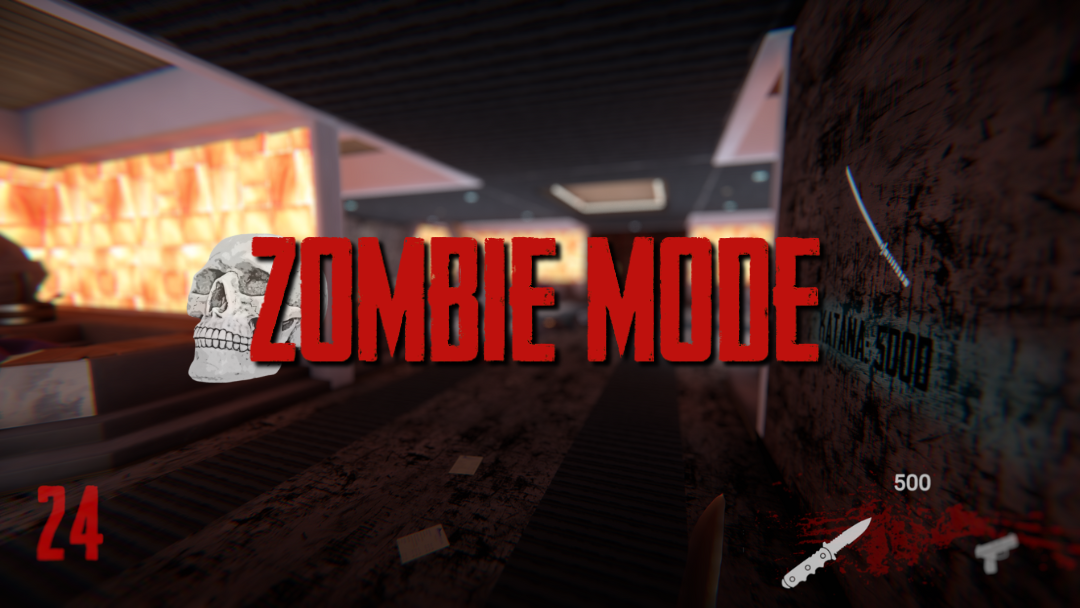
Survive through hordes of puffies in a call of duty black ops zombie inspired game mode

ImAxel Other Wersja:v0.1.0 Zaktualizowano 6 lip 2024

Pobrania
3285 łącznie
Pobrania w tym tygodniu
17 w tym tygodniu
Obserwujący
0 obserwujących
Niezweryfikowany Jeszcze niesprawdzony na najnowszym patchu. Testowałeś? Daj znać. Zgłoś, czy działa

Przegląd

Survive through hordes of puffies in a call of duty black ops zombie inspired game mode; buy weapons to increase survival chances, unlock new areas, upgrade weapons and player stats

Installation

  1. Download the mod as usual from the RedModManager or manually using the zip file
  2. Launch the game and open the installer from the main menu, download the needed content and restart the game
  3. [optional] If the ingame installer doesn't work you can manually get the files at the release page
  4. Play

Main features:

  • Round based system: enemies count increases each round
  • Auto health regen (no medicines needed)
  • Environment texture changes
  • Tweaked inventory: two main weapons selectable with num 1 and 2, grenades with key num 3 (wielded weapon will be swapped with the new one)
  • Currently owned weapons UI with their corresponding ammo count
  • Mystery box: exchange score points for a random weapon or it's ammunitions
  • Wall items: exchange score points for an item or it's ammunitions
  • Unlockable metal doors: exchange score points to unlock and discover new areas
  • Consumables: on death enemies have a random change of dropping a consumable
  • Forge: upgrade some weapons in exchange of score points (pistol and shotgun)
  • Vending machines: exchange score points for perks (increased health, movement speed)

Warning!

The mod uses save slot id number 1234567890, the chance of you having this id in use is almost zero, keep in mind that if this isn't the case it will get overwritten on content installation. You can see your used saves id at AppData\LocalLow\Endnight\SonsOfTheForest\Saves\SteamId\SinglePlayer just in case before proceeding with content installation. After installing the content you will have a new save at day 00 that shouldn't be touched.

Disclaimer

The mod is in an alpha state both for content and bugs state. Feel free to report any probl

Notatki terenowe

1 wersja
  1. v0.1.0

    Najnowsza

    First release

Recenzje

Brak recenzji. Pobrałeś? Opowiedz jako pierwszy, jak poszło.

Napisz recenzję

Zaloguj się · Jedna recenzja na ocalałego. Konkretnie: wersja, co działało, a co nie.

Komentarze

Brak komentarzy. Pytania, porady i błędy zgłaszaj tutaj.

Najczęstsze pytania

Czy ZombieMode działa w trybie wieloosobowym?
Autor nie podał jeszcze, czy działa w trybie wieloosobowym. Sprawdź komentarze i raporty z terenu innych graczy.
Jak zainstalować ZombieMode?
Zainstaluj RedLoader (RedManager może zrobić to za ciebie), pobierz ZombieMode 0.1.0 z tej strony i umieść go w folderze _RedLoader/Mods w katalogu gry. Uruchom grę i naciśnij F1, aby sprawdzić, czy się wczytał.
Czego potrzebuje ZombieMode?
Tylko Sons of the Forest na Steamie i RedLoadera. Nie ma innych zależności.
Czy ZombieMode działa z aktualną łatką gry?
Nie ma jeszcze zgłoszeń zgodności. Jeśli go wypróbujesz, dodaj raport z terenu.

W skrócie

Build gry
Niezweryfikowany
RedLoader
Nie podano
Platforma
Nieznany
Tryb wieloosobowy
Nieznany
Serwer dedykowany
Nieznany
Usuwanie w trakcie zapisu
Nieznany
Zależności
Brak
Konflikty
Brak znanych
Wersja
0.1.0
Zaktualizowano
Opublikowano

Raporty terenowe

Zgłoś

Brak raportów terenowych. Testowałeś? Daj znać.

Czy działało w twojej grze?

Raport terenowy zajmuje dziesięć sekund i mówi wszystkim, czy ten mod działa z obecną łatką.

Zaloguj się, aby dodać raport terenowy

Jak zainstalować ten mod

Pięć minut, bez menedżera. Te kroki dotyczą ZombieMode.

Ten mod wymaga RedLoadera, nie BepInEx. Mody i poradniki do BepInEx nie dotyczą Sons of the Forest.

  1. Zainstaluj RedLoader

    RedLoader to loader modów do Sons of the Forest. Instalujesz go raz i działa każdy mod.

    Jak zainstalować RedLoader
  2. Pobierz ZombieMode v0.1.0

    Pobierz v0.1.0
  3. Rozpakuj ZIP do folderu Mods

    Na komputerze rozpakuj go do folderu Mods gry:

    Steam/steamapps/common/Sons Of The Forest/Mods

    Zachowaj strukturę folderów z ZIP-a. Nie wrzucaj samego ZIP-a do folderu.

  4. Uruchom grę

    RedLoader wczytuje mod przy starcie. Naciśnij F1 w menu głównym, aby zobaczyć listę modów.

Wolisz jedno kliknięcie? RedManager zainstaluje i zaktualizuje mody oraz ich zależności za ciebie.

Pełny poradnik instalacji

Udostępnij ten mod

Odznaki dla Twojej strony

Wklej odznakę do README, na forum lub Discorda. Aktualizują się same.

Odznaka „Pobrania”: ZombieModeOdznaka „Wersja”: ZombieModeOdznaka „Zgodność”: ZombieModeOdznaka „Ocena”: ZombieMode
Kod QR

Zeskanuj go telefonem, aby otworzyć stronę.

Zgłoś ZombieMode

Powiedz strażnikom, co jest nie tak. Zgłoszenia są prywatne.

Powód

Linki, wersje lub cokolwiek, co pomoże strażnikom. Do 2000 znaków.