Przejdź do treści
Zaloguj się

Przebudowaliśmy SOTF Mods. Zaloguj się ponownie — hasło się nie zmieniło.

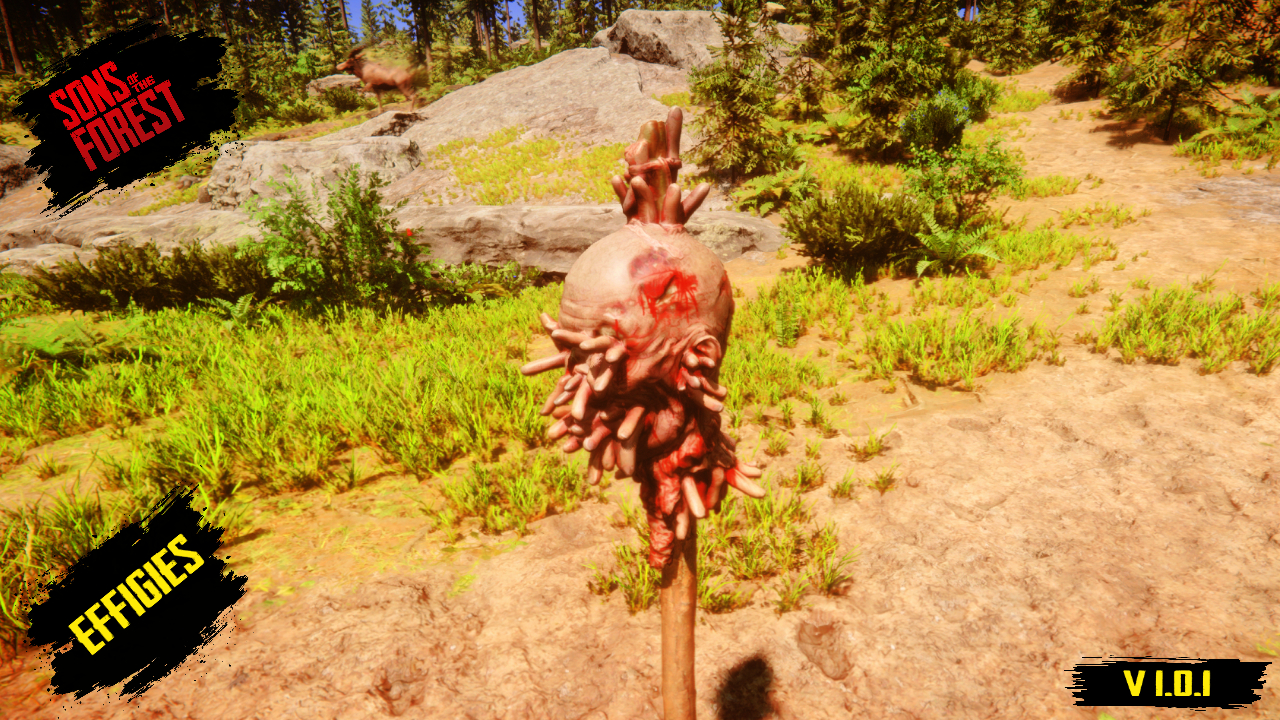
Okładka Effigies
  • Zrzut ekranu 1 z 5
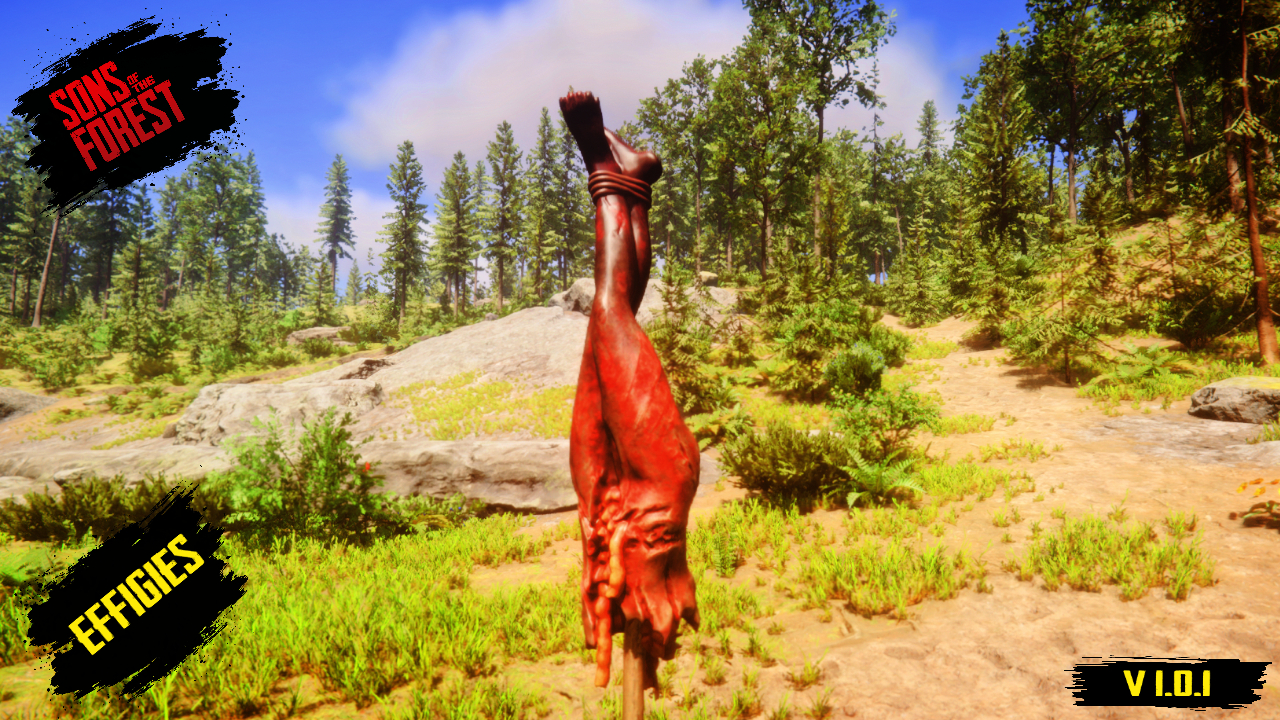
  • Zrzut ekranu 2 z 5
  • Zrzut ekranu 3 z 5
  • Zrzut ekranu 4 z 5
  • Zrzut ekranu 5 z 5

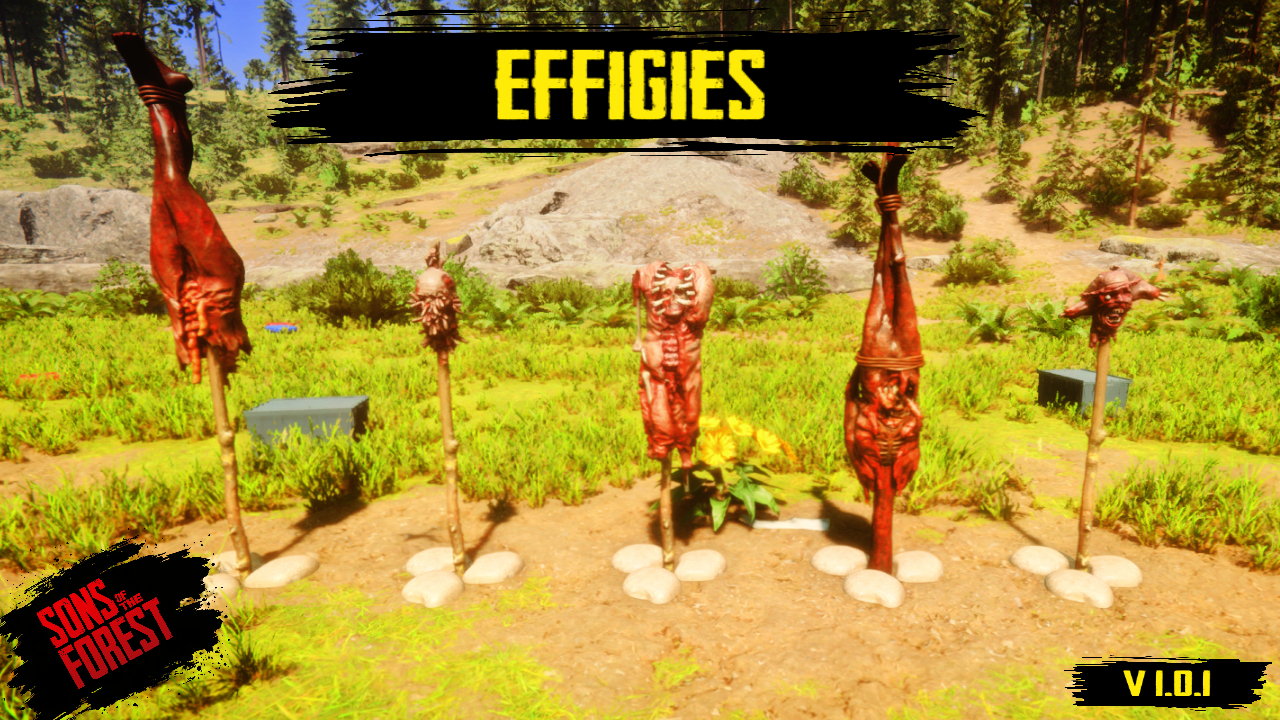
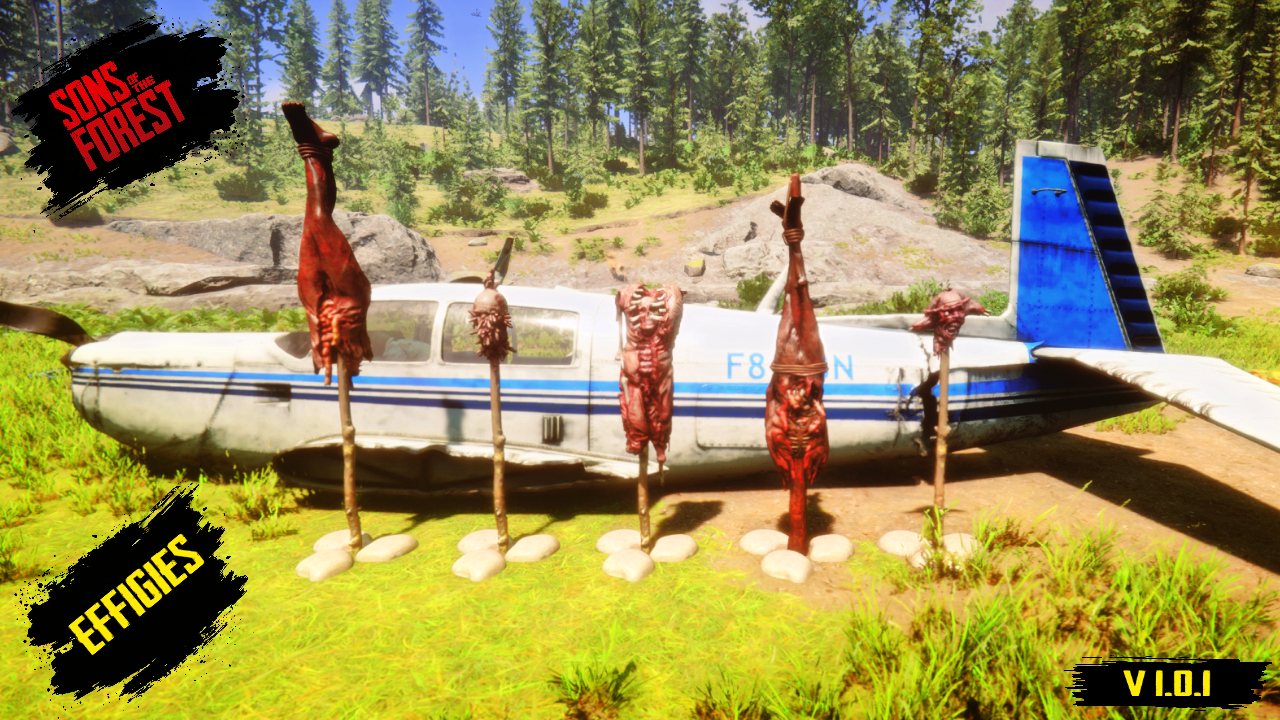
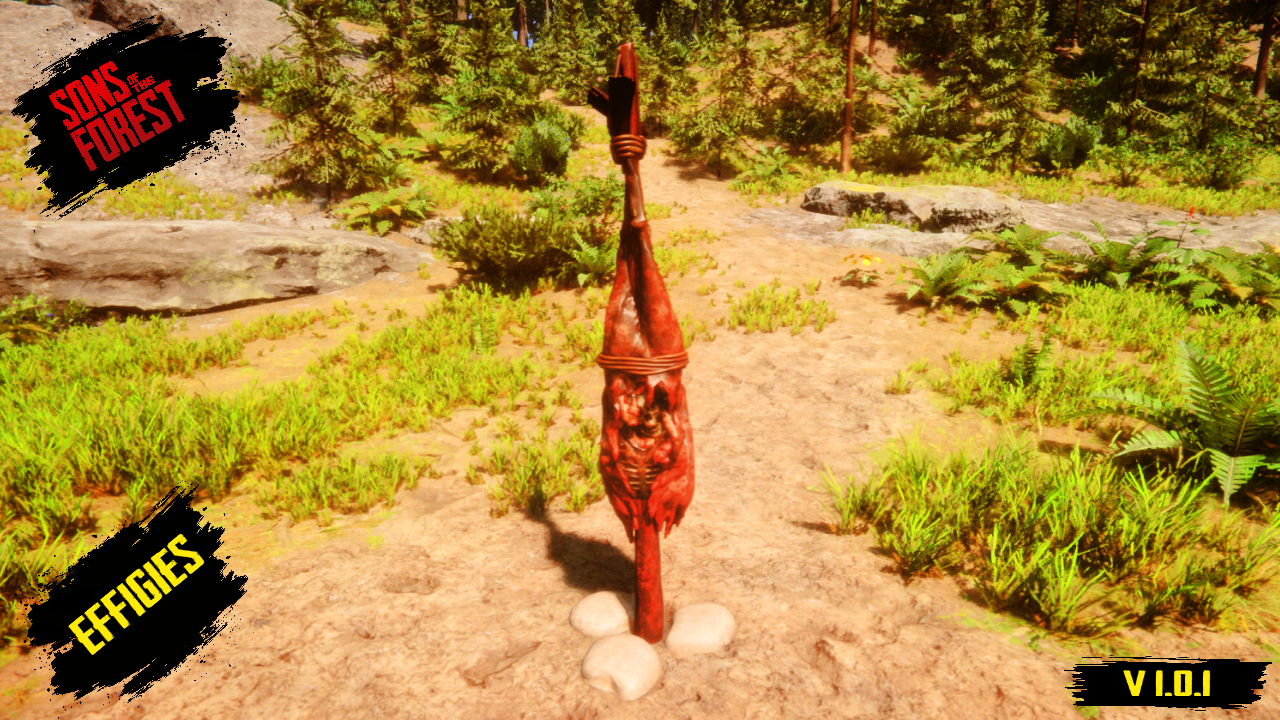
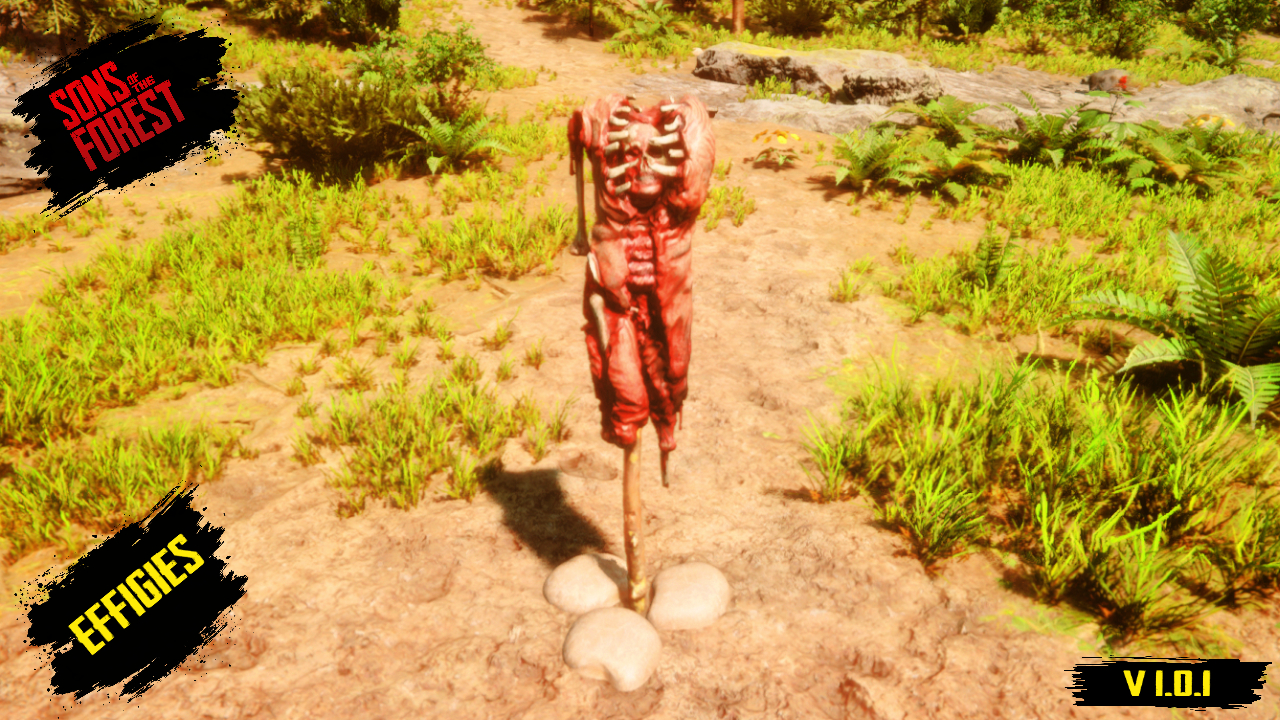
Effigies

Nie potrzebujemy zdrowego rozsądku. Zastraszaj i zaznaczaj swoje terytorium przerażającymi podobiznami.

Przetłumaczono automatycznie

BadBoy7 Other Wersja:v1.0.1 Zaktualizowano 22 lip 2025

Pobrania
5545 łącznie
Pobrania w tym tygodniu
44 w tym tygodniu
Obserwujący
1 obserwujący
Niezweryfikowany Jeszcze niesprawdzony na najnowszym patchu. Testowałeś? Daj znać. Zgłoś, czy działa

Przegląd

How to install this glorious effigy pack.
First, relax.

You don't need to be an expert or have a degree in modding. Simply download the file, unzip it, and grab the Blueprints folder as if it were your lucky charm.
Now, open the root folder of your Sons of the Forest game (where the game's .exe file is located). Inside, you'll see the Mods folder. Drag the Blueprints folder directly into Mods. Don't hide it in other subfolders or put it in "Documents" because, surprise: it won't do anything there.

Important requirements:

For this whole ritual to work, you need to have the famous Tablet Mod created by Tony Macarrones installed. Download it here:
https://www.nexusmods.com/sonsoftheforest/mods/204
. Without the tablet, your effigies only exist in your imagination. So now you know how it works: install the tablet, start the game, open the little magic tablet, go to Decorations, and scroll through the catalog.

Why was this mod created?
This idea came from the lack of decorative models and creative options in Sons of the Forest. The developers didn't fully utilize the potential of this great project, so I decided to recapture the spirit of player creations with new effigies.
This mod is still in beta, as I plan to add more effigies and, perhaps in a separate mod, more decorative objects that can have simple functions by taking advantage of their structure, like the famous dartboard from The Forest or something similar.
Special thanks:
I would especially like to thank Tony Macarrones, as thanks to the tablet mod he developed, it is now much easier to introduce these models into the game. Without his work, this project would not be possible or as accessible to everyone.
You can also watch my video to see how this mod works in-game at:
https://youtu.be/-jnBYh4Sld4
I am not the author of the models included in this mod; they are owned by Endnight Games, the developer of Sons of the Forest. I simply used those models to create it.

Notatki terenowe

1 wersja
  1. v1.0.1

    Najnowsza

    First release

Recenzje

Brak recenzji. Pobrałeś? Opowiedz jako pierwszy, jak poszło.

Napisz recenzję

Zaloguj się · Jedna recenzja na ocalałego. Konkretnie: wersja, co działało, a co nie.

Komentarze

Brak komentarzy. Pytania, porady i błędy zgłaszaj tutaj.

Najczęstsze pytania

Czy Effigies działa w trybie wieloosobowym?
Autor nie podał jeszcze, czy działa w trybie wieloosobowym. Sprawdź komentarze i raporty z terenu innych graczy.
Jak zainstalować Effigies?
Zainstaluj RedLoader (RedManager może zrobić to za ciebie), pobierz Effigies 1.0.1 z tej strony i umieść go w folderze _RedLoader/Mods w katalogu gry. Uruchom grę i naciśnij F1, aby sprawdzić, czy się wczytał.
Czego potrzebuje Effigies?
Tylko Sons of the Forest na Steamie i RedLoadera. Nie ma innych zależności.
Czy Effigies działa z aktualną łatką gry?
Nie ma jeszcze zgłoszeń zgodności. Jeśli go wypróbujesz, dodaj raport z terenu.

W skrócie

Build gry
Niezweryfikowany
RedLoader
Nie podano
Platforma
Nieznany
Tryb wieloosobowy
Nieznany
Serwer dedykowany
Nieznany
Usuwanie w trakcie zapisu
Nieznany
Zależności
Brak
Konflikty
Brak znanych
Wersja
1.0.1
Zaktualizowano
Opublikowano

Raporty terenowe

Zgłoś

Brak raportów terenowych. Testowałeś? Daj znać.

Czy działało w twojej grze?

Raport terenowy zajmuje dziesięć sekund i mówi wszystkim, czy ten mod działa z obecną łatką.

Zaloguj się, aby dodać raport terenowy

Jak zainstalować ten mod

Pięć minut, bez menedżera. Te kroki dotyczą Effigies.

Ten mod wymaga RedLoadera, nie BepInEx. Mody i poradniki do BepInEx nie dotyczą Sons of the Forest.

  1. Zainstaluj RedLoader

    RedLoader to loader modów do Sons of the Forest. Instalujesz go raz i działa każdy mod.

    Jak zainstalować RedLoader
  2. Pobierz Effigies v1.0.1

    Pobierz v1.0.1
  3. Rozpakuj ZIP do folderu Mods

    Na komputerze rozpakuj go do folderu Mods gry:

    Steam/steamapps/common/Sons Of The Forest/Mods

    Zachowaj strukturę folderów z ZIP-a. Nie wrzucaj samego ZIP-a do folderu.

  4. Uruchom grę

    RedLoader wczytuje mod przy starcie. Naciśnij F1 w menu głównym, aby zobaczyć listę modów.

Wolisz jedno kliknięcie? RedManager zainstaluje i zaktualizuje mody oraz ich zależności za ciebie.

Pełny poradnik instalacji

Udostępnij ten mod

Odznaki dla Twojej strony

Wklej odznakę do README, na forum lub Discorda. Aktualizują się same.

Odznaka „Pobrania”: EffigiesOdznaka „Wersja”: EffigiesOdznaka „Zgodność”: EffigiesOdznaka „Ocena”: Effigies
Kod QR

Zeskanuj go telefonem, aby otworzyć stronę.

Zgłoś Effigies

Powiedz strażnikom, co jest nie tak. Zgłoszenia są prywatne.

Powód

Linki, wersje lub cokolwiek, co pomoże strażnikom. Do 2000 znaków.

  • Zrzut ekranu 1 z Effigies
  • Zrzut ekranu 2 z Effigies
  • Zrzut ekranu 3 z Effigies
  • Zrzut ekranu 4 z Effigies
  • Zrzut ekranu 5 z Effigies

1 / 5