验证邮箱后即可评论、写评测和上传模组。 重新发送链接
SOTF Mods 已重建。请使用相同的密码重新登录。
Sons of the Forest 模组加载器: RedLoader
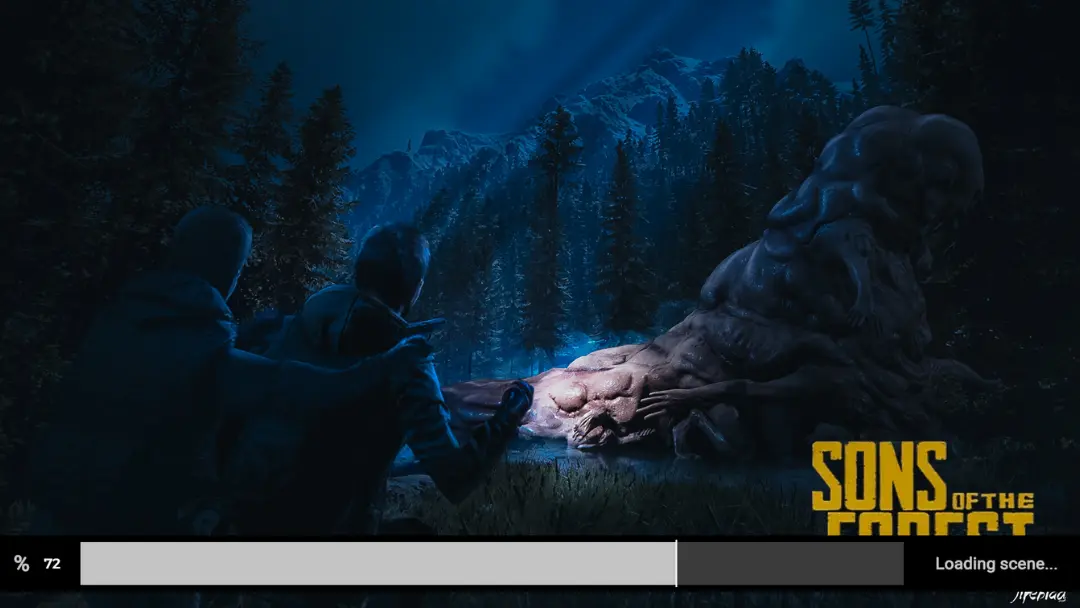
带有进度条和用户所选图像的自定义加载屏幕
Custom loading screen with progress bar and user chosen image
译自英语 · 显示原文
IA ImAxel 受信任 Other
其他版本
取消批准
进入Sons Of The Forest\Mods\CustomLoading并放入你的图片(必须是 .png 或 .jpg 格式) 图片切换时间可以在模组设置中更改。
Sons Of The Forest\Mods\CustomLoading
f1reblad 提供默认图片
Go into Sons Of The Forest\Mods\CustomLoading and place your images (must be .png or .jpg format) Image switch time can be changed in the mod settings.
f1reblad for the default image
Can now use multiple images (png or jpg); can change the switch time in mod settings
First release
还没有评论。提问、技巧和 bug 反馈都可以写在这里。
有东西不能用?分享你的日志,并把链接粘贴到评论中。
登录后发表评论
还没有评价。来写第一条吧。
登录 · 每位用户只能写一条评价。请具体说明:版本、哪些能用、哪些不能用。
按以下步骤手动安装 CustomLoading,无需管理器。
SotF Mods Manager 会为你安装和更新模组及其依赖。 获取 SotF Mods Manager
此模组需要 RedLoader,而不是 BepInEx。BepInEx 的模组和教程不适用于 Sons of the Forest。
安装 RedLoader
RedLoader 是 Sons of the Forest 的模组加载器,只需安装一次。
下载 CustomLoading v1.1.0
把 ZIP 解压到 Mods 文件夹
在电脑上,解压到游戏的 Mods 文件夹:
Steam/steamapps/common/Sons Of The Forest/Mods
保持 ZIP 内的文件夹结构,不要把 ZIP 文件本身放进文件夹。
启动游戏
RedLoader 会在启动时加载模组。在主菜单按 F1 查看模组列表。
可将徽章粘贴到 README、论坛帖子或 Discord,徽章会自动更新。
用手机扫描即可打开页面。
告诉版主哪里有问题。举报内容不公开。
登录后才能举报模组。
链接、版本或任何能帮助版主的信息,最多 2000 个字符。
它将回到“待批准”状态:从主列表移除,并返回新模组队列。
在 iPhone 或 iPad 上安装:点按“分享”,再选择“添加到主屏幕”。

评论
还没有评论。提问、技巧和 bug 反馈都可以写在这里。
有东西不能用?分享你的日志,并把链接粘贴到评论中。
登录后发表评论