本文へスキップ
ログイン

SOTF Mods をリニューアルしました。もう一度ログインしてください。パスワードは変わりません。

Gerald R. Ford-class aircraft carriers のカバー画像

Gerald R. Ford-class aircraft carriers

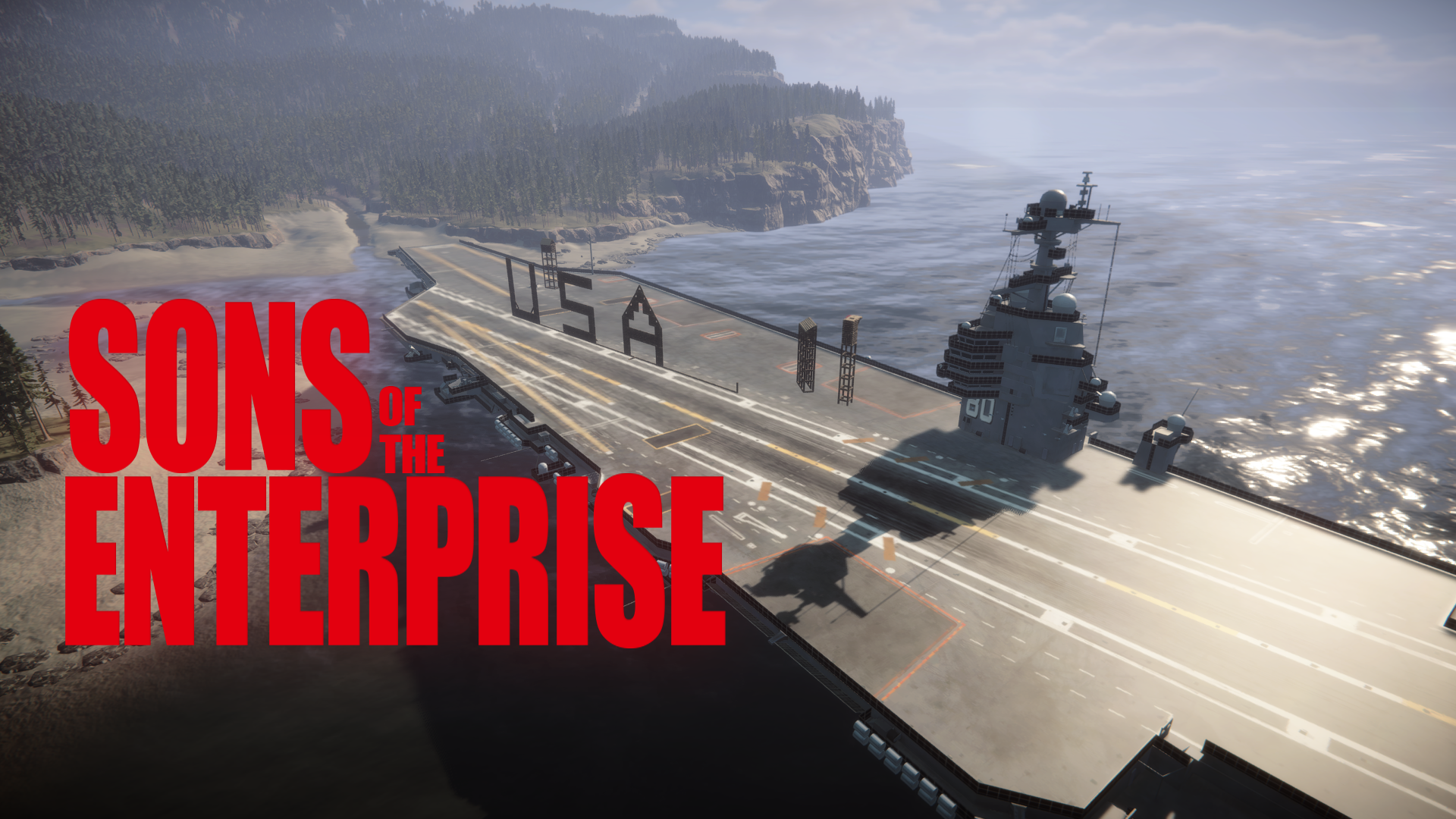
Driver your CVN-80 to project power anywhere. You can even build on the deck.

WuXKuM Other バージョン:v1.0.5 2026/06/28 に更新

ダウンロード数
475 合計
今週のダウンロード数
今週 100
フォロワー
フォロワー 0 人
未確認 最新パッチではまだ確認されていません。試しましたか?結果を教えてください。 動作するか報告する

クライアント すべて表示

概要

This is an aircraft carrier with a full collision volume that allows you to place buildings and blueprints on its deck.
This aircraft carrier is fully controllable; you can steer it to any location on the map.
It also includes a feature that instantly teleports Kevin to your location; you can disable this feature and the driving function in the settings.
You can choose from five preset aircraft carrier spawn locations. You can also save them to any location.

Press the ‘+’ key on the numeric keypad to be teleport to the aircraft carrier's control tower.
Use WASD to move horizontally, Q and E to rotate the aircraft carrier, and Page Up and Page Down to ascend or descend.
Press the ‘+’ key on the numeric keypad a second time to exit drive mode.

Press the “K” key to teleport Kevin 1.5 meters in front of your viewpoint.
I had originally planned to teleport Virginia, but she uses an extremely complex LOD system. Forcing teleport her would cause a lot of problems.
Since someone has already implemented this feature, you can disable it in the settings to ensure compatibility with other mods.

Press the ‘-’ key on the numeric keypad to select one of the five preset locations for the aircraft carrier.
It comes with five user-defined locations. You can drive the aircraft carrier to your preferred location and save those coordinates.
Mod will remember the location of your aircraft carrier, including custom locations.

フィールドノート

全 1 バージョン
  1. v1.0.5

    最新

    First release

レビュー

まだレビューはありません。ダウンロードした?最初に感想を書いてみよう。

レビューを書く

ログイン · レビューはサバイバー 1 人につき 1 件。バージョン、動いた点、動かなかった点を具体的に。

コメント 1 件

よくある質問

Gerald R. Ford-class aircraft carriers はマルチプレイで使えますか?
作者はまだマルチプレイ対応を明記していません。コメントやほかのプレイヤーの動作報告を確認してください。
Gerald R. Ford-class aircraft carriers はどうやってインストールしますか?
RedLoader をインストールし(RedManager なら自動で行えます)、このページから Gerald R. Ford-class aircraft carriers 1.0.5 をダウンロードして、ゲームフォルダ内の _RedLoader/Mods フォルダに入れます。ゲームを起動して F1 を押すと、読み込まれたか確認できます。
Gerald R. Ford-class aircraft carriers に必要なものは何ですか?
Steam 版の Sons of the Forest と RedLoader だけです。ほかの依存関係はありません。
Gerald R. Ford-class aircraft carriers は現在のゲームパッチで動きますか?
互換性の報告はまだありません。試したら動作報告を追加してください。

ひと目でわかる

ゲームビルド
未確認
RedLoader
未申告
プラットフォーム
クライアント
マルチプレイ
不明
専用サーバー
不明
セーブ途中での削除
不明
前提 MOD
なし
競合
既知の競合なし
バージョン
1.0.5
更新日
公開日

フィールドレポート

報告

フィールドレポートはまだありません。試しましたか?結果を教えてください。

ゲームで動きましたか?

フィールドレポートは 10 秒。この MOD が現在のパッチで動くかどうかをみんなに伝えられます。

ログインしてフィールドレポートを追加

この MOD の導入方法

5 分で完了、マネージャー不要。Gerald R. Ford-class aircraft carriers 用の手順です。

この MOD には BepInEx ではなく RedLoader が必要です。BepInEx 向けの MOD や解説は Sons of the Forest には使えません。

  1. RedLoader を導入する

    RedLoader は Sons of the Forest の MOD ローダーです。一度入れればすべての MOD が動きます。

    RedLoader の導入方法
  2. Gerald R. Ford-class aircraft carriers v1.0.5 をダウンロード

    v1.0.5 をダウンロード
  3. ZIP を Mods フォルダーに展開する

    PC では、ゲームの Mods フォルダーに展開します:

    Steam/steamapps/common/Sons Of The Forest/Mods

    ZIP 内のフォルダー構成はそのままに。ZIP ファイル自体をフォルダーに入れないでください。

  4. ゲームを起動する

    RedLoader が起動時に MOD を読み込みます。メインメニューで F1 を押すと MOD 一覧が表示されます。

ワンクリックがいい?RedManager なら MOD と前提 MOD の導入や更新を自動でやってくれます。

導入ガイドを見る

この MOD を共有

ページ用バッジ

READMEやフォーラム、Discordにバッジを貼れます。自動で更新されます。

ダウンロード数バッジ: Gerald R. Ford-class aircraft carriersバージョンバッジ: Gerald R. Ford-class aircraft carriers互換性バッジ: Gerald R. Ford-class aircraft carriers評価バッジ: Gerald R. Ford-class aircraft carriers
QR コード

スマホで読み取るとページが開きます。

Gerald R. Ford-class aircraft carriers を通報

問題をレンジャーに伝えてください。通報は非公開です。

理由

リンクやバージョンなど、レンジャーの役に立つ情報。2000 文字まで。