
Skip to content

We rebuilt SOTF Mods. Log in again with the same password.

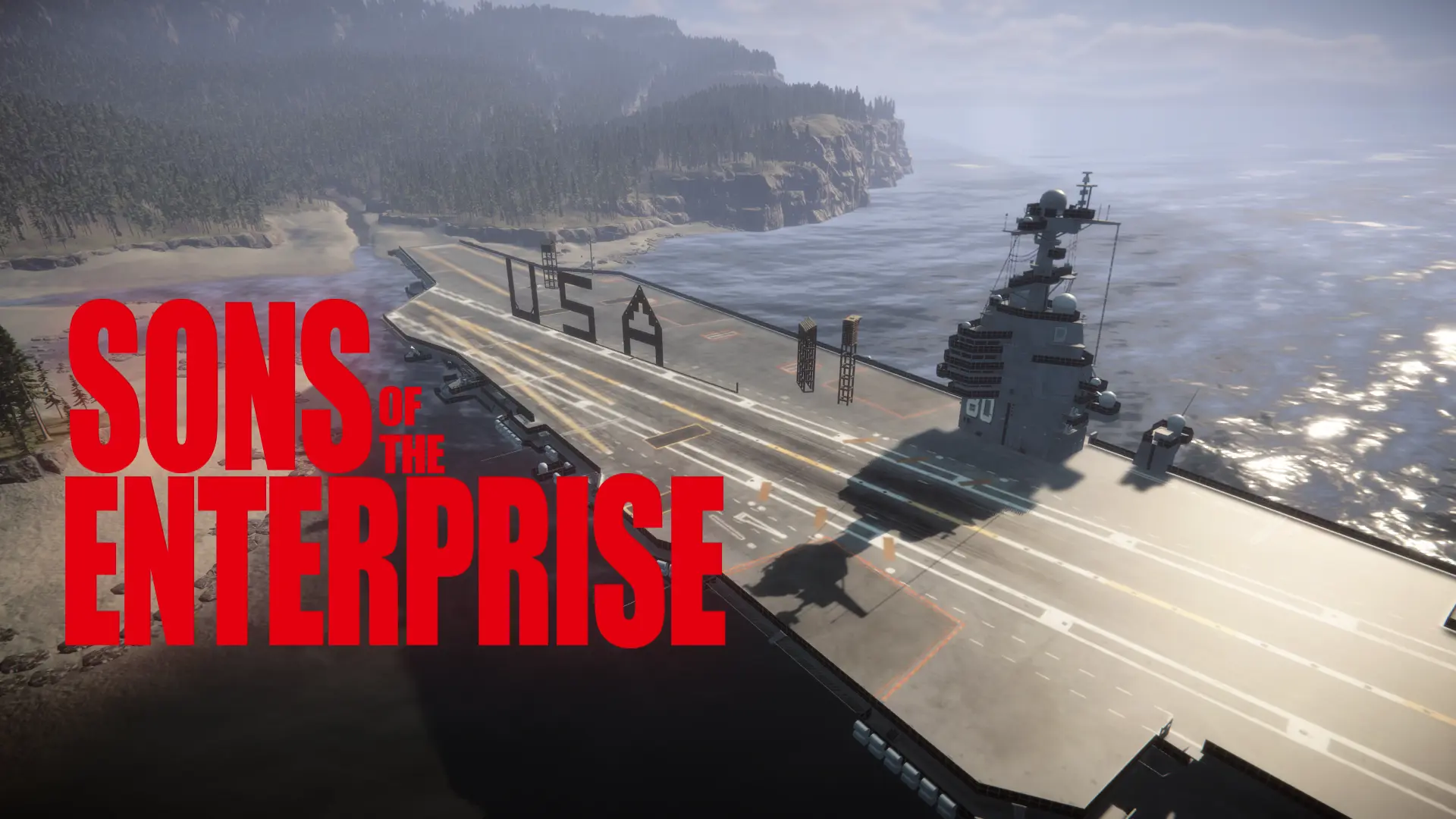
  • Cover image of Gerald R. Ford-class aircraft carriers

Gerald R. Ford-class aircraft carriers v1.0.5

Driver your CVN-80 to project power anywhere. You can even build on the deck.

WuXKuM Other

  • 751 751 Downloads
  • 0 followers

Description

This is an aircraft carrier with a full collision volume that allows you to place buildings and blueprints on its deck.
This aircraft carrier is fully controllable; you can steer it to any location on the map.
It also includes a feature that instantly teleports Kevin to your location; you can disable this feature and the driving function in the settings.
You can choose from five preset aircraft carrier spawn locations. You can also save them to any location.

Press the ‘+’ key on the numeric keypad to be teleport to the aircraft carrier's control tower.
Use WASD to move horizontally, Q and E to rotate the aircraft carrier, and Page Up and Page Down to ascend or descend.
Press the ‘+’ key on the numeric keypad a second time to exit drive mode.

Press the “K” key to teleport Kevin 1.5 meters in front of your viewpoint.
I had originally planned to teleport Virginia, but she uses an extremely complex LOD system. Forcing teleport her would cause a lot of problems.
Since someone has already implemented this feature, you can disable it in the settings to ensure compatibility with other mods.

Press the ‘-’ key on the numeric keypad to select one of the five preset locations for the aircraft carrier.
It comes with five user-defined locations. You can drive the aircraft carrier to your preferred location and save those coordinates.
Mod will remember the location of your aircraft carrier, including custom locations.

Versions and changelog

All 1 version
  1. v1.0.5 Latest First release · 751 downloads
  1. v1.0.5

    Latest

    First release

1 comment

Reviews

No reviews yet. Be the first to review this mod.

Write a review

Log in · One review per user. Be specific: version, what worked, what didn’t.

How to install this mod

These steps install Gerald R. Ford-class aircraft carriers by hand, without a manager.

RedManager installs and updates mods and their dependencies for you. Get RedManager

This mod needs RedLoader, not BepInEx. BepInEx mods and guides don’t apply to Sons of the Forest.

  1. Install RedLoader

    RedLoader is the mod loader for Sons of the Forest. You only need to install it once.

    How to install RedLoader
  2. Download Gerald R. Ford-class aircraft carriers v1.0.5

    Download v1.0.5
  3. Extract the ZIP into the Mods folder

    On your PC, extract it into the game’s Mods folder:

    Steam/steamapps/common/Sons Of The Forest/Mods

    Keep the folder structure of the ZIP. Don’t put the ZIP itself in the folder.

  4. Launch the game

    RedLoader loads the mod on start. Press F1 in the main menu to see the list of mods.

Full install guide

More actions

Share this mod

Badges for your page

Paste a badge into a README, forum post or Discord. Badges update automatically.

Downloads badge: Gerald R. Ford-class aircraft carriersVersion badge: Gerald R. Ford-class aircraft carriersCompatibility badge: Gerald R. Ford-class aircraft carriersRating badge: Gerald R. Ford-class aircraft carriers
QR code

Scan it with your phone to open the page.

Report Gerald R. Ford-class aircraft carriers

Tell the moderators what’s wrong. Reports are private.

Reason

Links, versions or anything that helps the moderators. Up to 2,000 characters.

Changelog

Comments

Reviews