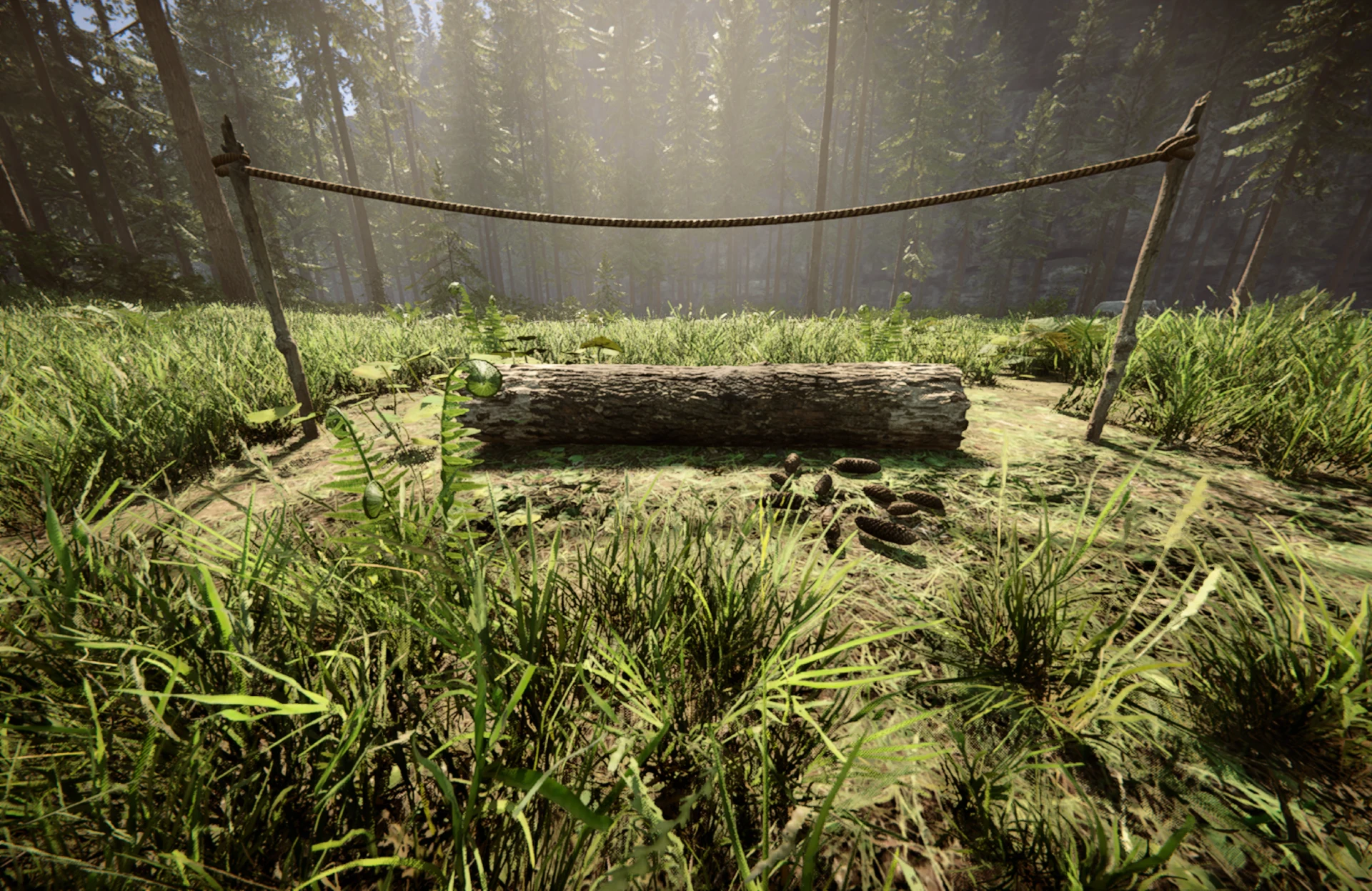
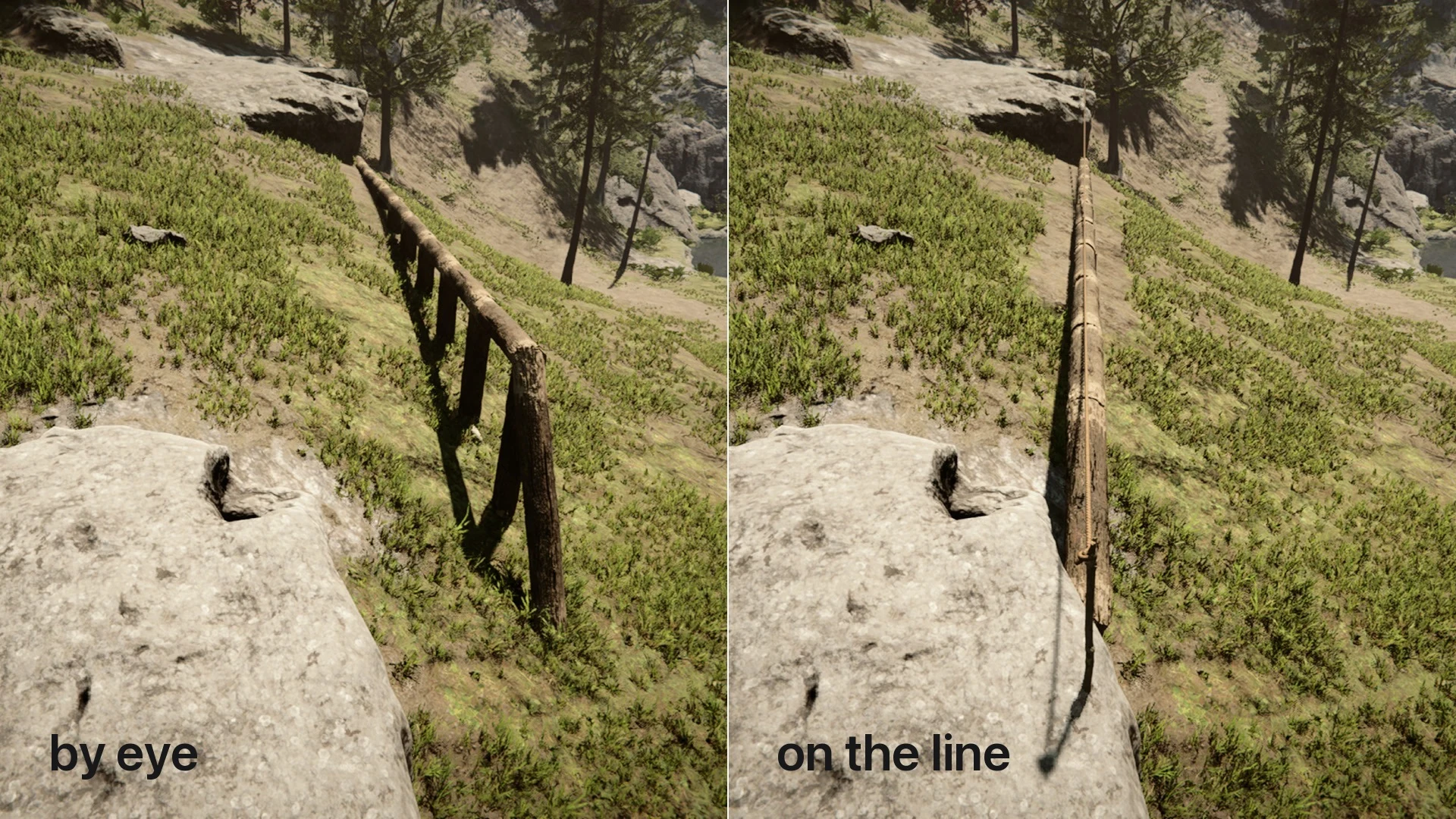

A craftable guide line for straight walls. The game stacks logs perfectly, but the angle comes from the first log, dropped by hand with nothing to line up against, and it cannot be nudged afterwards. Mason Line supplies it: plant a stake where the wall starts and another where it ends, a cord pulls tight between them, and anything you set down beside the cord snaps onto it.
Crafted from 2 sticks and 1 rope on the crafting mat.
Controls. No custom keybinds. Left-click plants a stake, first A then B. Hold Dismantle (C by default) on a stake to collect the line and get the bundle back.
What snaps. Logs flat or standing, standing sticks, campfires, rocks. Anything you set down loose on open ground. Guidebook blueprints, the ghosts you fill in piece by piece, do not.
Multiple lines. Each bundle is one line and they all work at once; a log goes to the closest cord. Aim a new line's first stake at a standing one and it lands exactly on it, so a run can turn a corner. Squaring the angle between two lines is still your job.
Settings. Snap distance, reach past the stakes and stake magnet, in the mod menu.
Co-op. Works in a peer-to-peer game. Lines are private: you see your own stakes, and only your own placements snap to them. The logs themselves are placed by the game as usual, so everyone sees the same wall. Dedicated servers are untested.
Limitations. Lines are not part of the save: reload and the line is gone, its bundle back in your pack. The cord is a guide, not an object, so everything walks through it.
Mod conflicts. The bundle takes item id 9417. If another mod already owns it, Mason Line refuses to register rather than overwrite, and says so in the log; UserData/MasonLine.cfg can point it elsewhere.
Bug reports: attach _Redloader/Latest.log.
Thanks to ToniMacaroni for RedLoader and SonsSdk.
Full description and source: GitHub (MIT)

Comments
No comments yet. Questions, tips and bug reports go here.
Something not working? Share your log and paste the link in your comment.
Log in to comment