Skip to content
Sign in

We rebuilt SOTF Mods. Sign in again — your password is the same.

Cover image of CameraFlow

CameraFlow

CameraFlow - Make your own cinematic camera paths.

GLaD0S Other Version:v1.0.6 Updated Jun 22, 2024

Downloads
2,082 total
Downloads this week
3 this week
Followers
0 followers
Not verified Not verified on the latest patch yet. Tried it? Report back. Report whether it works

Overview

Camera Flow

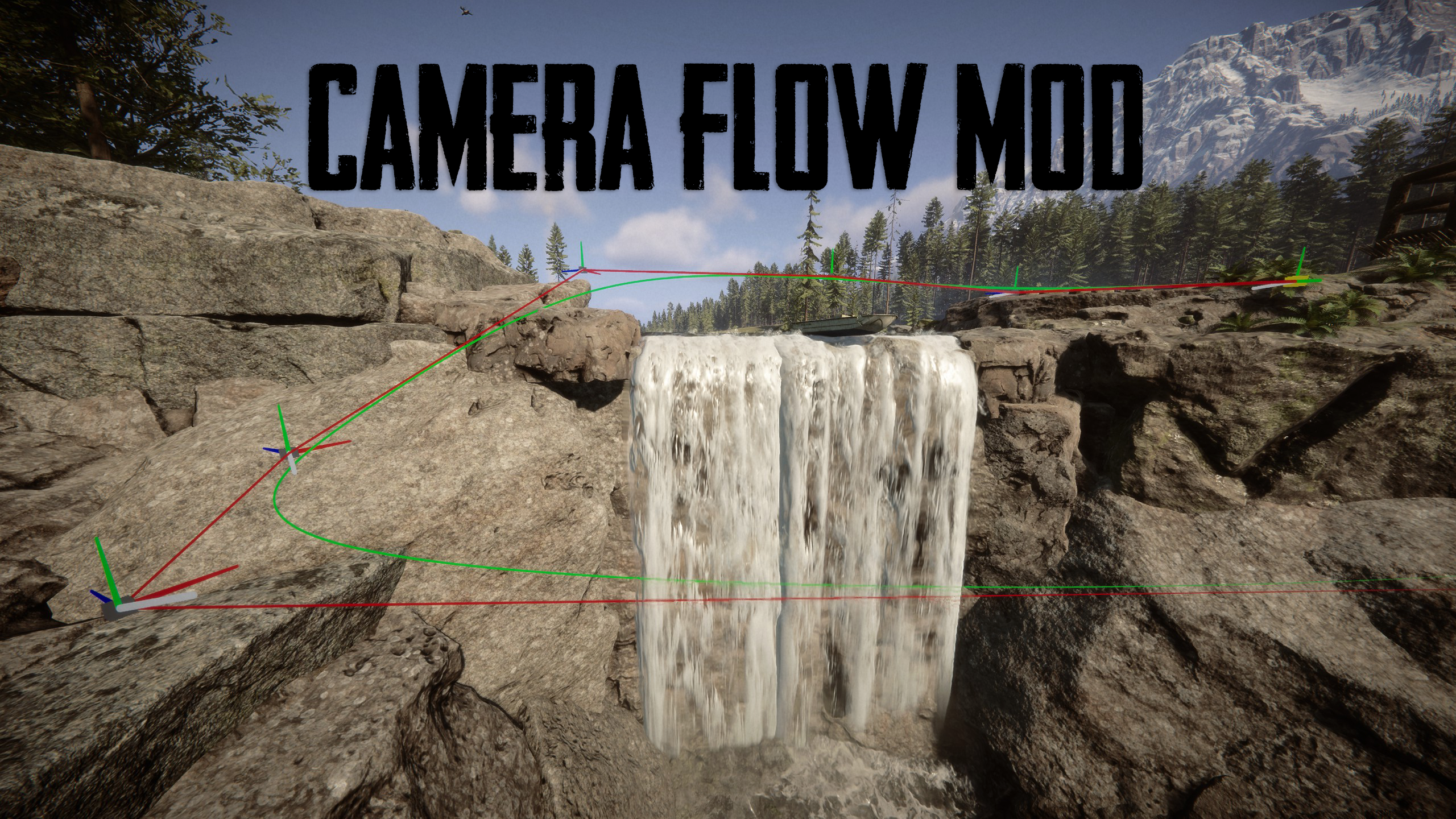
This mod allows you to create your own paths to make cinematic videos of your builds or the beautiful scenery.

Features:

  • Place points wherever you want to form your path
  • An editing menu to adjust individual points, delete or add points as well as change to desired rotation of the camera.
  • A preview to show you how the camera will move to perfectly align the path through a window.
  • Easily save your path to create comparisons or show off the progress of your build.

Configuration:

In the Configuration you can set different Keybinds and adjust the Settings for your needs.

  • Change the speed to get your desired look
  • Adjust the keybinds to whatever you prefer
  • Keep godmode enabled, so your can build undisturbed.
  • If you want to go into further detail you can adjust the Resolution value, higher values can lead to better results, but also to lag during calculation. In most cases the default value should be sufficient.

Important information:

  • The Saved Paths are located in: "Sons Of The Forest\Mods\CameraFlow"
In case of anything going wrong please save before using the mod!**

Source Code can be found here: https://github.com/laserman120/CameraFlow-A-Sons-of-the-Forest-Cinematic-Camera-Mod

Field notes

All 7 versions
  1. v1.0.6

    Latest

    Reworked path calculations, general improvements/fixes

  2. v1.0.5

    Massively improved rotation calculation.

  3. v1.0.4

    Long paths are now rendered correctly and no longer get culled

Reviews

No reviews yet. Downloaded it? Be the first to tell others how it went.

Write a review

Sign in · One review per survivor. Be specific: version, what worked, what didn’t.

3 comments

  1. cyber

    when using free camera how can I lock it and control the character I want to make time laps with it

  2. itsMatthu

    The only thing I wish this mod had was an option to disable automatic god mode. Its a bit frustrating for those of us running a survival series on YouTube, since theres no way to turn it off. I dont mind god mode keeping me alive while Im filming.. that part is helpful.. but I dont like that it also maxes out my hunger, sleep, and hydration every time I use the camera. That said, this is the only static camera mod Ive come across.

    Not sure what happened to the comment below lol.

  3. itsMatthu

    First off, thanks so much for this mod!

    The only thing I wish this mod had was an option to disable automatic god mode. Its a bit frustrating for those of us running a survival series on YouTube, since theres no way to turn it off.

    I dont mind god mode keeping me alive while Im filming that part is helpful but I dont like that it also maxes out my hunger, sleep, and hydration every time I use the camera.

    That said, this is the only static camera mod Ive come across.

Frequently asked questions

Does CameraFlow work in multiplayer?
The author has not stated multiplayer support yet. Check the comments and the field reports of other players.
How do I install CameraFlow?
Install RedLoader (RedManager can do it for you), download CameraFlow 1.0.6 from this page and put it in the _RedLoader/Mods folder inside your game directory. Launch the game and press F1 to confirm it loaded.
What does CameraFlow need?
Only Sons of the Forest on Steam and RedLoader. It has no other dependencies.
Does CameraFlow work on the current game patch?
There are no compatibility reports yet. If you try it, add a field report.

At a glance

Game build
Not verified
RedLoader
Not declared
Platform
Unknown
Multiplayer
Unknown
Dedicated server
Unknown
Remove mid-save
Unknown
Dependencies
None
Conflicts
None known
Version
1.0.6
Updated
Published

Field reports

Report

No field reports yet. Tried it? Report back.

Did it work in your game?

A field report takes ten seconds and tells everyone whether this mod works on the current patch.

Sign in to add a field report

How to install this mod

Five minutes, no manager required. These steps are for CameraFlow.

This mod needs RedLoader, not BepInEx. BepInEx mods and guides don’t apply to Sons of the Forest.

  1. Install RedLoader

    RedLoader is the mod loader of Sons of the Forest. Install it once and every mod works.

    How to install RedLoader
  2. Download CameraFlow v1.0.6

    Download v1.0.6
  3. Extract the ZIP into the Mods folder

    On your PC, extract it into the game’s Mods folder:

    Steam/steamapps/common/Sons Of The Forest/Mods

    Keep the folder structure of the ZIP. Don’t put the ZIP itself in the folder.

  4. Launch the game

    RedLoader loads the mod on start. Press F1 in the main menu to see the list of mods.

Prefer one click? RedManager installs and updates mods and their dependencies for you.

Full install guide

Share this mod

Badges for your page

Paste a badge in a README, forum post or Discord. They update by themselves.

Downloads badge: CameraFlowVersion badge: CameraFlowCompatibility badge: CameraFlowRating badge: CameraFlow
QR code

Scan it with your phone to open the page.

Report CameraFlow

Tell the rangers what’s wrong. Reports are private.

Reason

Links, versions or anything that helps the rangers. Up to 2,000 characters.