跳到主要内容

SOTF Mods 已重建。请使用相同的密码重新登录。

Sons of the Forest 模组加载器: RedLoader

MP3 收音机播放器 v3.0.0

原标题 MP3 Radio Player

通过 FMOD 编程乐器将自定义 .mp3 文件直接串流到收音机和手提音响中。https://github.com/cptsooper/mp3player

译自英语

cptsooper Other

  • 0 0 下载量
  • 0 位关注者

描述

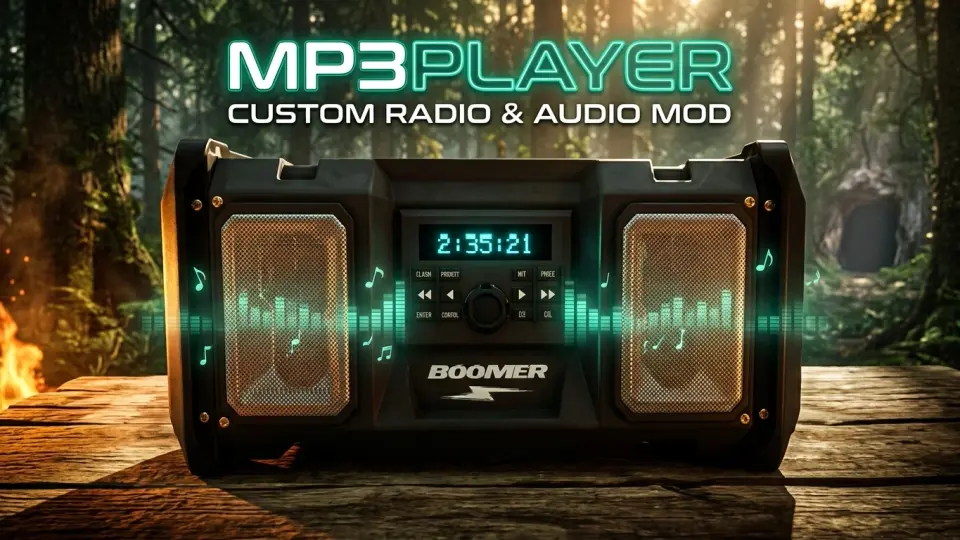
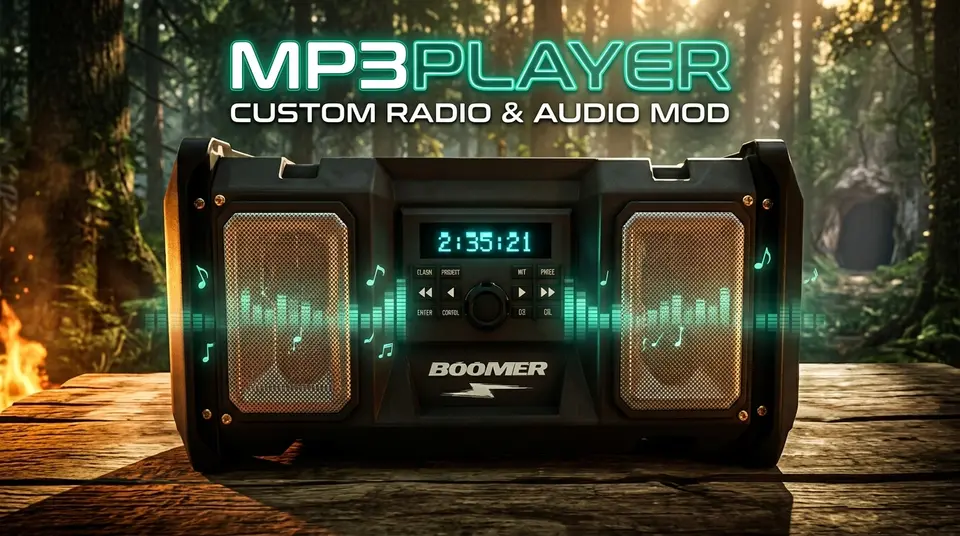
📻 MP3Player

一个自定义 FMOD 音频引擎和收音机替换模组,适用于 Sons of the Forest(RedLoader),允许你流式播放自定义的 .mp3、.wav、.ogg 和 .flac 文件。

源代码与发布版本: GitHub 仓库 — 基于 MIT 许可证开源。


✨ 功能

  • 音频格式: 支持 .mp3、.wav、.ogg 和 .flac 文件。
  • 播放模式: 3D 世界音箱(带实时 LCD 倒计时显示)、高尔夫球车(无缝切换)和 2D 耳机模式。
  • 组织与控制: 多文件夹播放列表支持、完整播放控制(跳过、快退、快进、随机、重复、音量)、智能背景淡出,以及实时曲目重新扫描。

📥 安装

  • 自动(RedManager): 点击 Install with RedManager,将音频文件添加到 Sons Of The Forest/Mods/mp3player/Tracks/,然后启动游戏。
  • 手动: 通过 RedLoader 安装,将 .zip 压缩包解压到游戏目录,并将曲目放入 Mods/mp3player/Tracks/。

🎮 默认控制

(可在游戏内或通过 UserData/mp3player.cfg 自定义)

  • 播放 / 暂停: ;
  • 切换播放列表: '
  • 下一首 / 上一首: \ / P
  • 快进(+30秒)/ 快退(-15秒): Right Arrow / Left Arrow
  • 重复 / 随机: O / K
  • 音量增大 / 减小: Numpad + / Numpad -

🛠 链接与支持

译自英语

版本与更新日志

全部 1 个版本
  1. v3.0.0 最新 🚀 Version 3.0.0 Release Notes# Multi-Format Audio Support: Added full streaming support for .wav, .ogg, and .flac files alongside .mp3. Subfolder Playlists & Switch Playlist Hotkey (Default: '): Organize tracks into subfolders inside Mods\mp3player\Tracks\ and cycle between All Playlists, Root, and individual folders in-game. Wear Headphones (Standalone 2D Mode): Added a Wear Headphones toggle and Headphones Volume slider in Mod Settings to listen anywhere on the island in 2D stereo without needing a placed boombox. Play / Pause Hotkey (Default: ;): Pause and resume playback in-place across 3D boomboxes, golf carts, and 2D headphones. Seamless Track & Position Handoffs: Picking up a boombox, entering a golf cart, or toggling Wear Headphones bookmarks your exact track and timestamp so playback resumes seamlessly. Built-In Push-and-Hold Volume Controls (Defaults: Numpad + / Numpad -): Added integrated volume adjustment with configurable step percentage, push-and-hold repeat, and a distortion-free 150% max ceiling. Automatic sotfVolumeMod Coexistence: Automatically detects Radio Volume Mod (sotfVolumeMod), defers volume hotkeys to it, enforces a clean 150% ceiling, and suppresses any colliding playback hotkeys. Custom 3D Boombox LCD & Scrolling HUD Marquee: Aligned the backlit cyan countdown timer onto placed boomboxes and added smooth scrolling marquee text + playlist badges to the on-screen HUD banner. Audio & Persistence Improvements: Tuned 3D boombox spatial range (2m–60m) and headroom (-9.0 dB) to prevent clipping at max volume, kept music active while browsing Inventory (I) or Survival Book (B), and updated config persistence to save cleanly on exit. · 28.3 kB · 2 次下载
  1. v3.0.0

    最新 28.3 kB

    🚀 Version 3.0.0 Release Notes

    • Multi-Format Audio Support: Added full streaming support for .wav, .ogg, and .flac files alongside .mp3.
    • Subfolder Playlists & Switch Playlist Hotkey (Default: '): Organize tracks into subfolders inside Mods\mp3player\Tracks\ and cycle between All Playlists, Root, and individual folders in-game.
    • Wear Headphones (Standalone 2D Mode): Added a Wear Headphones toggle and Headphones Volume slider in Mod Settings to listen anywhere on the island in 2D stereo without needing a placed boombox.
    • Play / Pause Hotkey (Default: ;): Pause and resume playback in-place across 3D boomboxes, golf carts, and 2D headphones.
    • Seamless Track & Position Handoffs: Picking up a boombox, entering a golf cart, or toggling Wear Headphones bookmarks your exact track and timestamp so playback resumes seamlessly.
    • Built-In Push-and-Hold Volume Controls (Defaults: Numpad + / Numpad -): Added integrated volume adjustment with configurable step percentage, push-and-hold repeat, and a distortion-free 150% max ceiling.
    • Automatic sotfVolumeMod Coexistence: Automatically detects Radio Volume Mod (sotfVolumeMod), defers volume hotkeys to it, enforces a clean 150% ceiling, and suppresses any colliding playback hotkeys.
    • Custom 3D Boombox LCD & Scrolling HUD Marquee: Aligned the backlit cyan countdown timer onto placed boomboxes and added smooth scrolling marquee text + playlist badges to the on-screen HUD banner.
    • Audio & Persistence Improvements: Tuned 3D boombox spatial range (2m–60m) and headroom (-9.0 dB) to prevent clipping at max volume, kept music active while browsing Inventory (I) or Survival Book (B), and updated config persistence to save cleanly on exit.

评论

还没有评论。提问、技巧和 bug 反馈都可以写在这里。

有东西不能用?分享你的日志,并把链接粘贴到评论中。

评价

还没有评价。来写第一条吧。

写评价

登录 · 每位用户只能写一条评价。请具体说明:版本、哪些能用、哪些不能用。

如何安装此模组

按以下步骤手动安装 MP3 Radio Player,无需管理器。

SotF Mods Manager 会为你安装和更新模组及其依赖。 获取 SotF Mods Manager

此模组需要 RedLoader,而不是 BepInEx。BepInEx 的模组和教程不适用于 Sons of the Forest。

  1. 安装 RedLoader

    请使用 RedLoader 0.8.6 或更高版本。

    如何安装 RedLoader
  2. 下载 MP3 Radio Player v3.0.0

    下载 v3.0.0
  3. 把 ZIP 解压到 Mods 文件夹

    在电脑上,解压到游戏的 Mods 文件夹:

    Steam/steamapps/common/Sons Of The Forest/Mods

    保持 ZIP 内的文件夹结构,不要把 ZIP 文件本身放进文件夹。

  4. 启动游戏

    RedLoader 会在启动时加载模组。在主菜单按 F1 查看模组列表。

    多人游戏:仅限单人。

完整安装指南

更多操作

分享此模组

页面徽章

可将徽章粘贴到 README、论坛帖子或 Discord,徽章会自动更新。

下载量徽章:MP3 Radio Player版本徽章:MP3 Radio Player兼容性徽章:MP3 Radio Player评分徽章:MP3 Radio Player
二维码

用手机扫描即可打开页面。

举报 MP3 Radio Player

告诉版主哪里有问题。举报内容不公开。

原因

链接、版本或任何能帮助版主的信息,最多 2000 个字符。

要取消批准 MP3 Radio Player 吗?

它将回到“待批准”状态:从主列表移除,并返回新模组队列。

  • MP3 Radio Player 截图 1

1 / 1

更新日志

评论

评价