
Zum Inhalt springen

Wir haben SOTF Mods neu aufgebaut. Melde dich mit demselben Passwort erneut an.

Sons of the Forest Mod-Loader: RedLoader

MP3-Radioplayer v3.0.0

Originaltitel MP3 Radio Player

Streamt benutzerdefinierte .mp3-Dateien direkt über ein FMOD-Programmierinstrument in Radios und Boomboxen. https://github.com/cptsooper/mp3player

Übersetzt aus dem Original (Englisch)

cptsooper Other

  • 0 0 Downloads
  • 0 Follower

Beschreibung

📻 MP3Player

Ein benutzerdefinierter FMOD-Audio-Engine und Radio-Austausch-Mod für Sons of the Forest (RedLoader), der es Ihnen ermöglicht, benutzerdefinierte .mp3-, .wav-, .ogg- und .flac-Dateien zu streamen.

Quellcode & Veröffentlichungen: GitHub Repository — Open-source unter der MIT-Lizenz.


✨ Funktionen

  • Audioformate: Unterstützung für .mp3-, .wav-, .ogg- und .flac-Dateien.
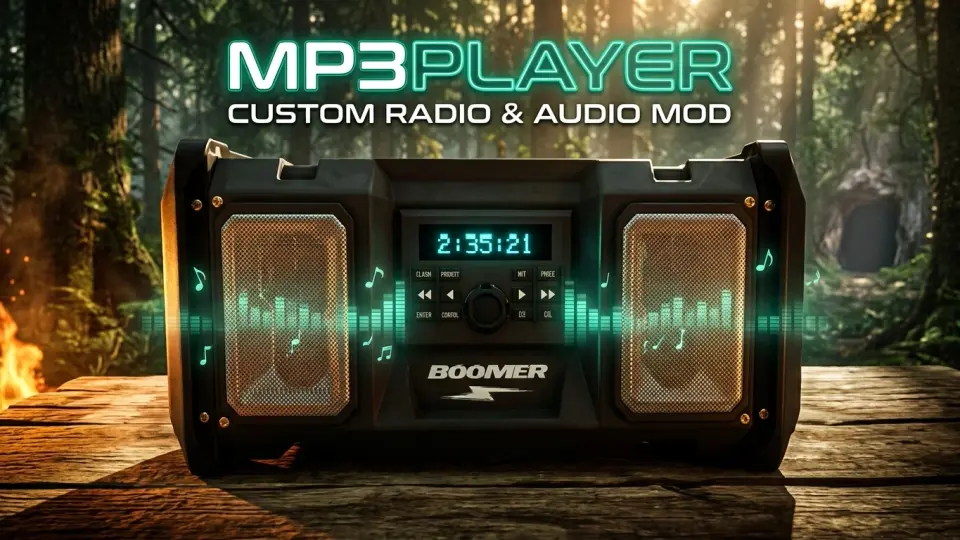
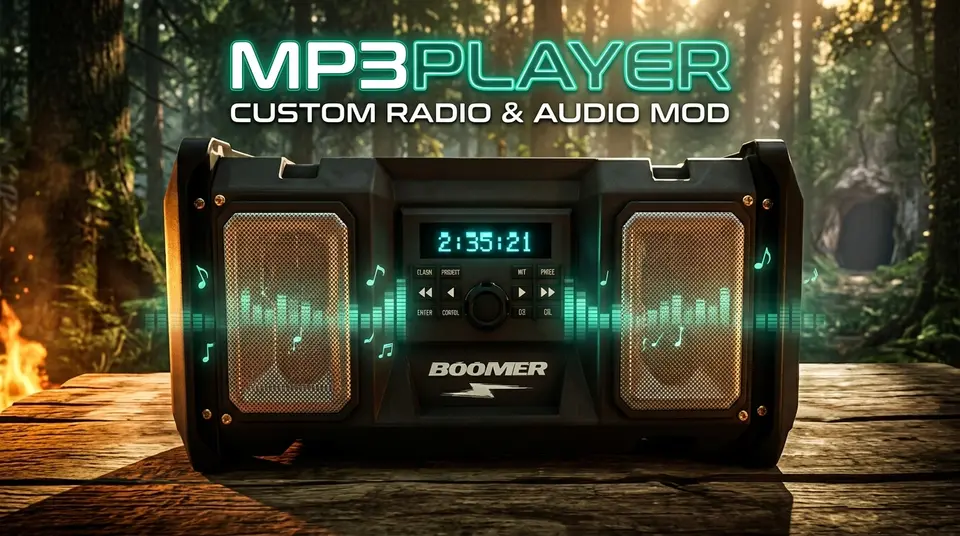
  • Wiedigabemodi: 3D World Boomboxes (mit Echtzeit-LCD-Countdown-Anzeige), Golf Carts (nahtlose Übergabe) und 2D-Headphone Mode.
  • Organisation & Steuerung: Multi-Ordner-Playlist-Unterstützung, vollständige Wiedergabesteuerung (Überspringen, Zurückspulen, Fast Forward, Mischen, Wiederholen, Lautstärke), intelligentes Hintergrundausblenden und Live-Track-Rescan.

📥 Installation

  • Automatisch (RedManager): Klicken Sie auf Install with RedManager, fügen Sie die Audiodateien zu Sons Of The Forest/Mods/mp3player/Tracks/ hinzu und starten Sie das Spiel.
  • Manuell: Installieren Sie über RedLoader, entpack den .zip-Archiv in Ihr Spieleverzeichnis und platzieren Sie die Titel in Mods/mp3player/Tracks/.

🎮 Standardsteuerung

(Im Spiel oder über UserData/mp3player.cfg anpassbar)

  • Abspielen / Pause: ;
  • Playlist wechseln: '
  • Nächster / Vorheriger Titel: \ / P
  • Schnellvorwärts (+30s) / Zurückspulen (-15s): Right Arrow / Left Arrow
  • Wiederholen / Mischen: O / K
  • Lautstärke Erhöhen / Verringern: Numpad + / Numpad -

Übersetzt aus dem Original (Englisch)

Versionen und Änderungsprotokoll

Die 1 Version
  1. v3.0.0 Neueste 🚀 Version 3.0.0 Release Notes# Multi-Format Audio Support: Added full streaming support for .wav, .ogg, and .flac files alongside .mp3. Subfolder Playlists & Switch Playlist Hotkey (Default: '): Organize tracks into subfolders inside Mods\mp3player\Tracks\ and cycle between All Playlists, Root, and individual folders in-game. Wear Headphones (Standalone 2D Mode): Added a Wear Headphones toggle and Headphones Volume slider in Mod Settings to listen anywhere on the island in 2D stereo without needing a placed boombox. Play / Pause Hotkey (Default: ;): Pause and resume playback in-place across 3D boomboxes, golf carts, and 2D headphones. Seamless Track & Position Handoffs: Picking up a boombox, entering a golf cart, or toggling Wear Headphones bookmarks your exact track and timestamp so playback resumes seamlessly. Built-In Push-and-Hold Volume Controls (Defaults: Numpad + / Numpad -): Added integrated volume adjustment with configurable step percentage, push-and-hold repeat, and a distortion-free 150% max ceiling. Automatic sotfVolumeMod Coexistence: Automatically detects Radio Volume Mod (sotfVolumeMod), defers volume hotkeys to it, enforces a clean 150% ceiling, and suppresses any colliding playback hotkeys. Custom 3D Boombox LCD & Scrolling HUD Marquee: Aligned the backlit cyan countdown timer onto placed boomboxes and added smooth scrolling marquee text + playlist badges to the on-screen HUD banner. Audio & Persistence Improvements: Tuned 3D boombox spatial range (2m–60m) and headroom (-9.0 dB) to prevent clipping at max volume, kept music active while browsing Inventory (I) or Survival Book (B), and updated config persistence to save cleanly on exit. · 28,3 kB · 2 Downloads
  1. v3.0.0

    Neueste 28,3 kB

    🚀 Version 3.0.0 Release Notes

    • Multi-Format Audio Support: Added full streaming support for .wav, .ogg, and .flac files alongside .mp3.
    • Subfolder Playlists & Switch Playlist Hotkey (Default: '): Organize tracks into subfolders inside Mods\mp3player\Tracks\ and cycle between All Playlists, Root, and individual folders in-game.
    • Wear Headphones (Standalone 2D Mode): Added a Wear Headphones toggle and Headphones Volume slider in Mod Settings to listen anywhere on the island in 2D stereo without needing a placed boombox.
    • Play / Pause Hotkey (Default: ;): Pause and resume playback in-place across 3D boomboxes, golf carts, and 2D headphones.
    • Seamless Track & Position Handoffs: Picking up a boombox, entering a golf cart, or toggling Wear Headphones bookmarks your exact track and timestamp so playback resumes seamlessly.
    • Built-In Push-and-Hold Volume Controls (Defaults: Numpad + / Numpad -): Added integrated volume adjustment with configurable step percentage, push-and-hold repeat, and a distortion-free 150% max ceiling.
    • Automatic sotfVolumeMod Coexistence: Automatically detects Radio Volume Mod (sotfVolumeMod), defers volume hotkeys to it, enforces a clean 150% ceiling, and suppresses any colliding playback hotkeys.
    • Custom 3D Boombox LCD & Scrolling HUD Marquee: Aligned the backlit cyan countdown timer onto placed boomboxes and added smooth scrolling marquee text + playlist badges to the on-screen HUD banner.
    • Audio & Persistence Improvements: Tuned 3D boombox spatial range (2m–60m) and headroom (-9.0 dB) to prevent clipping at max volume, kept music active while browsing Inventory (I) or Survival Book (B), and updated config persistence to save cleanly on exit.

Kommentare

Bewertungen

Noch keine Bewertungen. Schreib die erste Bewertung zu diesem Mod.

Bewertung schreiben

Anmelden · Eine Bewertung pro Benutzer. Sei konkret: Version, was lief, was nicht.

So installierst du diesen Mod

Diese Schritte installieren MP3 Radio Player von Hand, ohne Manager.

SotF Mods Manager installiert und aktualisiert Mods und ihre Abhängigkeiten für dich. SotF Mods Manager holen

Dieser Mod braucht RedLoader, nicht BepInEx. BepInEx-Mods und -Anleitungen gelten nicht für Sons of the Forest.

  1. RedLoader installieren

    Verwende RedLoader 0.8.6 oder neuer.

    So installierst du RedLoader
  2. MP3 Radio Player v3.0.0 herunterladen

    v3.0.0 herunterladen
  3. ZIP in den Mods-Ordner entpacken

    Auf deinem PC in den Mods-Ordner des Spiels entpacken:

    Steam/steamapps/common/Sons Of The Forest/Mods

    Behalte die Ordnerstruktur des ZIPs bei. Lege nicht das ZIP selbst in den Ordner.

  4. Spiel starten

    RedLoader lädt den Mod beim Start. Drücke im Hauptmenü F1, um die Mod-Liste zu sehen.

    Mehrspieler: Nur Einzelspieler.

Vollständige Installationsanleitung

Weitere Aktionen

Diesen Mod teilen

Badges für deine Seite

Füge ein Badge in ein README, einen Forenbeitrag oder Discord ein. Badges aktualisieren sich automatisch.

Downloads-Badge: MP3 Radio PlayerVersion-Badge: MP3 Radio PlayerKompatibilität-Badge: MP3 Radio PlayerBewertung-Badge: MP3 Radio Player
QR-Code

Scanne ihn mit dem Handy, um die Seite zu öffnen.

MP3 Radio Player melden

Sag den Moderatoren, was nicht stimmt. Meldungen sind privat.

Grund

Links, Versionen oder alles, was den Moderatoren hilft. Bis zu 2000 Zeichen.

Freigabe von MP3 Radio Player zurückziehen?

Sie geht zurück auf „Wartet auf Freigabe“: Sie verschwindet aus der Hauptliste und kommt zurück in die Warteschlange „Neue Mods“.

  • Screenshot 1 von MP3 Radio Player

1 / 1

Änderungsprotokoll

Kommentare

Bewertungen