
Skip to content

We rebuilt SOTF Mods. Log in again with the same password.

Sons of the Forest Mod loader: RedLoader

MP3 Radio Player v3.0.0

Streams custom .mp3 files directly into radios and boomboxes via an FMOD programmer instrument. https://github.com/cptsooper/mp3player

cptsooper Other

  • 0 0 Downloads
  • 0 followers

Description

📻 MP3Player

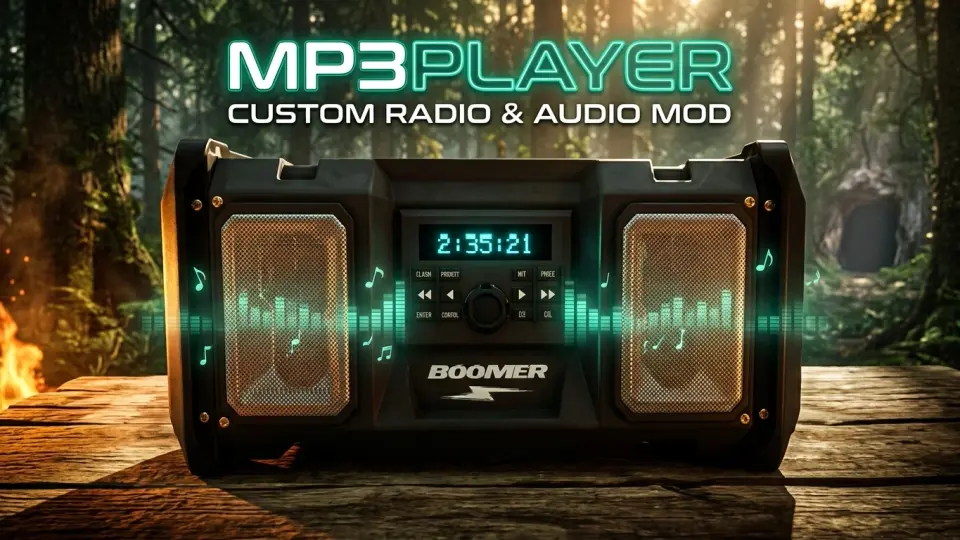
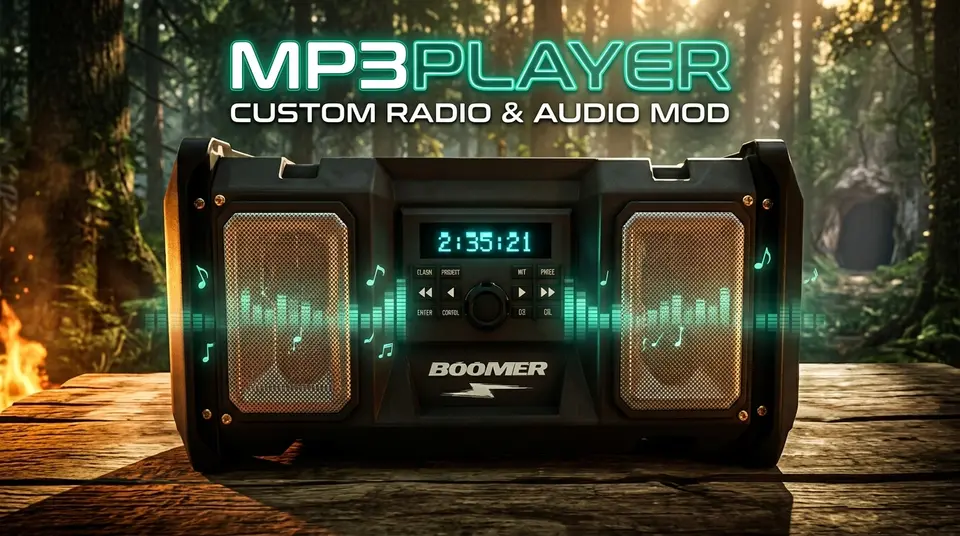
A custom FMOD audio engine and radio replacement mod for Sons of the Forest (RedLoader) that allows you to stream custom .mp3, .wav, .ogg, and .flac files.

Source Code & Releases: GitHub Repository — Open-source under the MIT License.


✨ Features

  • Audio Formats: Support for .mp3, .wav, .ogg, and .flac files.
  • Playback Modes: 3D World Boomboxes (with real-time LCD countdown display), Golf Carts (seamless handoff), and 2D Headphones Mode.
  • Organization & Controls: Multi-folder playlist support, full playback controls (skip, rewind, fast-forward, shuffle, repeat, volume), smart background fading, and live track rescanning.

📥 Installation

  • Automatic (RedManager): Click Install with RedManager, add audio files to Sons Of The Forest/Mods/mp3player/Tracks/, and launch the game.
  • Manual: Install via RedLoader, extract the .zip archive into your game directory, and place tracks inside Mods/mp3player/Tracks/.

🎮 Default Controls

(Customizable in-game or via UserData/mp3player.cfg)

  • Play / Pause: ;
  • Switch Playlist: '
  • Next / Previous Track: \ / P
  • Fast Forward (+30s) / Rewind (-15s): Right Arrow / Left Arrow
  • Repeat / Shuffle: O / K
  • Volume Up / Down: Numpad + / Numpad -

Versions and changelog

All 1 version
  1. v3.0.0 Latest 🚀 Version 3.0.0 Release Notes# Multi-Format Audio Support: Added full streaming support for .wav, .ogg, and .flac files alongside .mp3. Subfolder Playlists & Switch Playlist Hotkey (Default: '): Organize tracks into subfolders inside Mods\mp3player\Tracks\ and cycle between All Playlists, Root, and individual folders in-game. Wear Headphones (Standalone 2D Mode): Added a Wear Headphones toggle and Headphones Volume slider in Mod Settings to listen anywhere on the island in 2D stereo without needing a placed boombox. Play / Pause Hotkey (Default: ;): Pause and resume playback in-place across 3D boomboxes, golf carts, and 2D headphones. Seamless Track & Position Handoffs: Picking up a boombox, entering a golf cart, or toggling Wear Headphones bookmarks your exact track and timestamp so playback resumes seamlessly. Built-In Push-and-Hold Volume Controls (Defaults: Numpad + / Numpad -): Added integrated volume adjustment with configurable step percentage, push-and-hold repeat, and a distortion-free 150% max ceiling. Automatic sotfVolumeMod Coexistence: Automatically detects Radio Volume Mod (sotfVolumeMod), defers volume hotkeys to it, enforces a clean 150% ceiling, and suppresses any colliding playback hotkeys. Custom 3D Boombox LCD & Scrolling HUD Marquee: Aligned the backlit cyan countdown timer onto placed boomboxes and added smooth scrolling marquee text + playlist badges to the on-screen HUD banner. Audio & Persistence Improvements: Tuned 3D boombox spatial range (2m–60m) and headroom (-9.0 dB) to prevent clipping at max volume, kept music active while browsing Inventory (I) or Survival Book (B), and updated config persistence to save cleanly on exit. · 28.3 kB · 2 downloads
  1. v3.0.0

    Latest 28.3 kB

    🚀 Version 3.0.0 Release Notes

    • Multi-Format Audio Support: Added full streaming support for .wav, .ogg, and .flac files alongside .mp3.
    • Subfolder Playlists & Switch Playlist Hotkey (Default: '): Organize tracks into subfolders inside Mods\mp3player\Tracks\ and cycle between All Playlists, Root, and individual folders in-game.
    • Wear Headphones (Standalone 2D Mode): Added a Wear Headphones toggle and Headphones Volume slider in Mod Settings to listen anywhere on the island in 2D stereo without needing a placed boombox.
    • Play / Pause Hotkey (Default: ;): Pause and resume playback in-place across 3D boomboxes, golf carts, and 2D headphones.
    • Seamless Track & Position Handoffs: Picking up a boombox, entering a golf cart, or toggling Wear Headphones bookmarks your exact track and timestamp so playback resumes seamlessly.
    • Built-In Push-and-Hold Volume Controls (Defaults: Numpad + / Numpad -): Added integrated volume adjustment with configurable step percentage, push-and-hold repeat, and a distortion-free 150% max ceiling.
    • Automatic sotfVolumeMod Coexistence: Automatically detects Radio Volume Mod (sotfVolumeMod), defers volume hotkeys to it, enforces a clean 150% ceiling, and suppresses any colliding playback hotkeys.
    • Custom 3D Boombox LCD & Scrolling HUD Marquee: Aligned the backlit cyan countdown timer onto placed boomboxes and added smooth scrolling marquee text + playlist badges to the on-screen HUD banner.
    • Audio & Persistence Improvements: Tuned 3D boombox spatial range (2m–60m) and headroom (-9.0 dB) to prevent clipping at max volume, kept music active while browsing Inventory (I) or Survival Book (B), and updated config persistence to save cleanly on exit.

Comments

No comments yet. Questions, tips and bug reports go here.

Something not working? Share your log and paste the link in your comment.

Reviews

No reviews yet. Be the first to review this mod.

Write a review

Log in · One review per user. Be specific: version, what worked, what didn’t.

How to install this mod

These steps install MP3 Radio Player by hand, without a manager.

SotF Mods Manager installs and updates mods and their dependencies for you. Get SotF Mods Manager

This mod needs RedLoader, not BepInEx. BepInEx mods and guides don’t apply to Sons of the Forest.

  1. Install RedLoader

    Use RedLoader 0.8.6 or newer.

    How to install RedLoader
  2. Download MP3 Radio Player v3.0.0

    Download v3.0.0
  3. Extract the ZIP into the Mods folder

    On your PC, extract it into the game’s Mods folder:

    Steam/steamapps/common/Sons Of The Forest/Mods

    Keep the folder structure of the ZIP. Don’t put the ZIP itself in the folder.

  4. Launch the game

    RedLoader loads the mod on start. Press F1 in the main menu to see the list of mods.

    Multiplayer: Solo only.

Full install guide

More actions

Share this mod

Badges for your page

Paste a badge into a README, forum post or Discord. Badges update automatically.

Downloads badge: MP3 Radio PlayerVersion badge: MP3 Radio PlayerCompatibility badge: MP3 Radio PlayerRating badge: MP3 Radio Player
QR code

Scan it with your phone to open the page.

Report MP3 Radio Player

Tell the moderators what’s wrong. Reports are private.

Reason

Links, versions or anything that helps the moderators. Up to 2,000 characters.

Unapprove MP3 Radio Player?

It goes back to Pending approval: it leaves the main list and returns to the New mods queue.

  • Screenshot 1 of MP3 Radio Player

1 / 1

Changelog

Comments

Reviews