Skip to content
Sign in

We rebuilt SOTF Mods. Sign in again — your password is the same.

Cover image of ImprovedDebugConsole

ImprovedDebugConsole

A mod to improve the vanilla debug console

GLaD0S Quality of Life Version:v1.0.1 Updated Jun 20, 2026

Downloads
4,807 total
Downloads this week
120 this week
Followers
1 follower

Not verified Not verified on the latest patch yet. Tried it? Report back. Report

Client · Host only See all

Overview

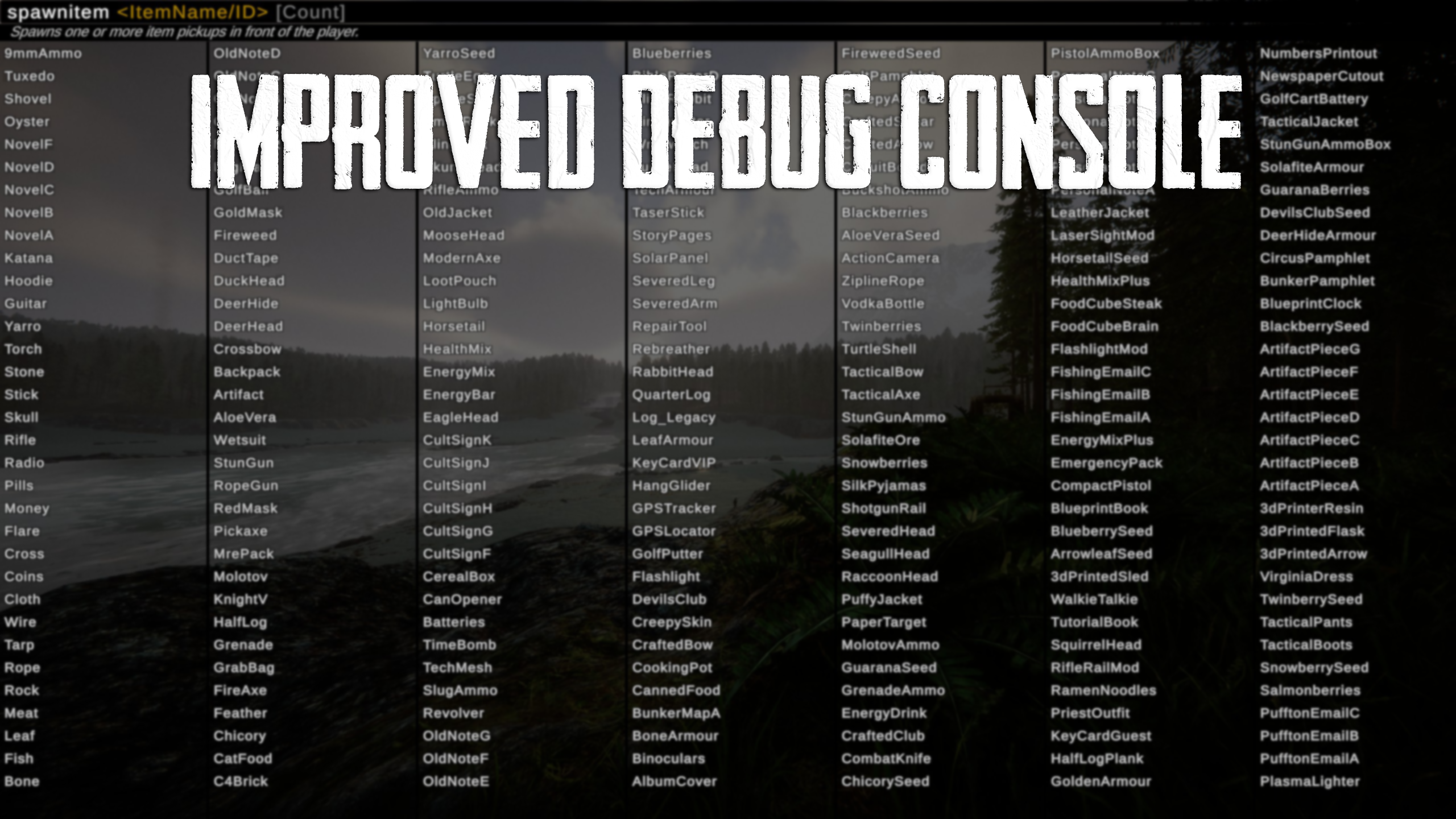
Improved Debug Console takes the vanilla Sons of the Forest command console and adds much needed improvements, making it more accessible for everyone.

Key Features:

  • Smart Auto-Complete: Instantly suggests item names, characters, weather types, prefabs, and world events as you type.
  • In-Game Descriptions: See exactly what every command does and what arguments it requires directly inside the console UI.
  • Universal Decimal Support: Automatically handles both periods (0.5) and commas (0,5) for number inputs, preventing errors for international players.

For developers:

If you want to register your own commands onto the system you can get more information here: https://github.com/laserman120/ImprovedDebugConsole-External-Command-Examples

Warning!

Debug commands were originally made to debug the game. Some commands can do irreversable damage to your save. Use them with caution.

Field notes

All 2 versions
  1. v1.0.1

    Latest

    Added cloud profile suggestions
    Added PostProcessing suggestions
    Added WorldObjectState suggestions
    Fixed LightningHitTreeMustBeInfrontPlayer using on off instead of true false
    Adjusted ArgGoto to also mention GameObjects
    Adjusted harmony patches to use nameof
    Added custom debug commands

    • removelight all
    • strongcavelight float/off
  2. v1.0.0

    First release

Reviews

No reviews yet. Downloaded it? Be the first to tell others how it went.

Write a review

Sign in · One review per survivor. Be specific: version, what worked, what didn’t.

Comments

No comments yet. Questions, tips and bug reports go here.

Frequently asked questions

Does ImprovedDebugConsole work in multiplayer?
Yes, but only the host needs to install it; the other players can join without it.
How do I install ImprovedDebugConsole?
Install RedLoader (RedManager can do it for you), download ImprovedDebugConsole 1.0.1 from this page and put it in the _RedLoader/Mods folder inside your game directory. Launch the game and press F1 to confirm it loaded.
What does ImprovedDebugConsole need?
Only Sons of the Forest on Steam and RedLoader. It has no other dependencies.
Does ImprovedDebugConsole work on the current game patch?
There are no compatibility reports yet. If you try it, add a field report.

At a glance

Game build
Not verified
RedLoader
Not declared
Platform
Client
Multiplayer
Host only
Dedicated server
Unknown
Remove mid-save
Unknown
Dependencies
None
Conflicts
None known
Version
1.0.1
Updated
Published

Field reports

Report

No field reports yet. Tried it? Report back.

Did it work in your game?

A field report takes ten seconds and tells everyone whether this mod works on the current patch.

Sign in to add a field report

How to install this mod

Five minutes, no manager required. These steps are for ImprovedDebugConsole.

This mod needs RedLoader, not BepInEx. BepInEx mods and guides don’t apply to Sons of the Forest.

  1. Install RedLoader

    RedLoader is the mod loader of Sons of the Forest. Install it once and every mod works.

    How to install RedLoader
  2. Download ImprovedDebugConsole v1.0.1

    Download v1.0.1
  3. Extract the ZIP into the Mods folder

    On your PC, extract it into the game’s Mods folder:

    Steam/steamapps/common/Sons Of The Forest/Mods

    Keep the folder structure of the ZIP. Don’t put the ZIP itself in the folder.

  4. Launch the game

    RedLoader loads the mod on start. Press F1 in the main menu to see the list of mods.

    Multiplayer: Host only.

Prefer one click? RedManager installs and updates mods and their dependencies for you.

Full install guide

Share this mod

Badges for your page

Paste a badge in a README, forum post or Discord. They update by themselves.

Downloads badge: ImprovedDebugConsoleVersion badge: ImprovedDebugConsoleCompatibility badge: ImprovedDebugConsoleRating badge: ImprovedDebugConsole
QR code

Scan it with your phone to open the page.

Report ImprovedDebugConsole

Tell the rangers what’s wrong. Reports are private.

Reason

Links, versions or anything that helps the rangers. Up to 2,000 characters.