
Skip to content

We rebuilt SOTF Mods. Log in again with the same password.

  • Cover image of Cargo Golf Cart Mod Save Support Addon

Sons of the Forest Mod loader: RedLoader

Cargo Golf Cart Mod Save Support Addon v0.1.1

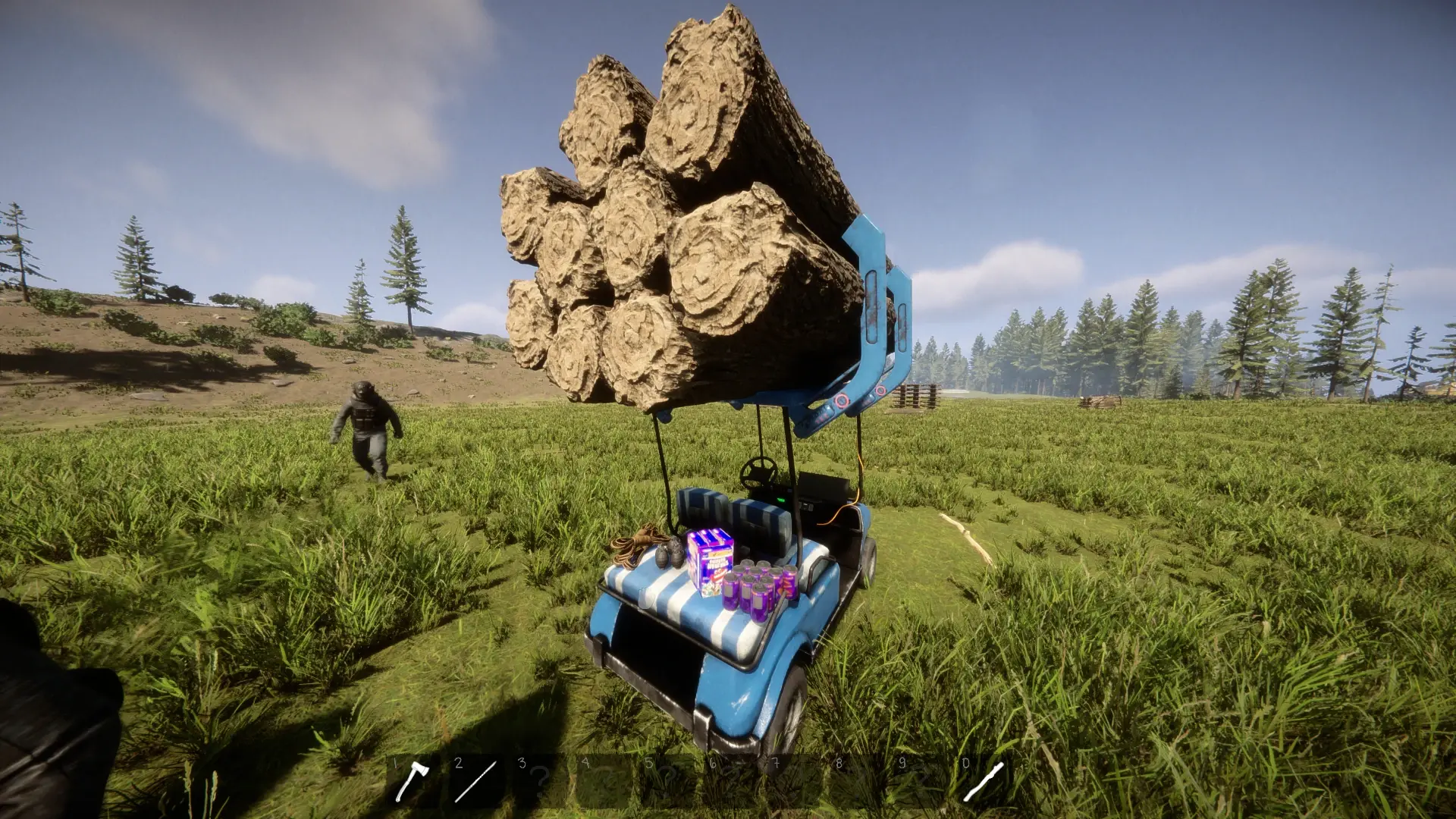
Save and restore the roof logs and all four rear storage hooks of Toni Macaroni's CargoGolfCart 1.0.2. Requires the original mod. Single player.

antman Quality of Life

  • 49 49 Downloads
  • 0 followers

Description

Keep your cargo between sessions

Adds save support to Toni Macaroni’s Cargo Golf Cart mod, so the logs and items stored on your golf cart return when you reload your save.

Features

  • Saves the roof log holder and all four rear storage hooks.
  • Keeps each golf cart’s cargo separate.
  • Remembers emptied holders, preventing removed cargo from returning.
  • Works through normal game saves, with no extra controls or settings.

How to use

  1. Install RedLoader and the original Cargo Golf Cart mod.
  2. Extract this addon’s Mods folder into your Sons of the Forest installation folder.
  3. Load a single-player save and use your golf cart’s storage normally.
  4. Save your game before quitting. Your cargo will be restored when you reload.

Keep the original Cargo Golf Cart mod installed alongside this addon.

Compatibility and limitations

  • Designed for CargoGolfCart v1.0.2 and RedLoader 0.8.6.
  • Single player only.
  • Cannot recreate cargo that was never saved or whose saved data has already been overwritten.
  • Keep this addon installed to restore its saved cargo.

Credits

Original Cargo Golf Cart mod by Toni Macaroni.

Save Support Addon by Ibrahim, created with Chat-GPT Open AI.

Dependencies

Versions and changelog

All 1 version
  1. v0.1.1 Latest First release · 34.2 kB · 49 downloads
  1. v0.1.1

    Latest 34.2 kB

    First release

Comments

No comments yet. Questions, tips and bug reports go here.

Something not working? Share your log and paste the link in your comment.

Reviews

No reviews yet. Be the first to review this mod.

Write a review

Log in · One review per user. Be specific: version, what worked, what didn’t.

How to install this mod

These steps install Cargo Golf Cart Mod Save Support Addon by hand, without a manager.

SotF Mods Manager installs and updates mods and their dependencies for you. Get SotF Mods Manager

This mod needs RedLoader, not BepInEx. BepInEx mods and guides don’t apply to Sons of the Forest.

  1. Install RedLoader

    Use RedLoader 0.8.6 or newer.

    How to install RedLoader
  2. Install its dependencies first

  3. Download Cargo Golf Cart Mod Save Support Addon v0.1.1

    Download v0.1.1
  4. Extract the ZIP into the Mods folder

    On your PC, extract it into the game’s Mods folder:

    Steam/steamapps/common/Sons Of The Forest/Mods

    Keep the folder structure of the ZIP. Don’t put the ZIP itself in the folder.

  5. Launch the game

    RedLoader loads the mod on start. Press F1 in the main menu to see the list of mods.

    Multiplayer: Solo only.

Full install guide

You also need CargoGolfCart

Cargo Golf Cart Mod Save Support Addon doesn’t work without these mods. Download them too, or continue if you already have them.

More actions

Share this mod

Badges for your page

Paste a badge into a README, forum post or Discord. Badges update automatically.

Downloads badge: Cargo Golf Cart Mod Save Support AddonVersion badge: Cargo Golf Cart Mod Save Support AddonCompatibility badge: Cargo Golf Cart Mod Save Support AddonRating badge: Cargo Golf Cart Mod Save Support Addon
QR code

Scan it with your phone to open the page.

Report Cargo Golf Cart Mod Save Support Addon

Tell the moderators what’s wrong. Reports are private.

Reason

Links, versions or anything that helps the moderators. Up to 2,000 characters.

Unapprove Cargo Golf Cart Mod Save Support Addon?

It goes back to Pending approval: it leaves the main list and returns to the New mods queue.

Changelog

Comments

Reviews