
Skip to content

We rebuilt SOTF Mods. Log in again with the same password.

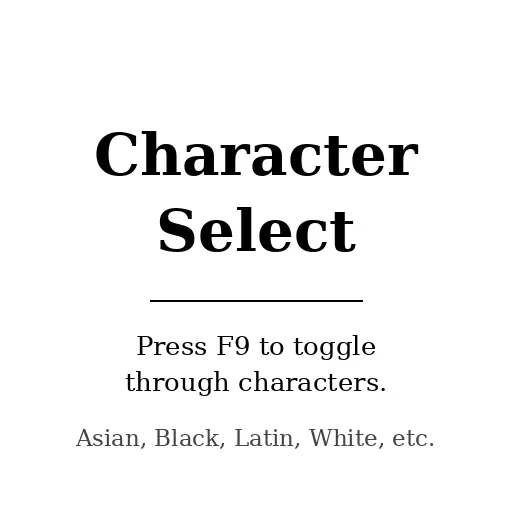
  • Cover image of Character Select

Sons of the Forest Mod loader: RedLoader

Character Select v1.1.1

Choose your player appearance and keep it across sessions. Works in multiplayer.

JustinOros Quality of Life

  • 2.23K 2,230 Downloads
  • 5 followers

Description

Sons of the Forest gives you a random appearance every time you join a server, and there is no way to choose. This mod lets you pick the one you want and automatically reapplies it every time your player spawns, so you stay the same character.

Press F9 in game to cycle through the eight appearances. The current one is shown on screen as you cycle. Your choice is saved and applied automatically on every spawn.

If your keyboard has no F keys, or you would rather pick one directly, press F1 to open the console and use the CHARACTER command.

Client side only. Nothing needs to be installed on a dedicated server. Your appearance replicates through normal game networking, so other players see your choice even if they do not have the mod installed.

Source: https://github.com/JustinOros/sotf-character-select

Versions and changelog

All 3 versions
  1. v1.1.1 Latest Fixes the download so Red Manager installs the mod into the Mods folder. If the mod did not show up or F9 did nothing, update to this version. · 4.1 kB · 831 downloads
  2. v1.1.0 Adds the CHARACTER console command for keyboards without F keys. · 1.27K downloads
  3. v1.0.0 First release · 126 downloads
  1. v1.1.1

    Latest 4.1 kB

    Fixes the download so Red Manager installs the mod into the Mods folder. If the mod did not show up or F9 did nothing, update to this version.

  2. v1.1.0

    Adds the CHARACTER console command for keyboards without F keys.

  3. v1.0.0

    First release

2 comments

  1. VOLCANOOO

    Hello! I automatically downloaded this mod via the mod manager. However, after launching the game, it does not show up in the mods list on the main menu. Pressing F9 in-game also has no effect. Could you tell me what might be causing this?

    JustinOrosCreator

    Thanks for reporting this. You were right, the download was packaged wrong so Red Manager was extracting the files to the game folder instead of the Mods folder. Fixed in 1.1.1, which is waiting on moderator approval now. Once it is live, reinstall and it should show up.

Something not working? Share your log and paste the link in your comment.

Reviews

No reviews yet. Be the first to review this mod.

Write a review

Log in · One review per user. Be specific: version, what worked, what didn’t.

How to install this mod

These steps install Character Select by hand, without a manager.

RedManager installs and updates mods and their dependencies for you. Get RedManager

This mod needs RedLoader, not BepInEx. BepInEx mods and guides don’t apply to Sons of the Forest.

  1. Install RedLoader

    RedLoader is the mod loader for Sons of the Forest. You only need to install it once.

    How to install RedLoader
  2. Download Character Select v1.1.1

    Download v1.1.1
  3. Extract the ZIP into the Mods folder

    On your PC, extract it into the game’s Mods folder:

    Steam/steamapps/common/Sons Of The Forest/Mods

    Keep the folder structure of the ZIP. Don’t put the ZIP itself in the folder.

  4. Launch the game

    RedLoader loads the mod on start. Press F1 in the main menu to see the list of mods.

    Multiplayer: Host only.

Full install guide

More actions

Share this mod

Badges for your page

Paste a badge into a README, forum post or Discord. Badges update automatically.

Downloads badge: Character SelectVersion badge: Character SelectCompatibility badge: Character SelectRating badge: Character Select
QR code

Scan it with your phone to open the page.

Report Character Select

Tell the moderators what’s wrong. Reports are private.

Reason

Links, versions or anything that helps the moderators. Up to 2,000 characters.

Changelog

Comments

Reviews