
Skip to content

We rebuilt SOTF Mods. Log in again with the same password.

  • Cover image of Signs

Sons of the Forest Mod loader: RedLoader

Signs v1.3.1

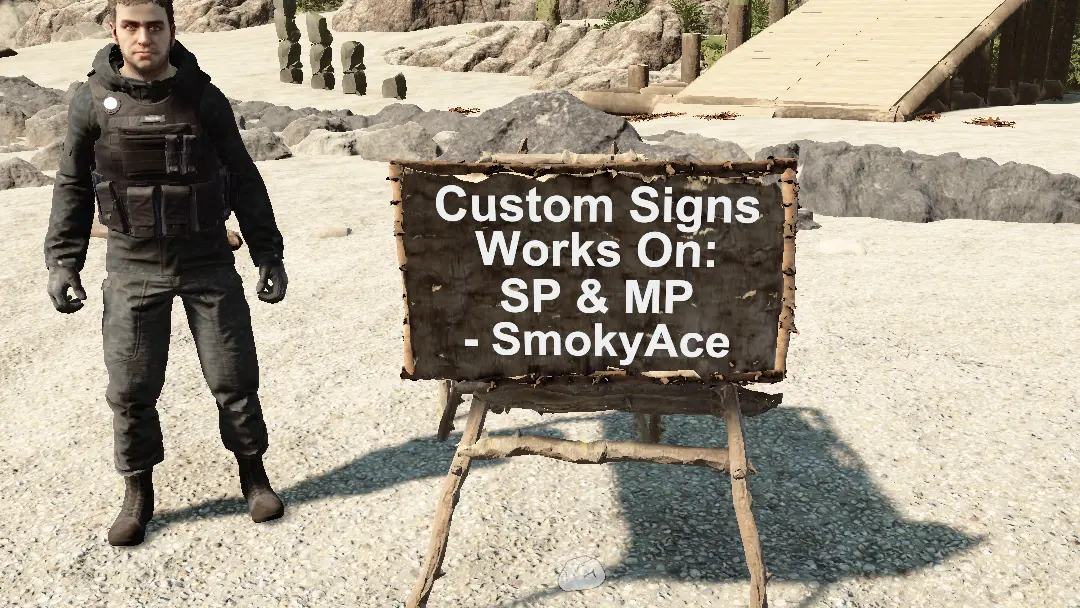
Custom Signs, works in Multiplayer and SinglePlayer

SmokyAce Trusted Other

  • 8.88K 8,877 Downloads
  • 3 followers

Description

Custom Signs For Decorating Your World!

###The Signs works on:

  • Singleplayer
  • Multiplayer Hosts
  • Multiplayer Clients
  • Dedicated Server

How To Make

  • Open book and find the 'Sign' (1x Split Quarter Log, 5x Sticks)
  • Click On The Sign To Place It In The World
Placement Mode:
  • Uses the normal ingame system
How To Destroy:
  • Hold 'C' while looking at the sign, it will start to shake and then destroy itself after a second
How To Edit Text:
  • Press 'E' while looking at the sign (Key Configurable In Settings)
Preview: https://github.com/move123456789/SOTF-Mods/blob/Signs/README.md

Versions and changelog

All 5 versions
  1. v1.3.1 Latest Added fixes for some rare errors · 5.71K downloads
  2. v1.3.0 Removed SimpleNetworkEvents dependency, also added support for dedicated server · 537 downloads
  3. v1.2.0 Updated for new release, sign can only be crafted from the book · 1.24K downloads
  1. v1.3.1

    Latest

    Added fixes for some rare errors

  2. v1.3.0

    Removed SimpleNetworkEvents dependency, also added support for dedicated server

  3. v1.2.0

    Updated for new release, sign can only be crafted from the book

8 comments

  1. Voodoo

    ErrorLog Part3
    at DynamicClass.(il2cpp - managed) TheForest_Player_Actions_PlayerStructurePlaceAction_IPlaceOperation_Begin(il2cpp - managed) TheForest_Player_Actions_PlayerStructurePlaceAction_IPlaceOperation_Begin(IntPtr, IntPtr, Byte, Il2CppInterop.Runtime.Runtime.Il2CppMethodInfo)

  2. Voodoo

    ErrorLog Part2

    at DynamicClass.DMD(SinglePlaceOperation, Sons.Crafting.Structures.StructureRecipe, Boolean)

  3. Voodoo

    ErrorLog Part2


    at DynamicClass.DMD(SinglePlaceOperation, Sons.Crafting.Structures.StructureRecipe, Boolean)

  4. Voodoo

    Thanks for your cool mod, bro !

    I tested 1.3.1, it crashed my game when set a sign blueprint for the first time running. It works very well for the second time.

    ErrorLog( _Redloder/ErrorLog.txt) Part1

    Fatal error. System.AccessViolationException Attempted to read or write protected memory. This is often an indication that other memory is corrupt.
    Repeat 2 times

    at Il2CppInterop.Runtime.IL2CPP.il2cpp_runtime_invoke(IntPtr, IntPtr, Void, IntPtr ByRef)

  5. Moonmalic

    It seems to have corrected itself? I tried it six times and the last two didn't crash? I will keep you updated if it starts happening again. Thanks for the help and being so prompt. Sorry that it took me a few days to get back to you.
    I love the mod BTW.. have signs all over the place... lol

  6. SmokyAceTrustedCreatorModerator

    This don't seem to be a issue for me, can you try some more times, and give feedback. If so can you check (Sotf Installation path)/_Redloder/ErrorLog file when this happens?

  7. Moonmalic

    Prior to update 1.3.0 this mod worked great, now the mod crashes my game when I try to make a sign. I'm playing in single-player.

Something not working? Share your log and paste the link in your comment.

Reviews

No reviews yet. Be the first to review this mod.

Write a review

Log in · One review per user. Be specific: version, what worked, what didn’t.

How to install this mod

These steps install Signs by hand, without a manager.

SotF Mods Manager installs and updates mods and their dependencies for you. Get SotF Mods Manager

This mod needs RedLoader, not BepInEx. BepInEx mods and guides don’t apply to Sons of the Forest.

  1. Install RedLoader

    RedLoader is the mod loader for Sons of the Forest. You only need to install it once.

    How to install RedLoader
  2. Download Signs v1.3.1

    Download v1.3.1
  3. Extract the ZIP into the Mods folder

    On your PC, extract it into the game’s Mods folder:

    Steam/steamapps/common/Sons Of The Forest/Mods

    Keep the folder structure of the ZIP. Don’t put the ZIP itself in the folder.

  4. Launch the game

    RedLoader loads the mod on start. Press F1 in the main menu to see the list of mods.

Full install guide

More actions

Share this mod

Badges for your page

Paste a badge into a README, forum post or Discord. Badges update automatically.

Downloads badge: SignsVersion badge: SignsCompatibility badge: SignsRating badge: Signs
QR code

Scan it with your phone to open the page.

Report Signs

Tell the moderators what’s wrong. Reports are private.

Reason

Links, versions or anything that helps the moderators. Up to 2,000 characters.

Unapprove Signs?

It goes back to Pending approval: it leaves the main list and returns to the New mods queue.

Changelog

Comments

Reviews