
Skip to content

We rebuilt SOTF Mods. Log in again with the same password.

  • Screenshot 1 of 2
  • Screenshot 2 of 2

Sons of the Forest Mod loader: RedLoader

UpgradeablePlayerStats v1.1.2

Simple Mod that allows you to upgrade your player statistics with your accumulated strength points.

SmokyAce Trusted Quality of Life

  • 23.9K 23,865 Downloads
  • 6 followers

Description

The mod might have some issues, please contact me in SOTF Discord if you find any.
Enjoy!

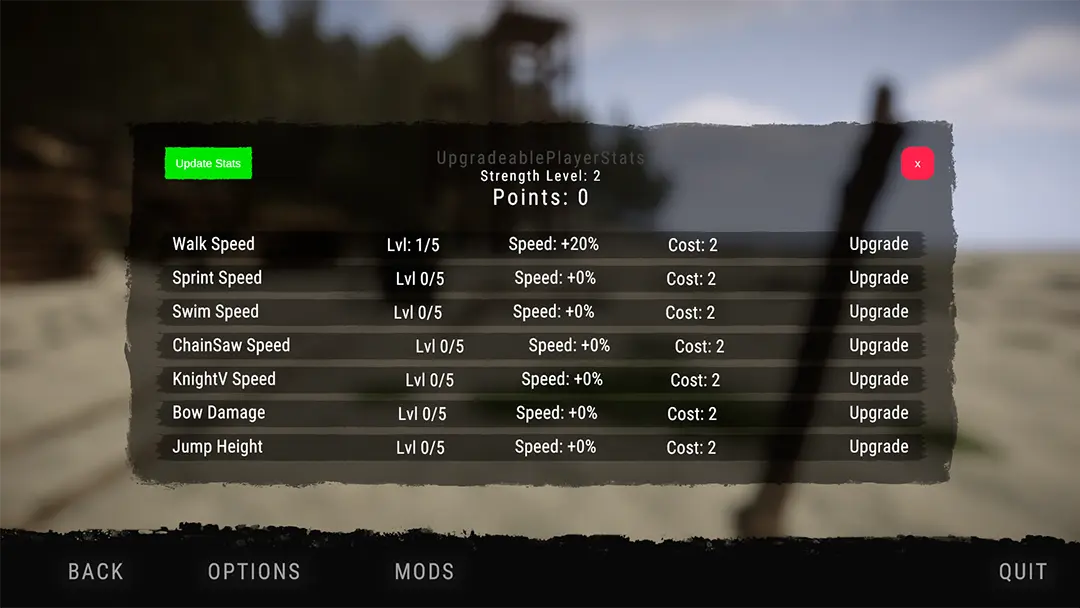
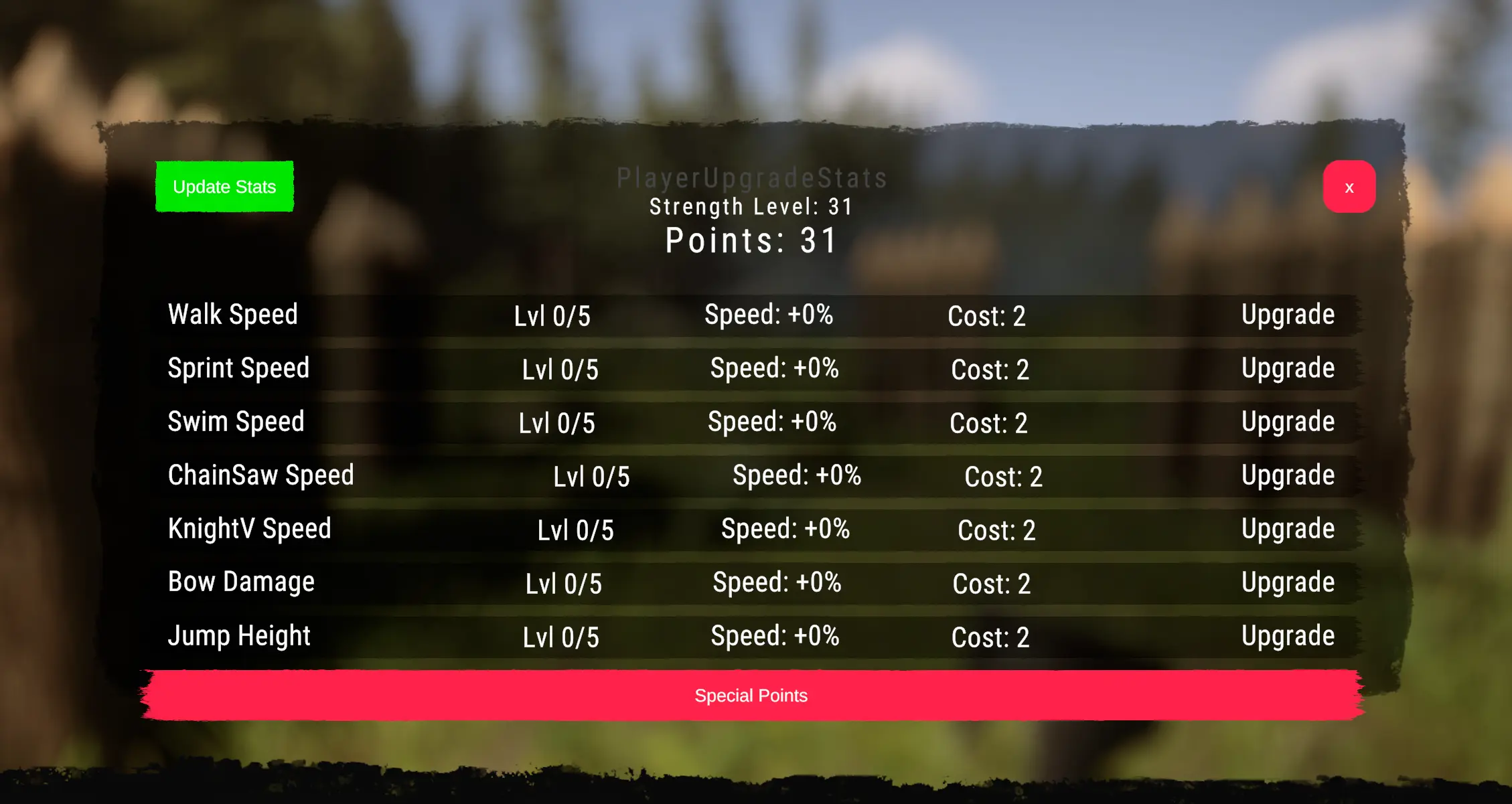
Upgrades available:

Walk Speed
Sprint Speed
Swim Speed
Jump Height
Chainsaw Speed
KnightV Speed
Crafted Bow Damage

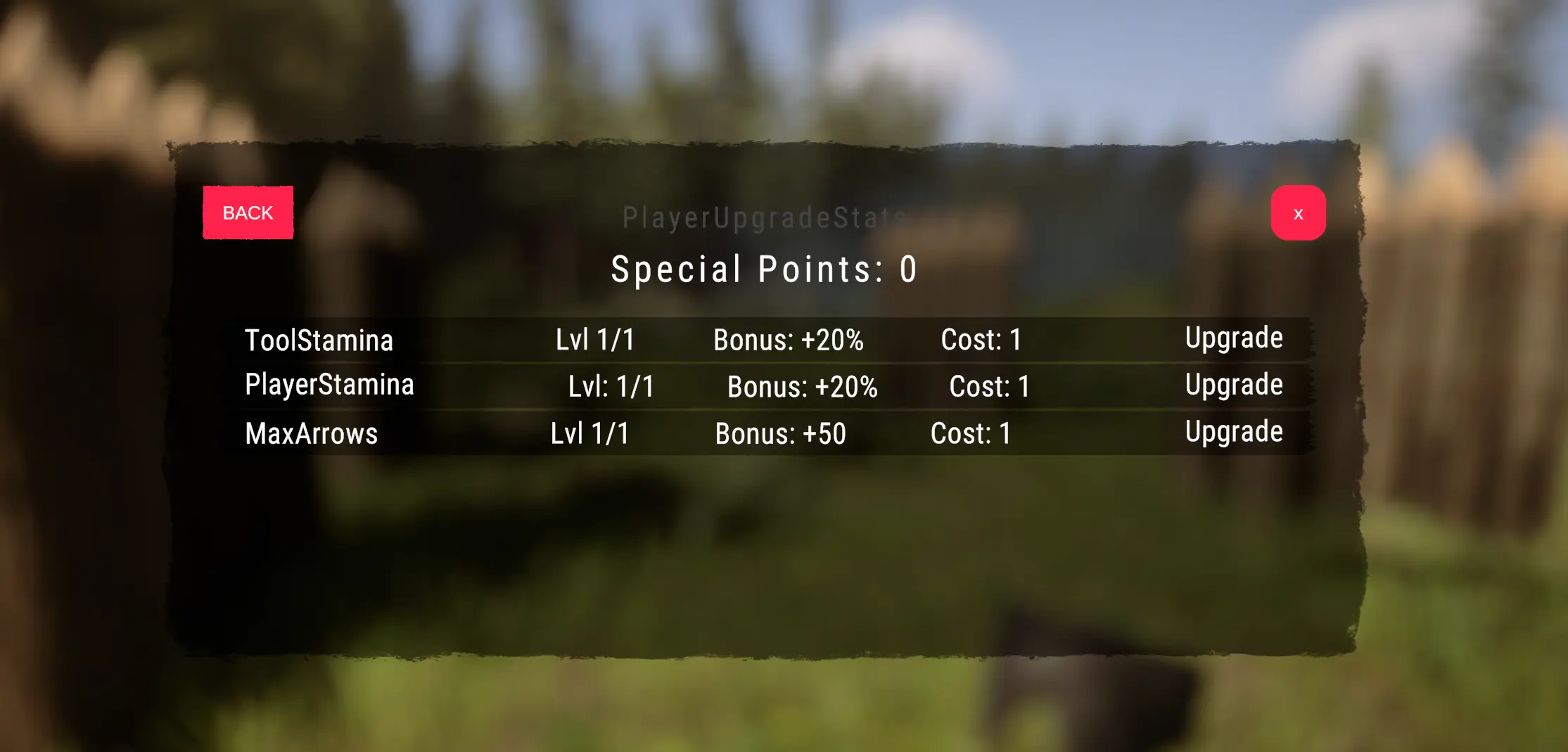
Special Points:

Now every 10 levels you get 1 special point
Special Upgrades Available:

Player Stamina:

-- Reduced Jump Heigth Stamina Drain
-- Reduced Run Stamina Drain
-- Reduced Time To Recover From Run
-- Increaced Stamina Recover Rate

Tool Stamina:

-- Reduced Tree Swing w/ Axe Stamina Drain
-- Reduced Stamina Drain For All Weapons On hitting

Increase Max Arrow:

-- Double The Amount Of Arrows Allowed Holding In Inventory
######- NOTE: Requires Rejoining of game

Versions and changelog

All 5 versions
  1. v1.1.2 Latest Now this mod will not change arrow capacity if any type of inventory stack mod is installed · 15.9K downloads
  2. v1.1.1 Fixed bug · 311 downloads
  3. v1.1.0 Added special point max arrow amount upgrade · 18 downloads
  1. v1.1.2

    Latest

    Now this mod will not change arrow capacity if any type of inventory stack mod is installed

  2. v1.1.1

    Fixed bug

  3. v1.1.0

    Added special point max arrow amount upgrade

12 comments

  1. Sensenmann01

    "Upgradeable Player Stats" keeps crashing in the cave where you can get the blueprint for the spotlight; the coordinates (https//sotf.th.gl) are VI. It is the only cave where this happens; there were no issues entering any of the others.

  2. Squall

    Version 1.1.2 ,which is supposed not to change Arrow Capacity if other mod does that, still changes Arrow Capacity when you upgrade any other skill. It requires to save and restart the game after upgrade. And even after that, the capacity will be overwritten at some point.
    Please make an option without Arrow Capacity at all.

  3. maxstacks

    This works perfectly now, thank you so much! Apologies for the annoying group of comments I left, just had 'another thought' then 'another thought', lol.

    Really, really appreciate this update. <3

  4. SmokyAceTrustedCreatorModerator

    Okay, can try to fix it later today, problem is that other mods set the capacity before you are in a world (loaded in main menu), and that wont work in this case since stats are saved on each world (loaded on game join)

  5. maxstacks

    at the very least, if users don't put any a point in it, make it so it does not touch arrow capacity at all. Even without the point put in arrow capacity, it still forces the max to 20

Something not working? Share your log and paste the link in your comment.

Reviews

No reviews yet. Be the first to review this mod.

Write a review

Log in · One review per user. Be specific: version, what worked, what didn’t.

How to install this mod

These steps install UpgradeablePlayerStats by hand, without a manager.

SotF Mods Manager installs and updates mods and their dependencies for you. Get SotF Mods Manager

This mod needs RedLoader, not BepInEx. BepInEx mods and guides don’t apply to Sons of the Forest.

  1. Install RedLoader

    RedLoader is the mod loader for Sons of the Forest. You only need to install it once.

    How to install RedLoader
  2. Download UpgradeablePlayerStats v1.1.2

    Download v1.1.2
  3. Extract the ZIP into the Mods folder

    On your PC, extract it into the game’s Mods folder:

    Steam/steamapps/common/Sons Of The Forest/Mods

    Keep the folder structure of the ZIP. Don’t put the ZIP itself in the folder.

  4. Launch the game

    RedLoader loads the mod on start. Press F1 in the main menu to see the list of mods.

Full install guide

More actions

Share this mod

Badges for your page

Paste a badge into a README, forum post or Discord. Badges update automatically.

Downloads badge: UpgradeablePlayerStatsVersion badge: UpgradeablePlayerStatsCompatibility badge: UpgradeablePlayerStatsRating badge: UpgradeablePlayerStats
QR code

Scan it with your phone to open the page.

Report UpgradeablePlayerStats

Tell the moderators what’s wrong. Reports are private.

Reason

Links, versions or anything that helps the moderators. Up to 2,000 characters.

Unapprove UpgradeablePlayerStats?

It goes back to Pending approval: it leaves the main list and returns to the New mods queue.

  • Screenshot 1 of UpgradeablePlayerStats
  • Screenshot 2 of UpgradeablePlayerStats

1 / 2

Changelog

Comments

Reviews