Skip to content
Sign in

We rebuilt SOTF Mods. Sign in again — your password is the same.

Cover image of Writable Paper Map
  • Screenshot 1 of 3
  • Screenshot 2 of 3
  • Screenshot 3 of 3

Writable Paper Map

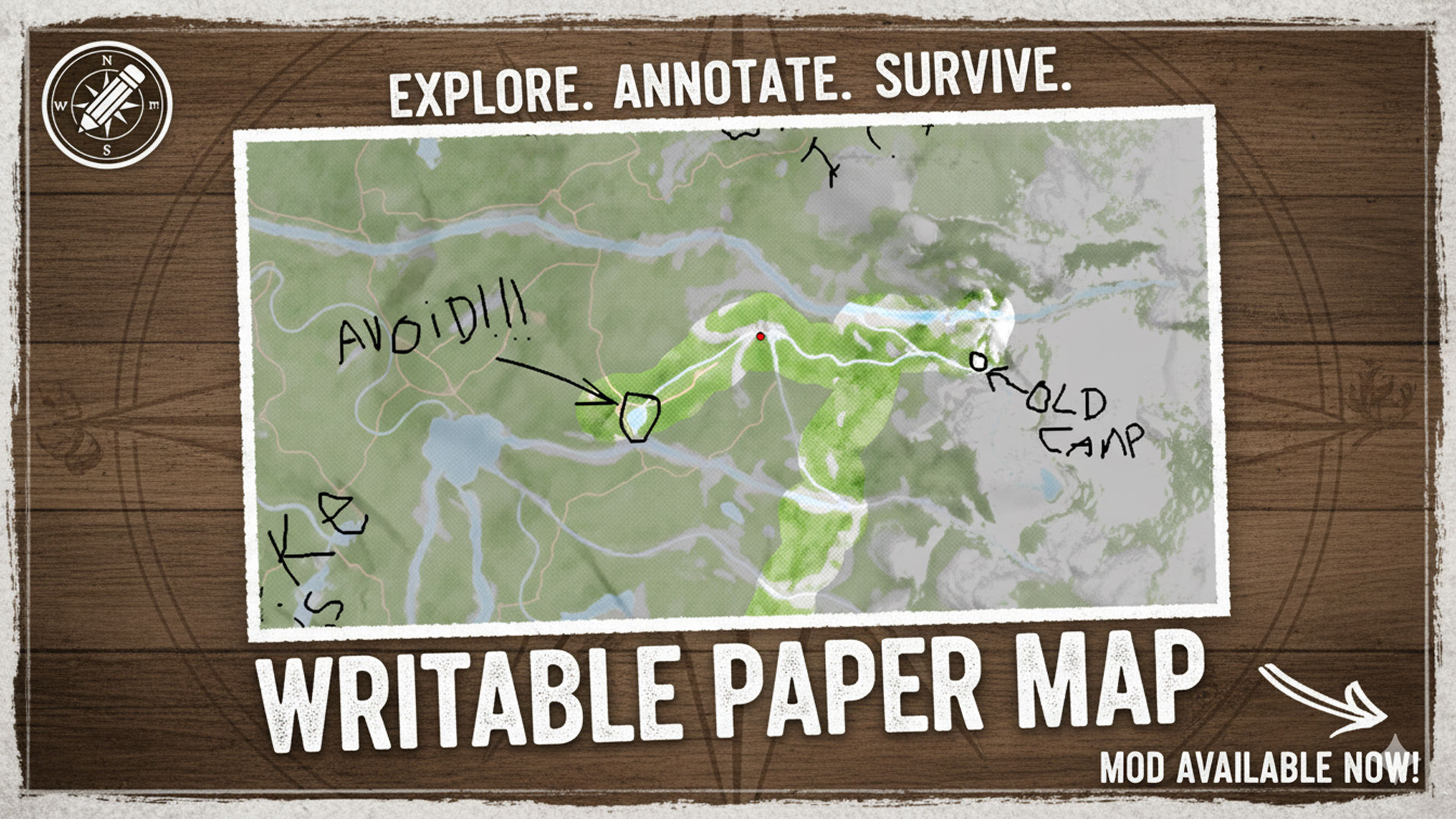
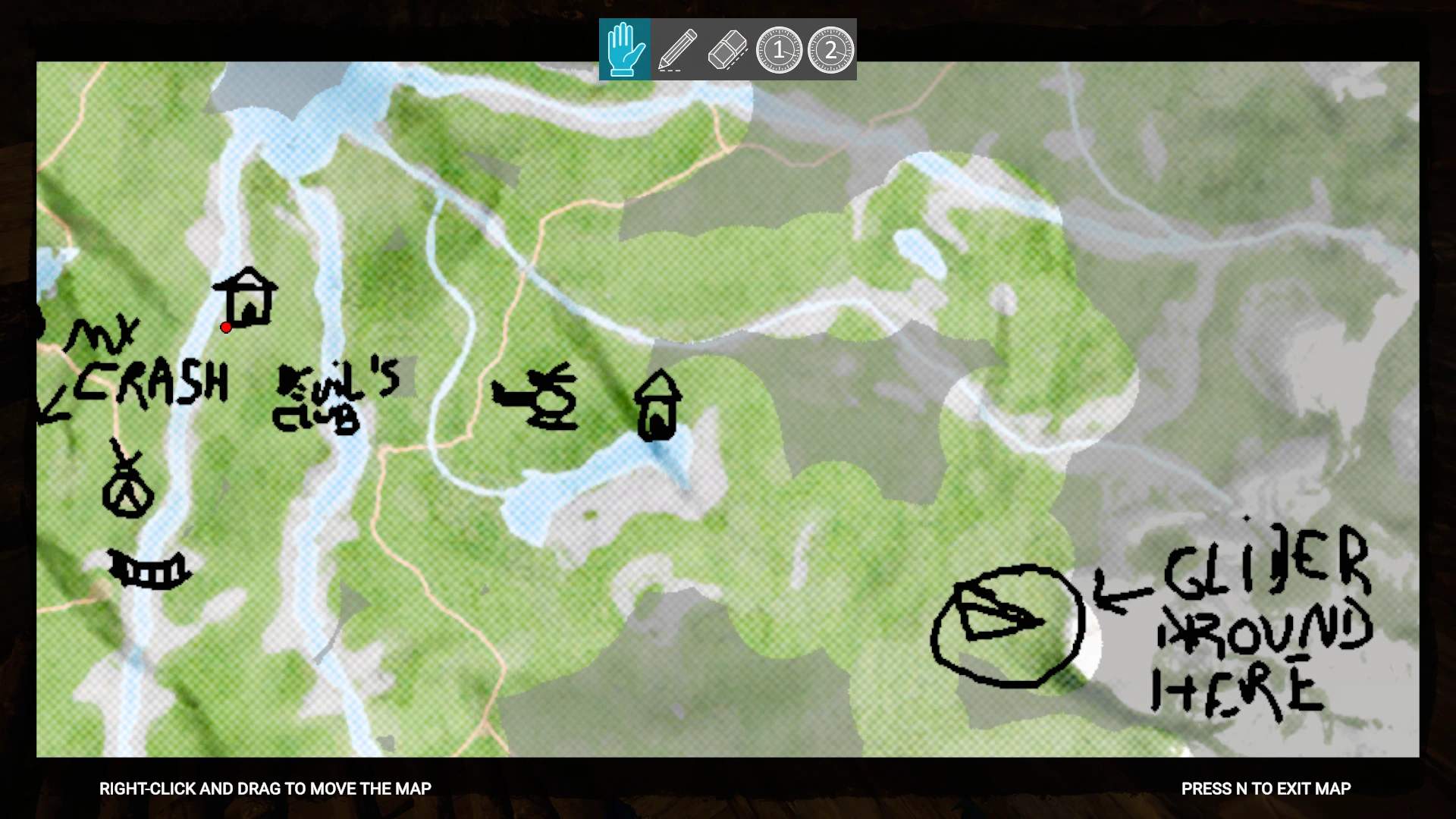
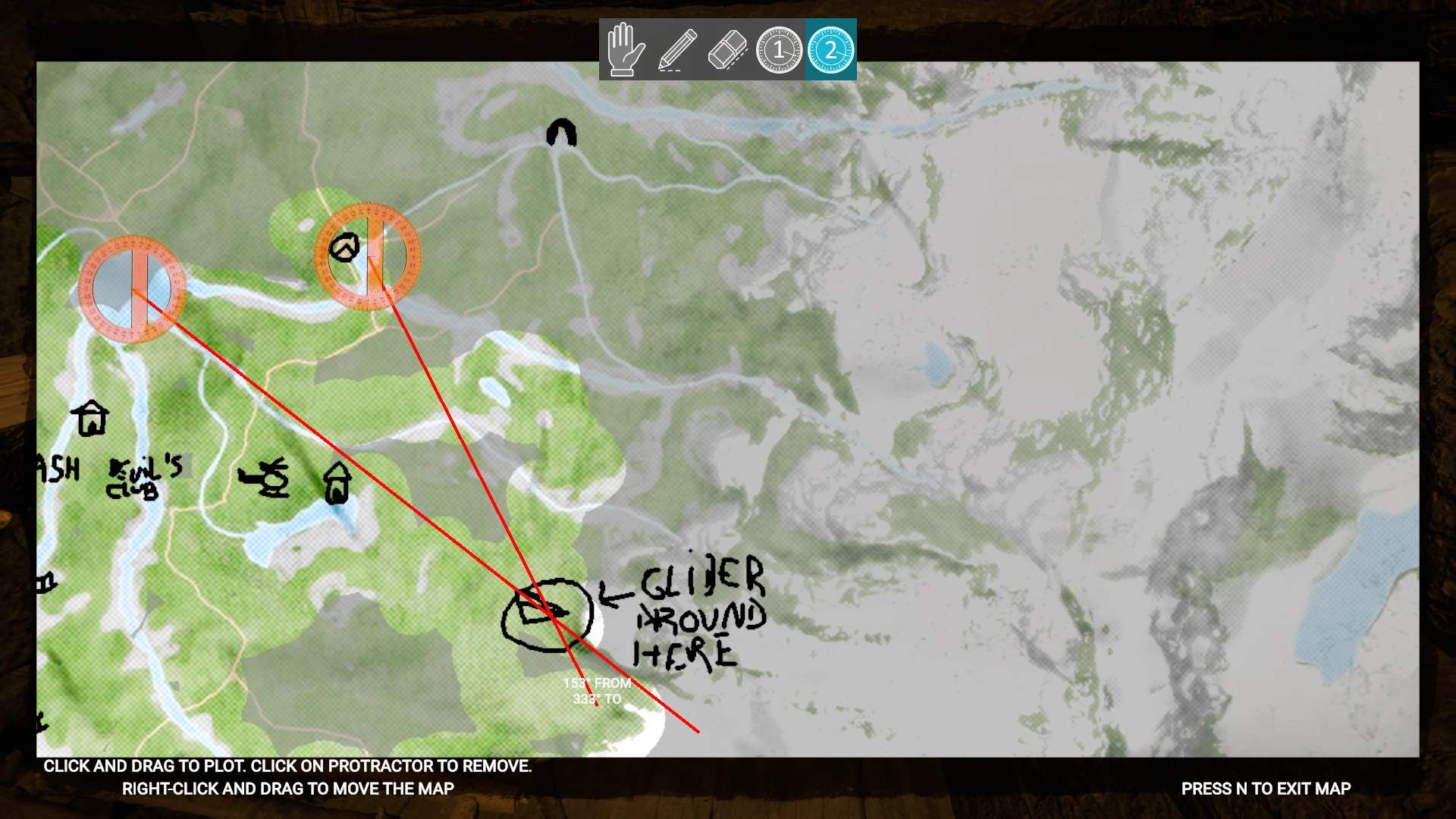
In-game paper map you can write on. Marks already-explored areas as you walk. Toolbar. Optionally hides your position. Protractors to triangulate your position.

razorwings18 Quality of Life Version:v1.1.5 Updated May 6, 2026

Downloads
581 total
Downloads this week
128 this week
Followers
1 follower

Not verified Not verified on the latest patch yet. Tried it? Report back. Report

Client See all

Overview

WARNING
Only works with keyboard & mouse

Description
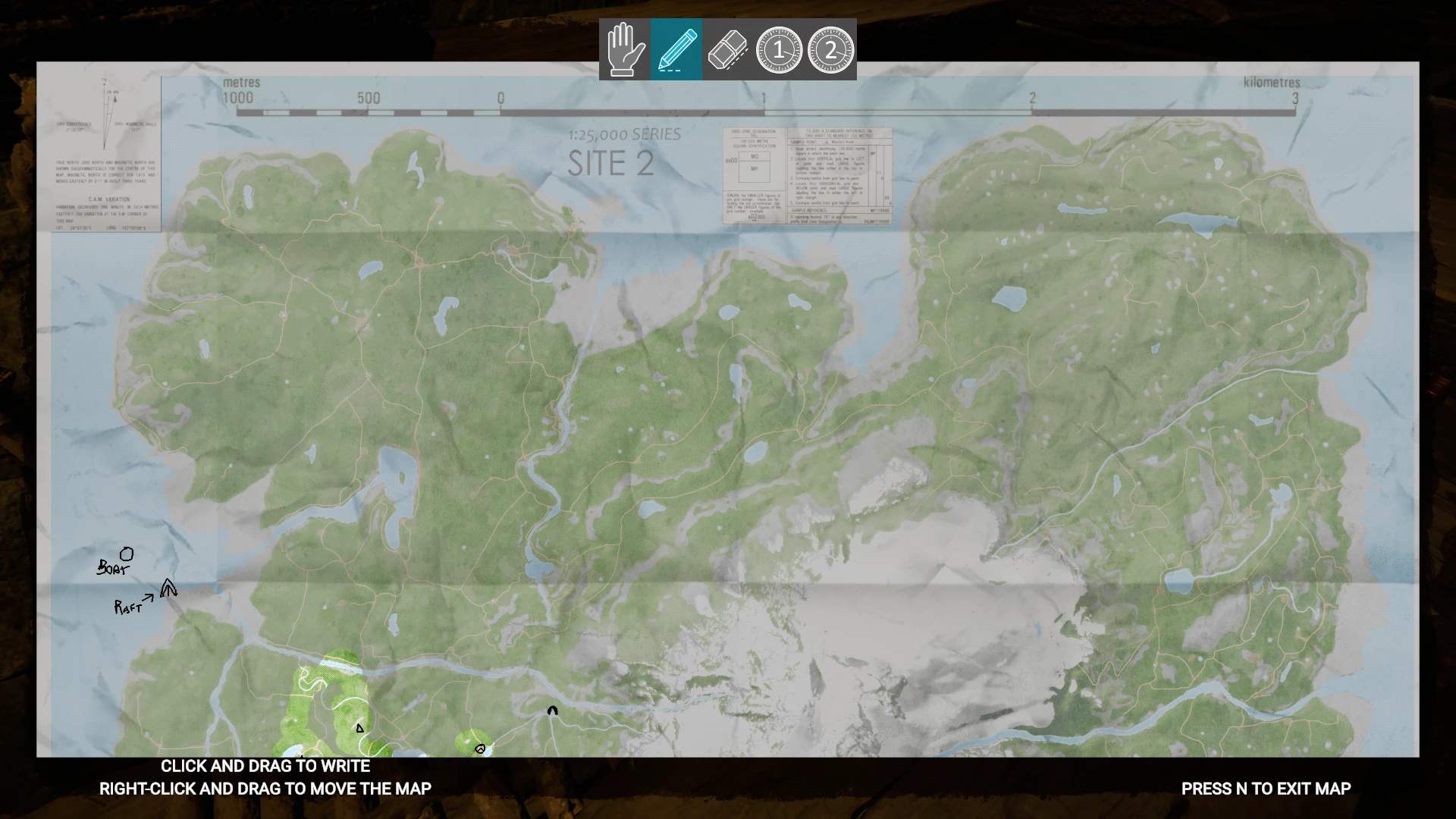
In-game paper map you can write on. Marks already-explored areas as you walk. Optionally hides your position. Toolbar to select different modes. Protractors help you triangulate your position. Has a few configurable options.

Highly Recommended Complementary Mods
I highly recommend you combine this mod with these other mods I made to bring back the original "The Forest" experience:
GPS Tracker Disabled or Compass
Remove KnightVs and Golf Carts

Installation instructions

  • Install RedLoader if you haven't already.
  • Unzip to your game's main folder (where SonsOfTheForest.exe is located) maintaining the ZIP's folder structure.
    (The .DLL will end up under the Mods folder, and the .json under the Mods/RW18_PaperMap folder.) Use
  • Bring it up by pressing the "N" key.
  • Zoom: Zoom in/out using the mouse wheel or the middle mouse button.
  • Pan: Right-click and drag to pan the map.
  • Toolbar at the top: Select between pan, write, erase, protractor 1 and protractor 2 modes. Instructions for each mode are shown on the bottom-left. Configurable Options
  • Enable player marker (WARNING!!!: To re-enable the marker, you'll be asked to click on your current position on the map. This is so that you're not tempted to re-enable it to peek your current position if you're lost)
  • Reveal radius: How much is "revealed" as you walk.
  • Must click current position to reveal map: Click on your position on the map to mark areas recently explored. This is so that if you're lost, you can't use recently-revealed areas to hint at your position.
  • Reveal terrain while flying: Mark overflown areas as explored in the map.

Field notes

All 2 versions
  1. v1.1.5

    Latest

    Fixed several features (write, erase, etc.) not working properly in resolutions other than the monitor's physical resolution.

  2. v1.0.0

    First release

Reviews

No reviews yet. Downloaded it? Be the first to tell others how it went.

Write a review

Sign in · One review per survivor. Be specific: version, what worked, what didn’t.

1 comment

  1. Squash

    this is an amazing mod - please can you add config keybind to open map please.

Frequently asked questions

Does Writable Paper Map work in multiplayer?
The author has not stated multiplayer support yet. Check the comments and the field reports of other players.
How do I install Writable Paper Map?
Install RedLoader (RedManager can do it for you), download Writable Paper Map 1.1.5 from this page and put it in the _RedLoader/Mods folder inside your game directory. Launch the game and press F1 to confirm it loaded.
What does Writable Paper Map need?
Only Sons of the Forest on Steam and RedLoader. It has no other dependencies.
Does Writable Paper Map work on the current game patch?
There are no compatibility reports yet. If you try it, add a field report.

At a glance

Game build
Not verified
RedLoader
Not declared
Platform
Client
Multiplayer
Unknown
Dedicated server
Unknown
Remove mid-save
Unknown
Dependencies
None
Conflicts
None known
Version
1.1.5
Updated
Published

Field reports

Report

No field reports yet. Tried it? Report back.

Did it work in your game?

A field report takes ten seconds and tells everyone whether this mod works on the current patch.

Sign in to add a field report

How to install this mod

Five minutes, no manager required. These steps are for Writable Paper Map.

This mod needs RedLoader, not BepInEx. BepInEx mods and guides don’t apply to Sons of the Forest.

  1. Install RedLoader

    RedLoader is the mod loader of Sons of the Forest. Install it once and every mod works.

    How to install RedLoader
  2. Download Writable Paper Map v1.1.5

    Download v1.1.5
  3. Extract the ZIP into the Mods folder

    On your PC, extract it into the game’s Mods folder:

    Steam/steamapps/common/Sons Of The Forest/Mods

    Keep the folder structure of the ZIP. Don’t put the ZIP itself in the folder.

  4. Launch the game

    RedLoader loads the mod on start. Press F1 in the main menu to see the list of mods.

Prefer one click? RedManager installs and updates mods and their dependencies for you.

Full install guide

Share this mod

Badges for your page

Paste a badge in a README, forum post or Discord. They update by themselves.

Downloads badge: Writable Paper MapVersion badge: Writable Paper MapCompatibility badge: Writable Paper MapRating badge: Writable Paper Map
QR code

Scan it with your phone to open the page.

Report Writable Paper Map

Tell the rangers what’s wrong. Reports are private.

Reason

Links, versions or anything that helps the rangers. Up to 2,000 characters.

  • Screenshot 1 of Writable Paper Map
  • Screenshot 2 of Writable Paper Map
  • Screenshot 3 of Writable Paper Map

1 / 3