Przejdź do treści
Zaloguj się

Przebudowaliśmy SOTF Mods. Zaloguj się ponownie — hasło się nie zmieniło.

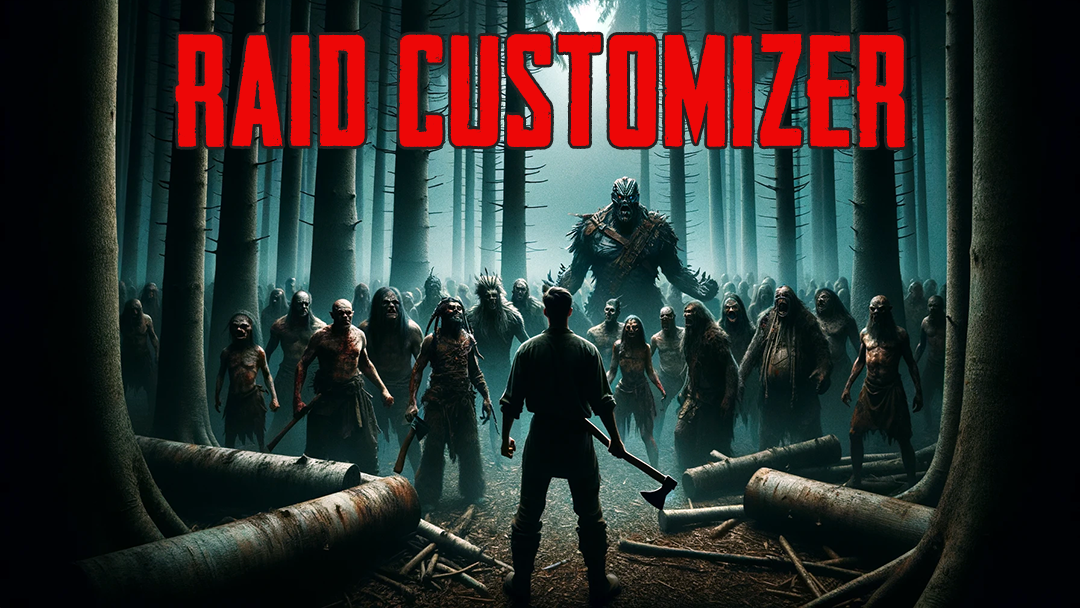
Okładka Raid Customizer

Raid Customizer

Pozwala dostosować zdrowie, obrażenia i gniew wrogów oraz codzienne najazdy (rozmiar, częstotliwość itp.).

Przetłumaczono automatycznie

codengine Quality of Life Wersja:v1.0.1 Zaktualizowano 29 mar 2024

Pobrania
10 917 łącznie
Pobrania w tym tygodniu
63 w tym tygodniu
Obserwujący
2 obserwujących
Niezweryfikowany Jeszcze niesprawdzony na najnowszym patchu. Testowałeś? Daj znać. Zgłoś, czy działa

Przegląd

This mod allows you to customize the size, frequency and distribution of daily raid events as well as the health, damage and anger of enemies.

As a bonus, you can also make your followers more robust.

In SOTF vanilla, some people rarely see enemies and others get swarmed. This mod addresses both issues.

First of all, there are several factors that allow (or disallow) an event to be chosen. For example
how angry cannibals are, if its an endgame event (and the player has not completed the game), if the player is surrounded
by trees, if the event is on cooldown and so on.

It is important that the choice of events for the day occurs only if a new day is started. Therefore, if you load a savegame
after installing the mod it will influence the choice for the first time at the next day. You can enforce that also with the
debug command "requeueraids".

The mod is customizable at "Mods" -> "RaidCustomizer".

Config
------

SpawnCountFactor:
If an event would spawn 6-8 enemies and the factor is set to 2.0, 12-16 enemies would spawn.
Likewise, a factor of 0.5 would reduce it to 3-4 enemies.

EnemyLimit:
Total upper limit for normal enemy raids

Ignore min/max anger:
Some events require a certain anger value. This disables the check.

Ignore min/max day:
Some events require a certain day. This disables the check.

Raid Distribution:
In vanilla, it is completely random. "Evenly" will try to generate even gaps between events.
Stacked means that they will start the next hour and from there consecutively.

Debug Commands
--------------

printqueuedraids - Prints all currently queued raids
clearqueuedraids - Removes all currently queued raids
clearallevents - Removes ALL currently queued events
runrandomraid - Starts a random raid, according to the current mod config
clearraidcooldowns - Useful if raid cooldowns should be used but no events would occur
requeueraids - Clears all queued raids and creates new ones

Notatki terenowe

Wszystkie 2 wersje
  1. v1.0.1

    Najnowsza

    Added settings to adjust enemy health/damage/anger and follower health

  2. v1.0.0

    First release

Recenzje

Brak recenzji. Pobrałeś? Opowiedz jako pierwszy, jak poszło.

Napisz recenzję

Zaloguj się · Jedna recenzja na ocalałego. Konkretnie: wersja, co działało, a co nie.

Komentarze

Brak komentarzy. Pytania, porady i błędy zgłaszaj tutaj.

Najczęstsze pytania

Czy Raid Customizer działa w trybie wieloosobowym?
Autor nie podał jeszcze, czy działa w trybie wieloosobowym. Sprawdź komentarze i raporty z terenu innych graczy.
Jak zainstalować Raid Customizer?
Zainstaluj RedLoader (RedManager może zrobić to za ciebie), pobierz Raid Customizer 1.0.1 z tej strony i umieść go w folderze _RedLoader/Mods w katalogu gry. Uruchom grę i naciśnij F1, aby sprawdzić, czy się wczytał.
Czego potrzebuje Raid Customizer?
Tylko Sons of the Forest na Steamie i RedLoadera. Nie ma innych zależności.
Czy Raid Customizer działa z aktualną łatką gry?
Nie ma jeszcze zgłoszeń zgodności. Jeśli go wypróbujesz, dodaj raport z terenu.

W skrócie

Build gry
Niezweryfikowany
RedLoader
Nie podano
Platforma
Nieznany
Tryb wieloosobowy
Nieznany
Serwer dedykowany
Nieznany
Usuwanie w trakcie zapisu
Nieznany
Zależności
Brak
Konflikty
Brak znanych
Wersja
1.0.1
Zaktualizowano
Opublikowano

Raporty terenowe

Zgłoś

Brak raportów terenowych. Testowałeś? Daj znać.

Czy działało w twojej grze?

Raport terenowy zajmuje dziesięć sekund i mówi wszystkim, czy ten mod działa z obecną łatką.

Zaloguj się, aby dodać raport terenowy

Jak zainstalować ten mod

Pięć minut, bez menedżera. Te kroki dotyczą Raid Customizer.

Ten mod wymaga RedLoadera, nie BepInEx. Mody i poradniki do BepInEx nie dotyczą Sons of the Forest.

  1. Zainstaluj RedLoader

    RedLoader to loader modów do Sons of the Forest. Instalujesz go raz i działa każdy mod.

    Jak zainstalować RedLoader
  2. Pobierz Raid Customizer v1.0.1

    Pobierz v1.0.1
  3. Rozpakuj ZIP do folderu Mods

    Na komputerze rozpakuj go do folderu Mods gry:

    Steam/steamapps/common/Sons Of The Forest/Mods

    Zachowaj strukturę folderów z ZIP-a. Nie wrzucaj samego ZIP-a do folderu.

  4. Uruchom grę

    RedLoader wczytuje mod przy starcie. Naciśnij F1 w menu głównym, aby zobaczyć listę modów.

Wolisz jedno kliknięcie? RedManager zainstaluje i zaktualizuje mody oraz ich zależności za ciebie.

Pełny poradnik instalacji

Udostępnij ten mod

Odznaki dla Twojej strony

Wklej odznakę do README, na forum lub Discorda. Aktualizują się same.

Odznaka „Pobrania”: Raid CustomizerOdznaka „Wersja”: Raid CustomizerOdznaka „Zgodność”: Raid CustomizerOdznaka „Ocena”: Raid Customizer
Kod QR

Zeskanuj go telefonem, aby otworzyć stronę.

Zgłoś Raid Customizer

Powiedz strażnikom, co jest nie tak. Zgłoszenia są prywatne.

Powód

Linki, wersje lub cokolwiek, co pomoże strażnikom. Do 2000 znaków.