Tactical Gear Mod
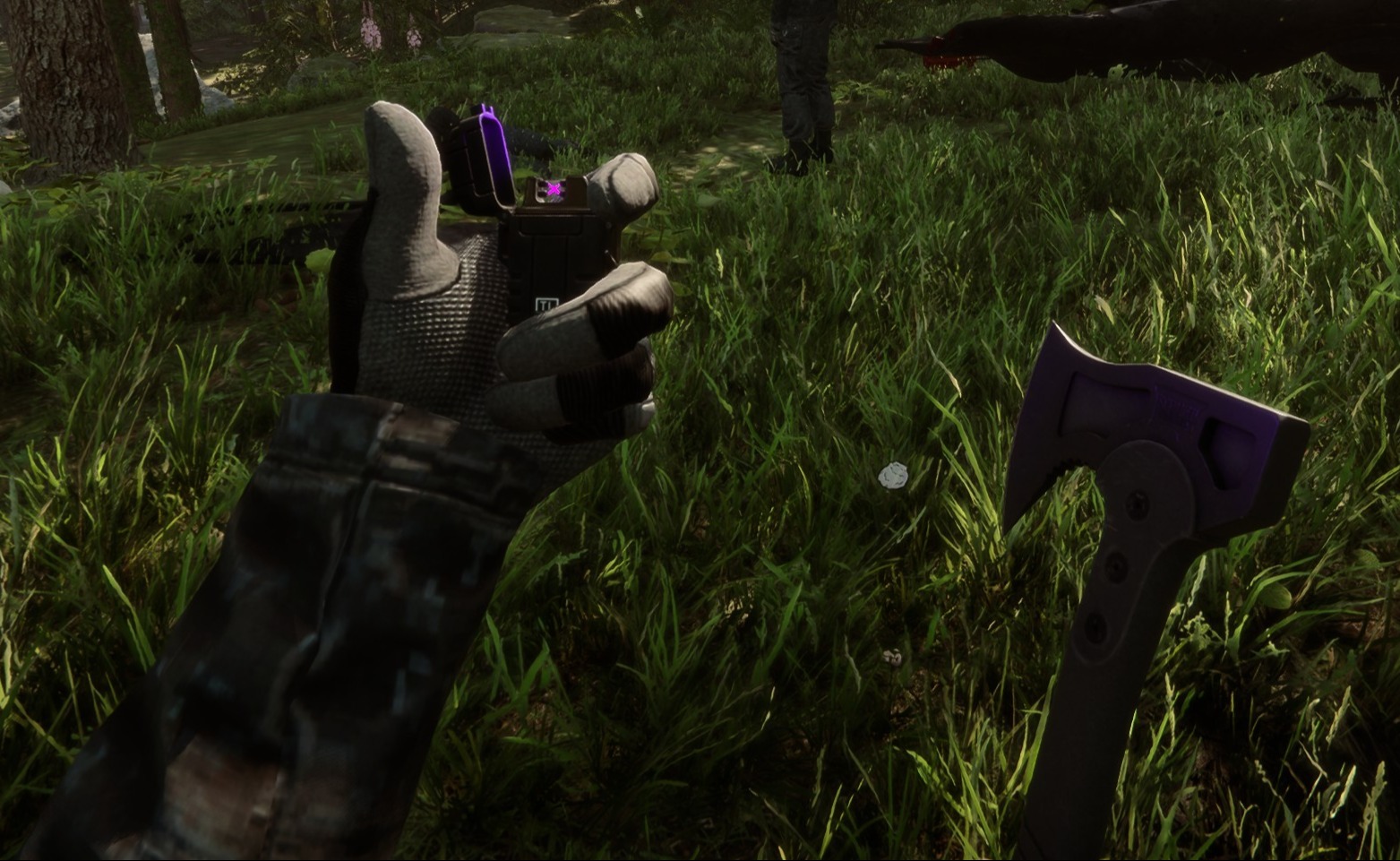
Diese konfigurierbare clientseitige Mod fügt dir und allen anderen Spielern in deinem Spiel taktische Ausrüstung hinzu.
This configurable client-side mod adds tactical gear to you and any other players in your game.
Automatisch übersetzt
clairenheit1367 Model Swap Version:v1.1.6 Aktualisiert am 28.12.2025
- Downloads
- 16.021 insgesamt
- Downloads diese Woche
- 169 diese Woche
- Follower
- 2 Follower
v1.1.6 herunterladen
Andere Versionen
Nicht bestätigt Mit dem neuesten Patch noch nicht geprüft. Ausprobiert? Gib Bescheid. Melden, ob es funktioniert
Client · Nur der Host Alles ansehen
Übersicht
Feldnotizen
Alle 21 VersionenBewertungen
Noch keine Bewertungen. Heruntergeladen? Erzähl als Erste:r, wie es lief.
Bewertung schreiben
Anmelden · Eine Bewertung pro Überlebendem. Sei konkret: Version, was lief, was nicht.
Häufige Fragen
- Funktioniert Tactical Gear Mod im Mehrspielermodus?
- Ja, aber nur der Host muss es installieren; die anderen Spieler können ohne beitreten.
- Wie installiere ich Tactical Gear Mod?
- Installiere RedLoader (RedManager erledigt das für dich), lade Tactical Gear Mod 1.1.6 von dieser Seite herunter und lege es in den Ordner _RedLoader/Mods im Spielverzeichnis. Starte das Spiel und drücke F1, um zu prüfen, ob es geladen ist.
- Was braucht Tactical Gear Mod?
- Nur Sons of the Forest auf Steam und RedLoader. Es gibt keine weiteren Abhängigkeiten.
- Funktioniert Tactical Gear Mod mit dem aktuellen Spielpatch?
- Es gibt noch keine Kompatibilitätsberichte. Wenn du es ausprobierst, füge einen Feldbericht hinzu.
Auf einen Blick
- Spiel-Build
- Nicht bestätigt
- RedLoader
- Nicht angegeben
- Plattform
- Client
- Mehrspieler
- Nur der Host
- Dedizierter Server
- Unbekannt
- Mitten im Spielstand entfernen
- Unbekannt
- Abhängigkeiten
- Keine
- Konflikte
- Keine bekannt
- Version
- 1.1.6
- Aktualisiert
- Veröffentlicht
Feldberichte
MeldenNoch keine Feldberichte. Ausprobiert? Berichte davon.
Hat es in deinem Spiel funktioniert?
Ein Feldbericht dauert zehn Sekunden und zeigt allen, ob dieser Mod mit dem aktuellen Patch läuft.
Melde dich an, um einen Feldbericht abzugeben
14 Kommentare
Hello Herds, the settings are available in the main menu on the "Mods" option, not in file explorer.
I might be super stupid, but i cant find the settings in my file explorer to configurate the mod. can someone please help me
i I'm having a problem with the mod. When I save the game, exit, and re-enter, the mod stops working (the hands and clothing aren't visible, only the default game gear, and Kevin doesn't have his helmet or anything equipped). I don't know if anyone else has experienced this or is currently experiencing the same issue.
Oma, it's a 1 click install using RedModManager
Can you please explain how to install the mod?
The gloves were not designed for the player and required some unconventional fixes to make replace the player hands. The player hands are two meshes, one for each while the gloves are one mesh for both and do not include forearms. The gloves work best with the "old" jacket, as the new one is designed around the gloveless hands. You'll notice the old jacket option forces gloves on co-op players, as otherwise the forearms will violently clip with it.
wrists are invisible on other clothing when gloves are in use.
sleeves are thinner than usual, and taking off the gloves will result in the thin sleeves clipping through the normal player arms.
nvm fixed it by uninstalling all other mods. the mod is great althru gloves could be rigged bit better for less clipping
it does not work for me (
it makes my hands invisible
R0xxier0cks, the helmet and balaclava are set to cast shadows only for the local player as otherwise they would obstruct your camera view. The free-camera option is a debug tool and doesn't override this
Melde dich an, um zu kommentieren