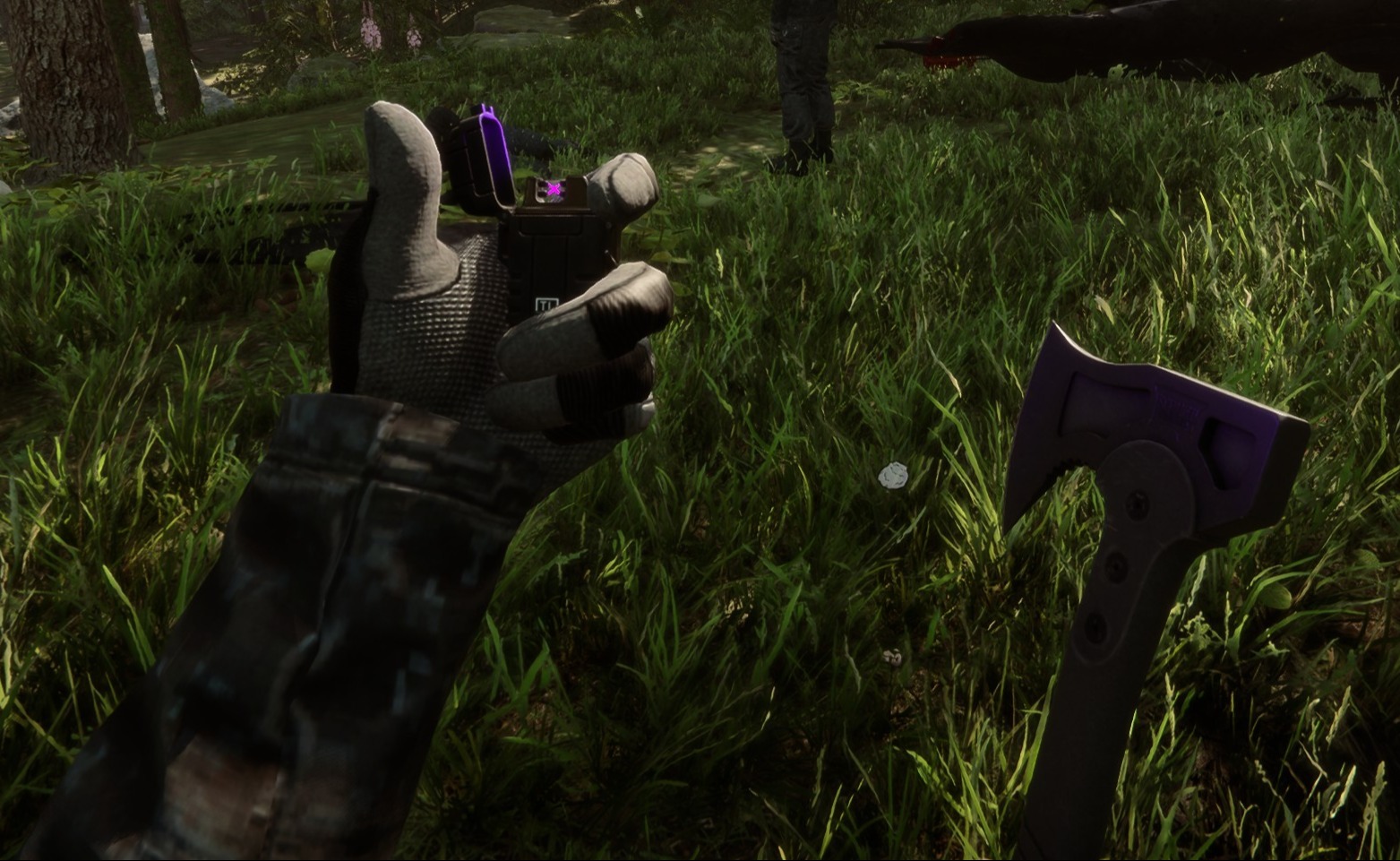
Tactical Gear Mod
Ce mod configurable côté client ajoute de l'équipement tactique à vous et à tous les autres joueurs de votre partie.
This configurable client-side mod adds tactical gear to you and any other players in your game.
Traduit automatiquement
clairenheit1367 Model Swap Version:v1.1.6 Mis à jour le 28 déc. 2025
- Téléchargements
- 16 028 au total
- Téléchargements cette semaine
- 153 cette semaine
- Abonnés
- 2 abonnés
Autres versions
Client · Hôte uniquement Tout voir
Présentation
Notes de terrain
Les 21 versionsAvis
Pas encore d’avis. Vous l’avez téléchargé ? Soyez le premier à raconter.
Se connecter · Un avis par survivant. Soyez précis : version, ce qui a marché, ce qui n’a pas marché.
Questions fréquentes
- Tactical Gear Mod fonctionne-t-il en multijoueur ?
- Oui, mais seul l’hôte doit l’installer ; les autres joueurs peuvent rejoindre sans.
- Comment installer Tactical Gear Mod ?
- Installez RedLoader (RedManager peut le faire pour vous), téléchargez Tactical Gear Mod 1.1.6 depuis cette page et placez-le dans le dossier _RedLoader/Mods du répertoire du jeu. Lancez le jeu et appuyez sur F1 pour vérifier qu’il est chargé.
- De quoi Tactical Gear Mod a-t-il besoin ?
- Seulement de Sons of the Forest sur Steam et de RedLoader. Aucune autre dépendance.
- Tactical Gear Mod fonctionne-t-il avec le patch actuel du jeu ?
- Il n’y a pas encore de rapport de compatibilité. Si vous l’essayez, ajoutez un rapport de terrain.
En bref
- Build du jeu
- Non vérifié
- RedLoader
- Non déclaré
- Plateforme
- Client
- Multijoueur
- Hôte uniquement
- Serveur dédié
- Inconnu
- Retrait en cours de partie
- Inconnu
- Dépendances
- Aucun
- Conflits
- Aucun connu
- Version
- 1.1.6
- Mis à jour
- Publié
Rapports de terrain
SignalerAucun rapport de terrain pour l’instant. Vous l’avez essayé ? Racontez-nous.
Ça a marché dans votre partie ?
Un rapport de terrain prend dix secondes et dit à tous si ce mod fonctionne sur le patch actuel.
Connectez-vous pour ajouter un rapport de terrain
14 commentaires
Hello Herds, the settings are available in the main menu on the "Mods" option, not in file explorer.
I might be super stupid, but i cant find the settings in my file explorer to configurate the mod. can someone please help me
i I'm having a problem with the mod. When I save the game, exit, and re-enter, the mod stops working (the hands and clothing aren't visible, only the default game gear, and Kevin doesn't have his helmet or anything equipped). I don't know if anyone else has experienced this or is currently experiencing the same issue.
Oma, it's a 1 click install using RedModManager
Can you please explain how to install the mod?
The gloves were not designed for the player and required some unconventional fixes to make replace the player hands. The player hands are two meshes, one for each while the gloves are one mesh for both and do not include forearms. The gloves work best with the "old" jacket, as the new one is designed around the gloveless hands. You'll notice the old jacket option forces gloves on co-op players, as otherwise the forearms will violently clip with it.
wrists are invisible on other clothing when gloves are in use.
sleeves are thinner than usual, and taking off the gloves will result in the thin sleeves clipping through the normal player arms.
nvm fixed it by uninstalling all other mods. the mod is great althru gloves could be rigged bit better for less clipping
it does not work for me (
it makes my hands invisible
R0xxier0cks, the helmet and balaclava are set to cast shadows only for the local player as otherwise they would obstruct your camera view. The free-camera option is a debug tool and doesn't override this
Connectez-vous pour commenter