Tactical Gear Mod
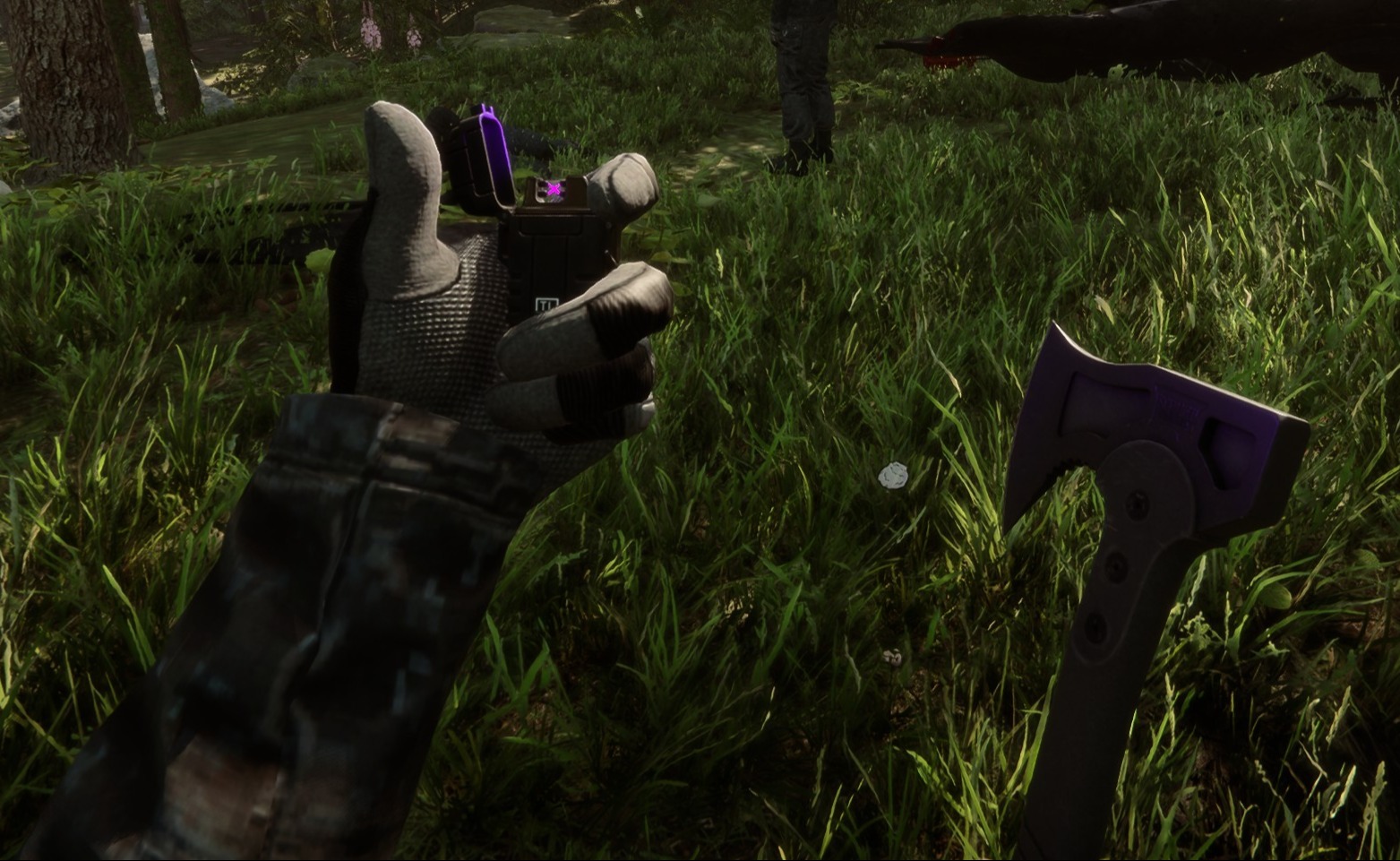
Este mod configurável do lado do cliente adiciona equipamento tático a você e a qualquer outro jogador no seu jogo.
This configurable client-side mod adds tactical gear to you and any other players in your game.
Traduzido automaticamente
clairenheit1367 Model Swap Versão:v1.1.6 Atualizado em 28 de dez. de 2025
- Downloads
- 16.025 no total
- Downloads nesta semana
- 150 nesta semana
- Seguidores
- 2 seguidores
Baixar v1.1.6
Outras versões
Cliente · Só o host Ver tudo
Visão geral
Notas de campo
Todas as 21 versõesAvaliações
Ainda não há avaliações. Baixou? Seja o primeiro a contar como foi.
Escrever uma avaliação
Entrar · Uma avaliação por sobrevivente. Seja específico: versão, o que funcionou e o que não.
Perguntas frequentes
- Tactical Gear Mod funciona no multijogador?
- Sim, mas só o anfitrião precisa instalar; os outros jogadores podem entrar sem ele.
- Como instalar Tactical Gear Mod?
- Instale o RedLoader (o RedManager pode fazer isso por você), baixe Tactical Gear Mod 1.1.6 nesta página e coloque na pasta _RedLoader/Mods dentro do diretório do jogo. Abra o jogo e aperte F1 para confirmar que carregou.
- Do que Tactical Gear Mod precisa?
- Só do Sons of the Forest na Steam e do RedLoader. Não tem outras dependências.
- Tactical Gear Mod funciona no patch atual do jogo?
- Ainda não há relatos de compatibilidade. Se você testar, adicione um relatório de campo.
Resumo rápido
- Build do jogo
- Não verificado
- RedLoader
- Não declarado
- Plataforma
- Cliente
- Multijogador
- Só o host
- Servidor dedicado
- Desconhecido
- Remover no meio do save
- Desconhecido
- Dependências
- Nenhum
- Conflitos
- Nenhum conhecido
- Versão
- 1.1.6
- Atualizado
- Publicado
Relatórios de campo
RelatarAinda não há relatórios de campo. Testou? Conte como foi.
Funcionou no seu jogo?
Um relatório de campo leva dez segundos e mostra a todos se este mod funciona no patch atual.
Entre para adicionar um relatório de campo
14 comentários
Hello Herds, the settings are available in the main menu on the "Mods" option, not in file explorer.
I might be super stupid, but i cant find the settings in my file explorer to configurate the mod. can someone please help me
i I'm having a problem with the mod. When I save the game, exit, and re-enter, the mod stops working (the hands and clothing aren't visible, only the default game gear, and Kevin doesn't have his helmet or anything equipped). I don't know if anyone else has experienced this or is currently experiencing the same issue.
Oma, it's a 1 click install using RedModManager
Can you please explain how to install the mod?
The gloves were not designed for the player and required some unconventional fixes to make replace the player hands. The player hands are two meshes, one for each while the gloves are one mesh for both and do not include forearms. The gloves work best with the "old" jacket, as the new one is designed around the gloveless hands. You'll notice the old jacket option forces gloves on co-op players, as otherwise the forearms will violently clip with it.
wrists are invisible on other clothing when gloves are in use.
sleeves are thinner than usual, and taking off the gloves will result in the thin sleeves clipping through the normal player arms.
nvm fixed it by uninstalling all other mods. the mod is great althru gloves could be rigged bit better for less clipping
it does not work for me (
it makes my hands invisible
R0xxier0cks, the helmet and balaclava are set to cast shadows only for the local player as otherwise they would obstruct your camera view. The free-camera option is a debug tool and doesn't override this
Entre para comentar