
Skip to content

We rebuilt SOTF Mods. Log in again with the same password.

Sons of the Forest Mod loader: RedLoader

Bring the Printer v1.1.0

Break a bunker 3D printer for parts, take its laptop and rebuild a working printer at your base from the blueprint book, powered by a solar panel.

ShokoCC Trusted Quality of Life

  • 4 4 Downloads
  • 0 followers

Description

Bring the Printer

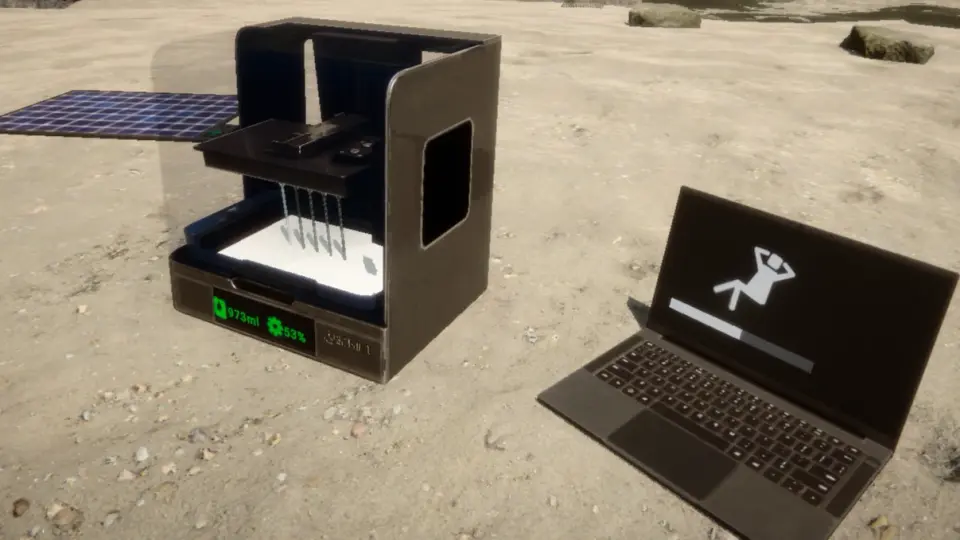
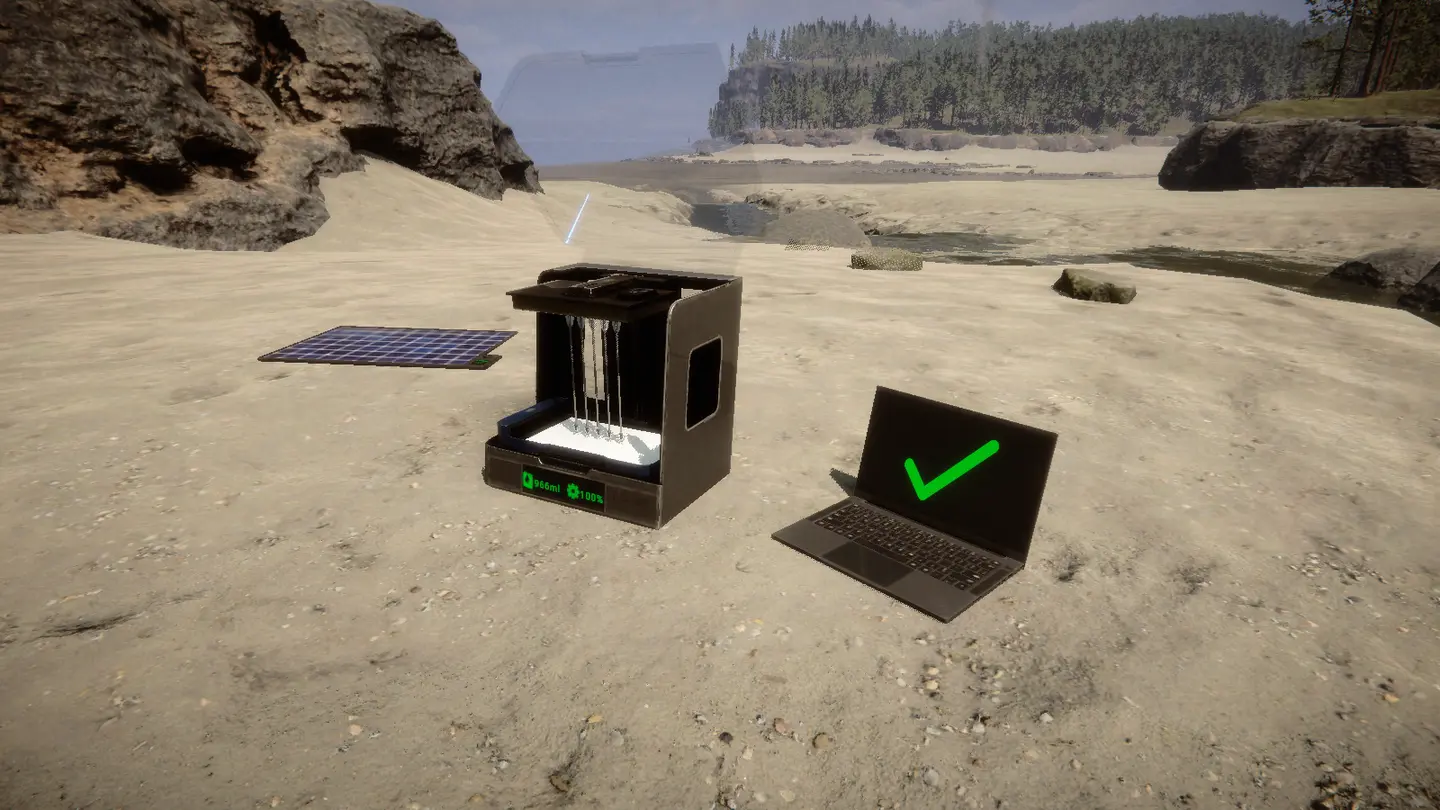
Take a 3D printer home. Break a bunker printer for parts, take its laptop, rebuild both at your base from the blueprint book and power them with a solar panel.

Single player and multiplayer (every player needs the mod). Requires RedLoader 0.8.6.

Features

  • Bunker 3D printers break when you hit them and drop 3D Printer Parts.
  • Hit a bunker laptop to knock it loose and pick it up as a Printer Laptop.
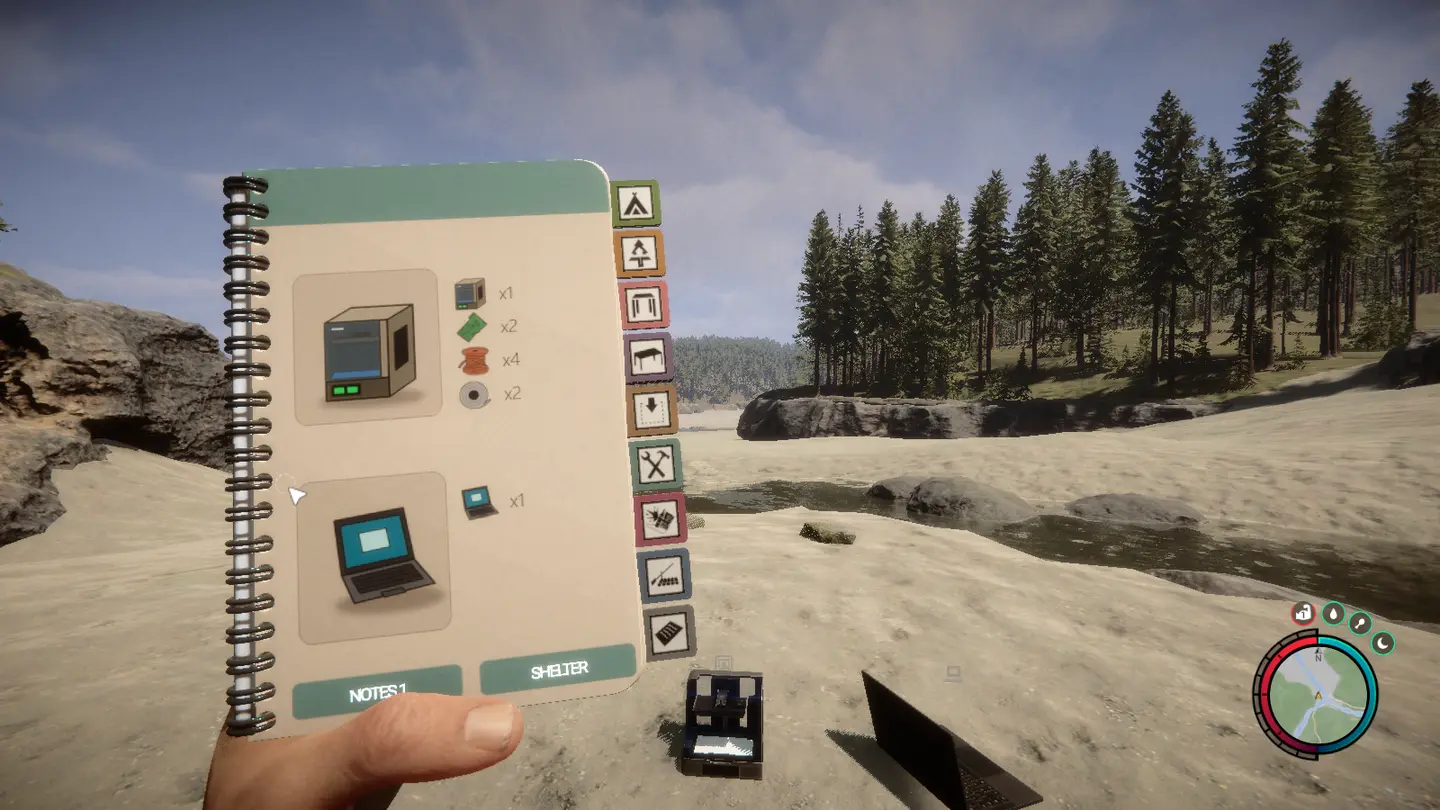
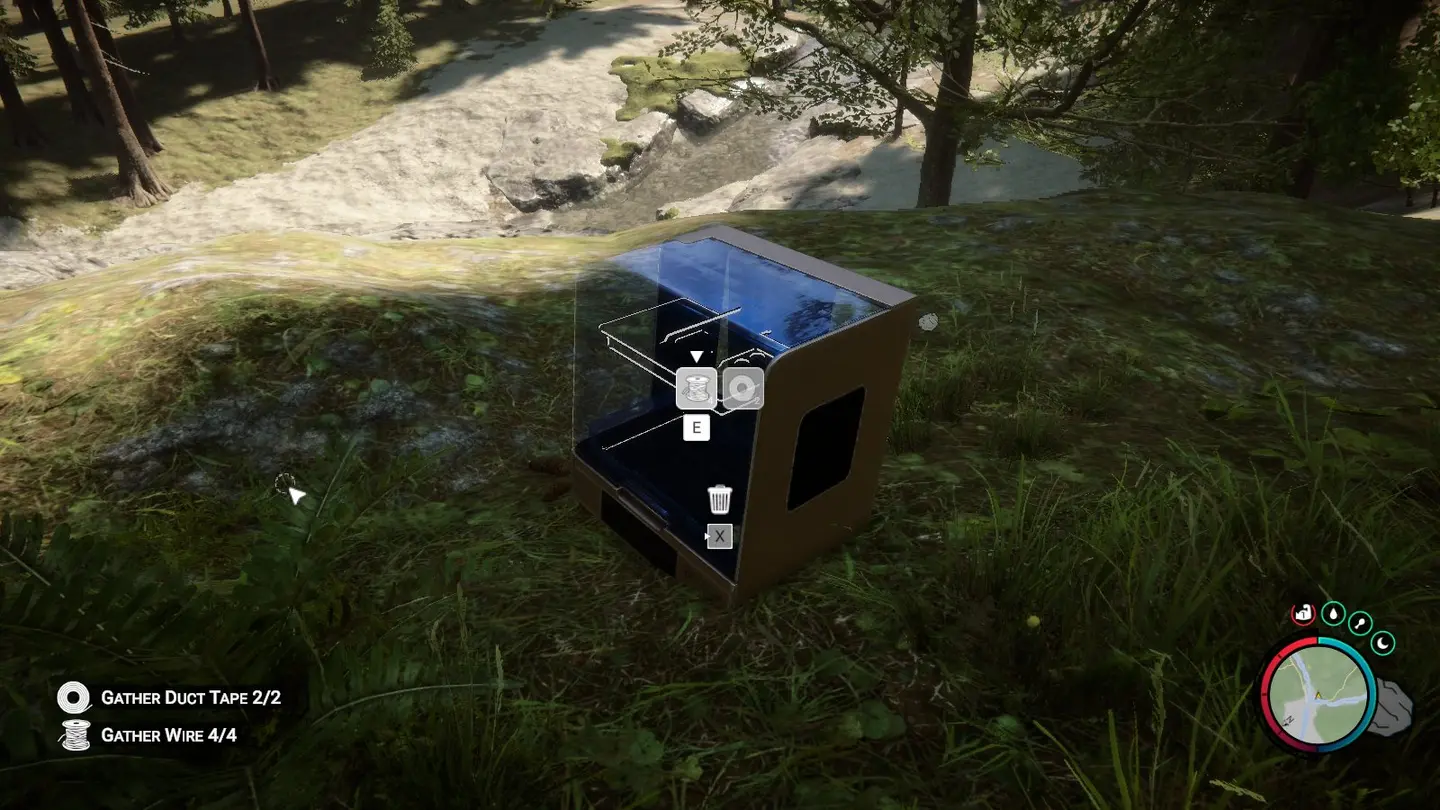
  • A new blueprint book page with the 3D Printer and the Printer Laptop. Place them and add the materials like any other blueprint.
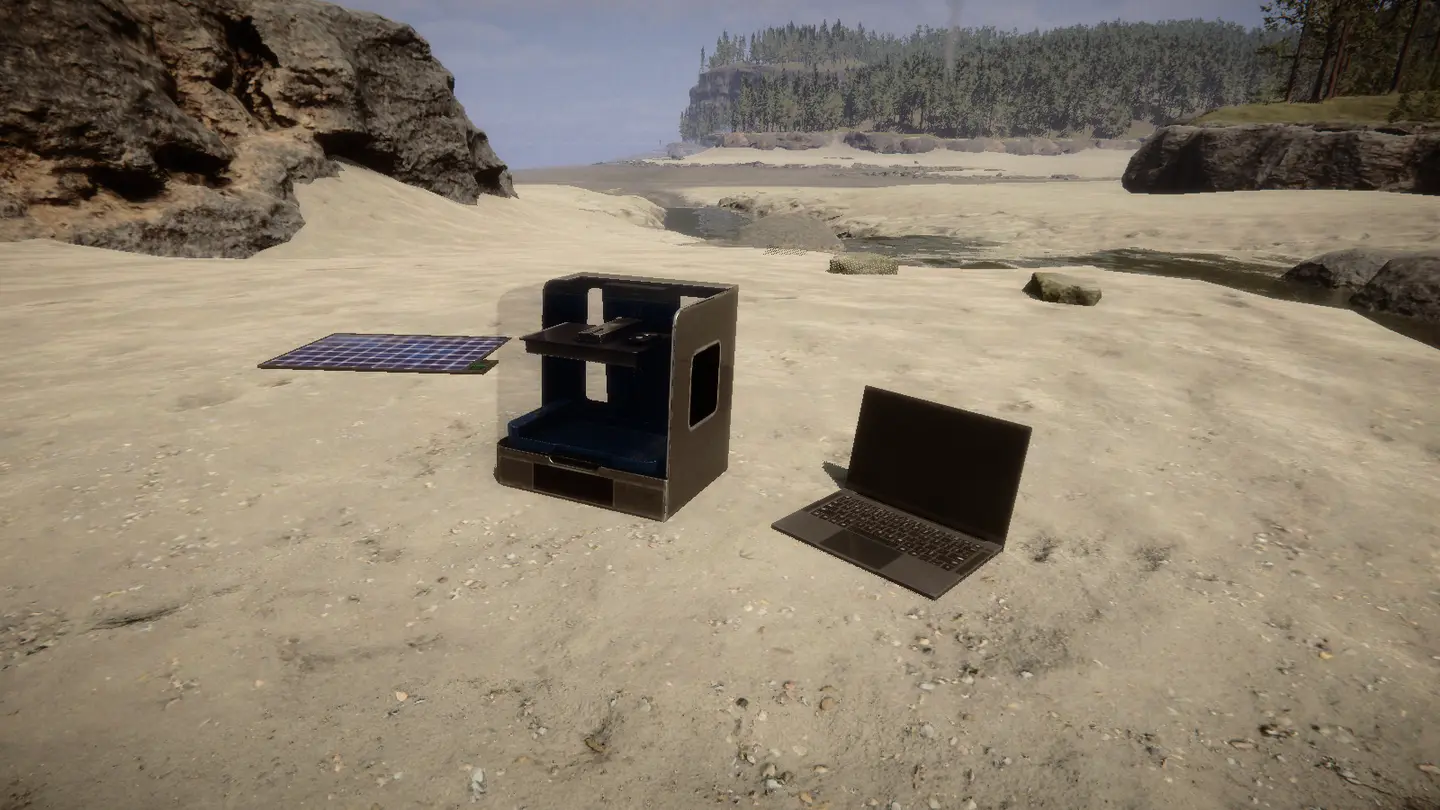
  • Both are electric structures, like lamps. Wire the laptop to the printer and the printer to a solar panel.
  • Without power they are off: dark screens, no interaction, and a running print pauses until power comes back.
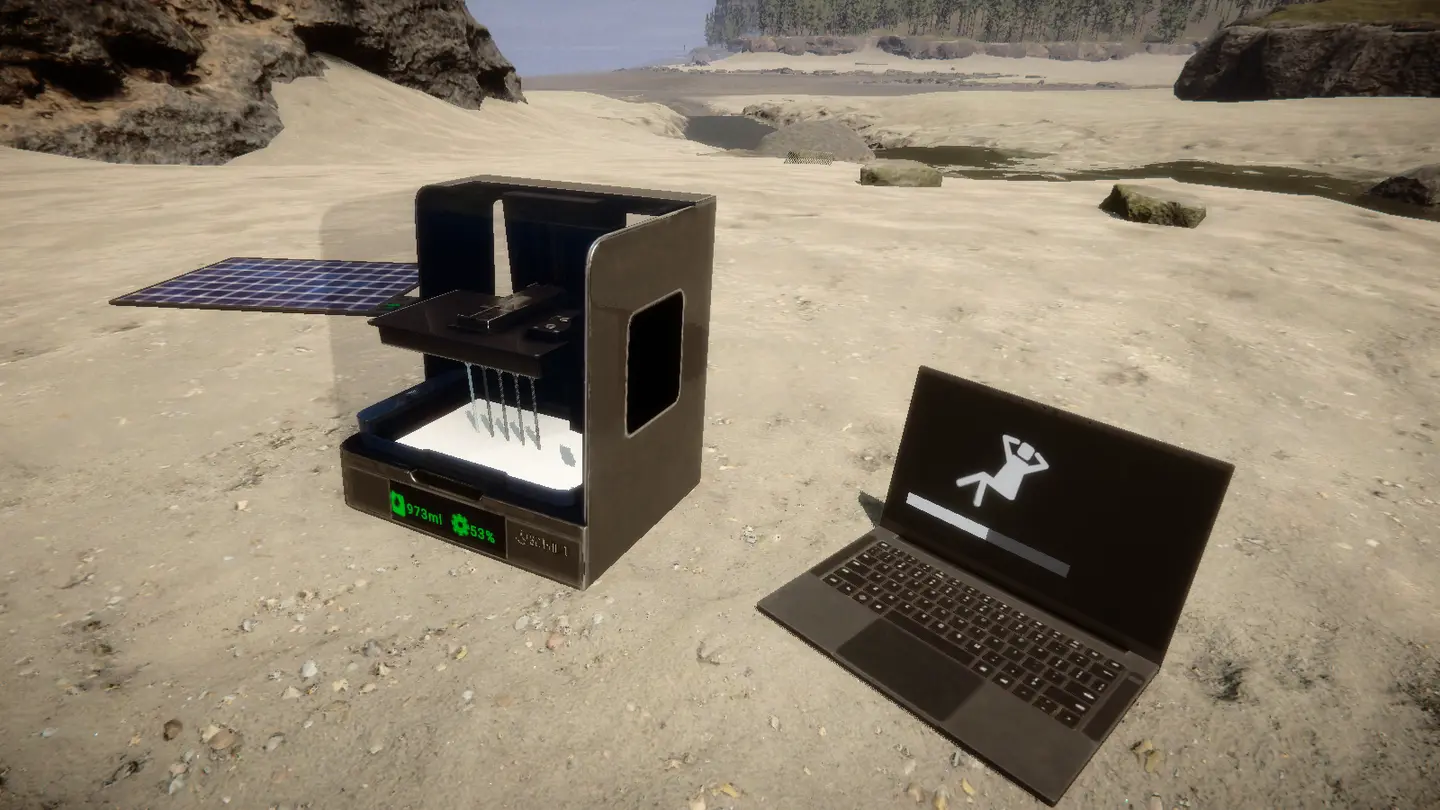
  • The rebuilt printer is a real game printer: refill it with resin, pick a blueprint on the laptop, print.
  • Rebuilt printers, laptops, resin, running print jobs, dropped items and unfinished blueprints are kept in your save. A print resumes when power is back.
  • Bunker printers work as before, without power, and come back so you can always get more parts.

Tutorial

  1. Find a bunker printer. Entertainment, Residential, Bunker A or Bunker B.

  2. Take the laptop. Hit the laptop once. It drops as a Printer Laptop you can pick up. It can't be taken while it is printing.

  3. Break the printer. Hit it until it breaks (three axe hits) and pick up the 3D Printer Parts.

  4. Place the blueprints. Open the blueprint book on the 3D Printer page and place the printer and the laptop.

  5. Add the materials with E, like any other blueprint:

    Structure Materials
    3D Printer 3D Printer Parts x1, Circuit Board x2, Wire x4, Duct Tape x2
    Printer Laptop Printer Laptop x1
  6. Wire it up. With the wire tool, connect the laptop to the printer and the printer to a solar panel.

  7. Refill and print. Once powered, the laptop links to the printer on the same wire. Refill the printer with resin and print.

Good to know

  • A solar panel gives no power at night. Add a battery to keep printing after sunset.
  • One laptop per printer. Extra laptops on the same wire stay unlinked.
  • Destroy a rebuilt printer or laptop like any structure. It drops its 3D Printer Parts or Printer Laptop so you can move it.
  • Wires are saved by the game like any other wire.
  • A bunker printer comes back when you are more than 60 m away from it.

Multiplayer

Works in multiplayer. Every player needs the mod installed.

  • Rebuilt printers and laptops are real network objects. Resin, print progress, pause and the laptop link use the game's own printer sync.
  • The host decides when a bunker printer breaks and drops its parts. It comes back when the host is more than 60 m away. Other players see the same state.
  • Everything is saved in the host's save game.

Console commands (F1)

  • spawnprinter puts a printer and a laptop in front of you (single player or host).
  • breakprinter breaks the bunker printer you are looking at.

Versions and changelog

All 1 version
  1. v1.1.0 Latest First release · 99.3 kB · 19 downloads
  1. v1.1.0

    Latest 99.3 kB

    First release

Comments

No comments yet. Questions, tips and bug reports go here.

Something not working? Share your log and paste the link in your comment.

Reviews

No reviews yet. Be the first to review this mod.

Write a review

Log in · One review per user. Be specific: version, what worked, what didn’t.

How to install this mod

These steps install Bring the Printer by hand, without a manager.

SotF Mods Manager installs and updates mods and their dependencies for you. Get SotF Mods Manager

This mod needs RedLoader, not BepInEx. BepInEx mods and guides don’t apply to Sons of the Forest.

  1. Install RedLoader

    Use RedLoader 0.8.6 or newer.

    How to install RedLoader
  2. Download Bring the Printer v1.1.0

    Download v1.1.0
  3. Extract the ZIP into the Mods folder

    On your PC, extract it into the game’s Mods folder:

    Steam/steamapps/common/Sons Of The Forest/Mods

    On a dedicated server, extract it into the server’s Mods folder:

    Sons Of The Forest Dedicated Server/Mods

    Keep the folder structure of the ZIP. Don’t put the ZIP itself in the folder.

  4. Launch the game

    RedLoader loads the mod on start. Press F1 in the main menu to see the list of mods.

    Multiplayer: Everyone needs it.

Full install guide

More actions

Share this mod

Badges for your page

Paste a badge into a README, forum post or Discord. Badges update automatically.

Downloads badge: Bring the PrinterVersion badge: Bring the PrinterCompatibility badge: Bring the PrinterRating badge: Bring the Printer
QR code

Scan it with your phone to open the page.

Report Bring the Printer

Tell the moderators what’s wrong. Reports are private.

Reason

Links, versions or anything that helps the moderators. Up to 2,000 characters.

Unapprove Bring the Printer?

It goes back to Pending approval: it leaves the main list and returns to the New mods queue.

  • Screenshot 1 of Bring the Printer
  • Screenshot 2 of Bring the Printer
  • Screenshot 3 of Bring the Printer
  • Screenshot 4 of Bring the Printer
  • Screenshot 5 of Bring the Printer
  • Screenshot 6 of Bring the Printer

1 / 6

Changelog

Comments

Reviews