Vai al contenuto
Accedi

Abbiamo rinnovato SOTF Mods. Accedi di nuovo: la tua password è la stessa.

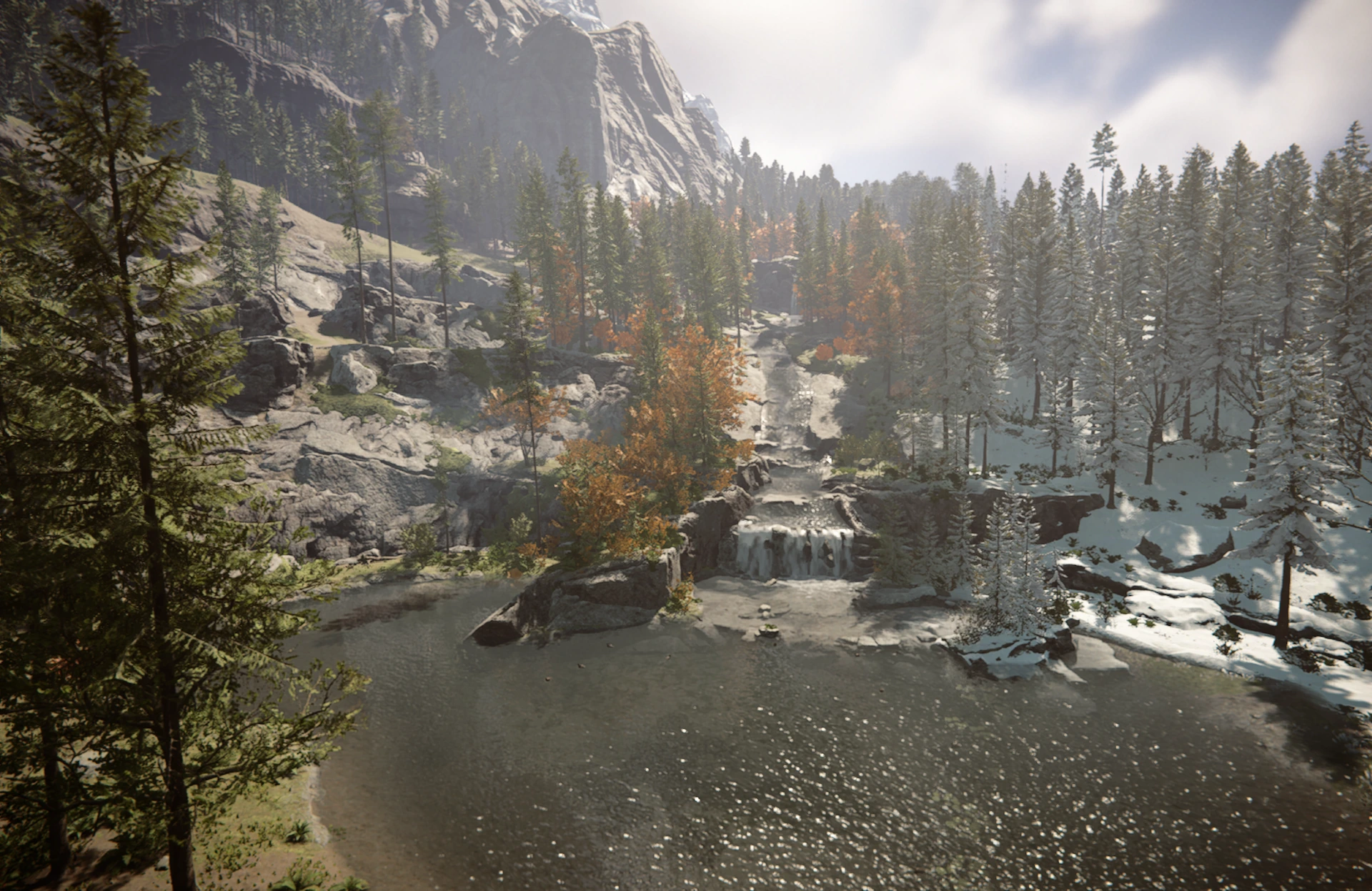
Immagine di copertina di Chronos
  • Screenshot 1 di 2

  • Screenshot 2 di 2

Chronos

Set day length in real minutes and season length in in-game days, per save, while you play.

cyace84 Quality of Life Versione:v1.0.0 Aggiornata il 9 ago 2026

Download
189 in totale
Download questa settimana
43 questa settimana
Follower
1 follower
Scarica v1.0.0
Altre versioni

Altre versioni

    Tutte le versioni
    Non verificato Non ancora verificata sull’ultima patch. L’hai provata? Faccelo sapere. Segnala se funziona

    Client e server · Serve a tutti Vedi tutto

    Panoramica

    Day length as a count of real minutes, season length as a count of in-game days, changed at any time in a loaded save. The game gives you four presets, picked at world setup before you know how that world plays, and changing your mind later means editing the save.

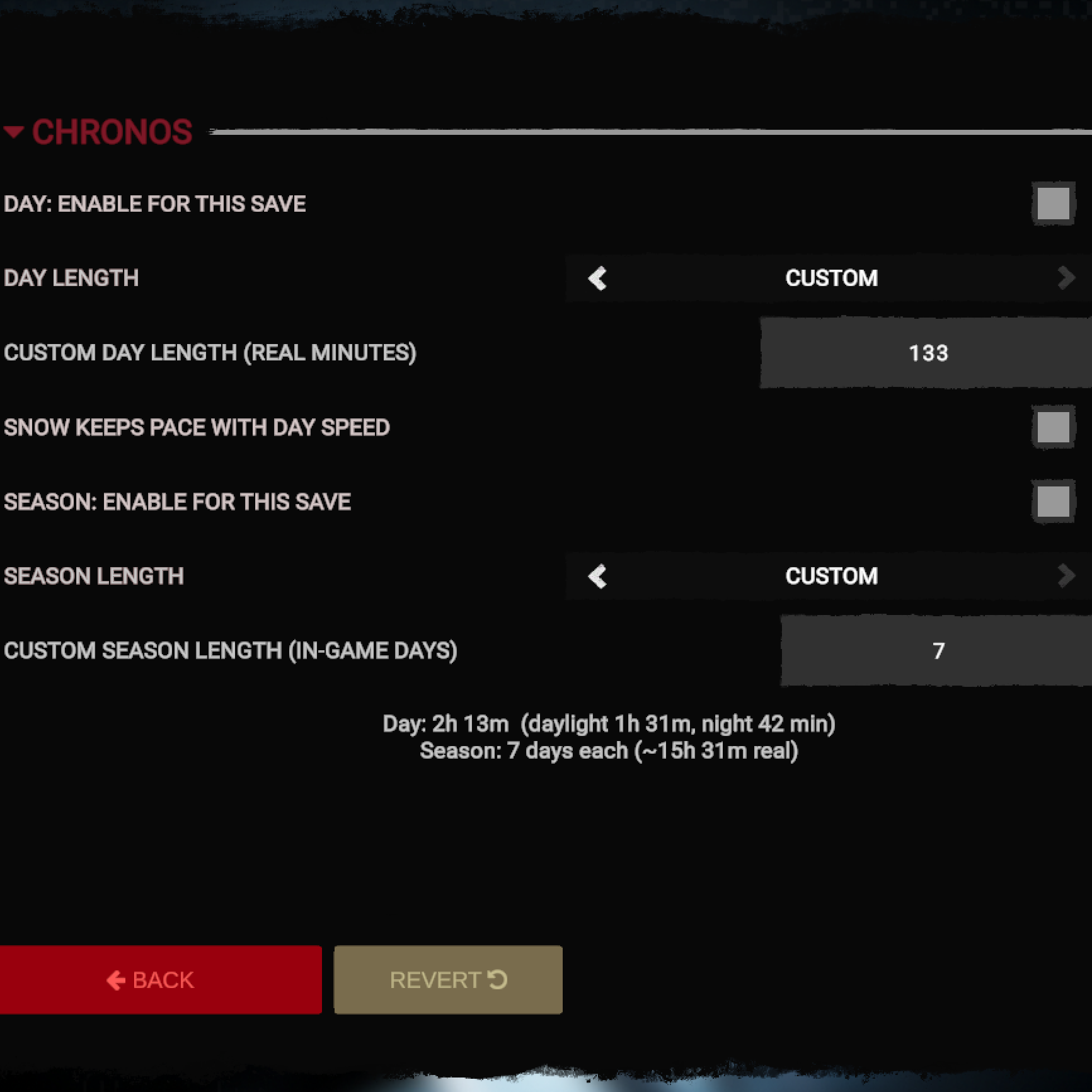
    Day length. The vanilla presets in real time: Short 29.4 minutes, Default 58.7, Long 2h 58m, Realistic 24h. Custom takes anything from 0.1 to 10080 minutes. The panel splits the result into daylight and night. Night runs 2.7 times faster, so a 60-minute day gives you 41 minutes of light.

    Season length. Presets in in-game days per season: 3, 5, 10, 91. Custom takes 1 to 120 whole days, since a season turns over at midnight. The season is worked out from the current day, so switching the calendar re-reads the year you already played.

    Snow keeps pace. Snow is a height line that winter walks down the mountains at a fixed rate. On short days a season can end before the line has finished moving. Chronos scales that rate with your day length.

    Usage. Load a save, open Options, then Mods, then Chronos. Turn on the day override, the season override or both, pick a preset or type your own number, close the panel. Values live inside the save and travel with it.

    Multiplayer. Works in co-op. Every player needs the mod and the same numbers. The clock comes from the host, but hunger, thirst and the season turn over on each player's own day length. Dedicated servers are untested.

    Compatibility. Chronos writes the clock speed (TimeOfDayHolder.GetBaseSpeedMultiplier), the season durations (SeasonsManager.GetSeasonDurations) and eight transition fields on SnowHeightManager. Another mod that writes any of them will fight it, and the one that applied last wins.

    Install. Install RedLoader and run the game once, then unpack the archive into the game folder. You should end up with Mods/Chronos.dll and Mods/Chronos/manifest.json.

    Source: github.com/Cyace84/sotf-chronos (MIT)

    Note sul campo

    La 1 versione
    1. v1.0.0

      Ultima

      First release

    Recensioni

    Ancora nessuna recensione. L’hai scaricata? Racconta per primo com’è andata.

    Scrivi una recensione

    Accedi · Una recensione per sopravvissuto. Sii preciso: versione, cosa ha funzionato e cosa no.

    Commenti

    Ancora nessun commento. Domande, consigli e bug vanno qui.

    Domande frequenti

    Chronos funziona in multigiocatore?
    Sì, ma tutti i giocatori della sessione devono installarlo, possibilmente nella stessa versione.
    Come si installa Chronos?
    Installa RedLoader (RedManager può farlo per te), scarica Chronos 1.0.0 da questa pagina e mettilo nella cartella _RedLoader/Mods della directory del gioco. Avvia il gioco e premi F1 per verificare che sia caricato.
    Di cosa ha bisogno Chronos?
    Solo di Sons of the Forest su Steam e di RedLoader. Non ha altre dipendenze.
    Chronos funziona con la patch attuale del gioco?
    Non ci sono ancora segnalazioni di compatibilità. Se lo provi, aggiungi un rapporto sul campo.

    In breve

    Build del gioco
    Non verificato
    RedLoader
    Non dichiarato
    Piattaforma
    Universale
    Multigiocatore
    Serve a tutti
    Server dedicato
    Sconosciuto
    Rimozione a partita in corso
    Sconosciuto
    Dipendenze
    Nessuno
    Conflitti
    Nessuno noto
    Versione
    1.0.0
    Aggiornata
    Pubblicata

    Rapporti sul campo

    Segnala

    Ancora nessun rapporto sul campo. L’hai provata? Faccelo sapere.

    Ha funzionato nella tua partita?

    Un rapporto sul campo richiede dieci secondi e dice a tutti se questa mod funziona con la patch attuale.

    Accedi per aggiungere un rapporto sul campo

    Come installare questa mod

    Cinque minuti, senza gestore. Questi passaggi sono per Chronos.

    Questa mod richiede RedLoader, non BepInEx. Le mod e le guide per BepInEx non valgono per Sons of the Forest.

    1. Installa RedLoader

      RedLoader è il caricatore di mod di Sons of the Forest. Si installa una volta e funzionano tutte le mod.

      Come installare RedLoader
    2. Scarica Chronos v1.0.0

      Scarica v1.0.0
    3. Estrai lo ZIP nella cartella Mods

      Sul tuo PC, estrailo nella cartella Mods del gioco:

      Steam/steamapps/common/Sons Of The Forest/Mods

      Su un server dedicato, estrailo nella cartella Mods del server:

      Sons Of The Forest Dedicated Server/Mods

      Mantieni la struttura delle cartelle dello ZIP. Non mettere lo ZIP stesso nella cartella.

    4. Avvia il gioco

      RedLoader carica la mod all’avvio. Premi F1 nel menu principale per vedere l’elenco delle mod.

      Multigiocatore: Serve a tutti.

    Preferisci un clic? RedManager installa e aggiorna le mod e le loro dipendenze per te.

    Guida all’installazione completa

    Condividi questa mod

    Badge per la tua pagina

    Incolla un badge in un README, forum o Discord. Si aggiornano da soli.

    Badge Download: ChronosBadge Versione: ChronosBadge Compatibilità: ChronosBadge Valutazione: Chronos
    Codice QR

    Scansionalo con il telefono per aprire la pagina.

    Segnala Chronos

    Spiega ai ranger cosa non va. Le segnalazioni sono private.

    Motivo

    Link, versioni o qualsiasi cosa aiuti i ranger. Fino a 2000 caratteri.

    • Screenshot 1 di Chronos
    • Screenshot 2 di Chronos

    1 / 2